

JB
Jordan Brown
Fri, Oct 24, 2025 7:54 PM
On 10/24/2025 10:47 AM, Cory Cross wrote:
On 10/23/25 4:22 PM, Jordan Brown via Discuss wrote:
but when you collapse the shape on the right to a 2D object all of
those interior lines will go away.
Could the "no top level union" of lazy union resolve this? It seems to
not work on 2D like it does 3D.
Lazy union was intended as an optimization, not a semantic change.
And although I don't know the details, I believe it's been found to be a
bad idea. The very fact that you get different results from it says
that it's a bad optimization.
On 10/24/2025 10:47 AM, Cory Cross wrote:
> On 10/23/25 4:22 PM, Jordan Brown via Discuss wrote:
>> but when you collapse the shape on the right to a 2D object all of
>> those interior lines will go away.
> Could the "no top level union" of lazy union resolve this? It seems to
> not work on 2D like it does 3D.
Lazy union was intended as an optimization, not a semantic change.
And although I don't know the details, I believe it's been found to be a
bad idea. The very fact that you get different results from it says
that it's a bad optimization.
M
mikeonenine@web.de
Fri, Oct 24, 2025 11:44 PM
On 10/24/2025 12:11 AM, Caddiy via Discuss wrote:
Jordan Brown wrote:
Not that we couldn't possibly have an appropriate feature, but we
don't have one today.
It must be possible. Windows, or is it Word, has a dreadfully
cumbersome drawing program, but it does give absolutely sharp, clean
prints (I’m talking about 2D on paper, of course).
How does the PC get the printer to do that? The technology must have
been around for years.
That aspect isn't the problem. Yes, the "technology" has been around
for years - more than 60, possibly a hundred or more, maybe even
thousands. An ancient mathematician could do it if they had a reason
to, and might have done it for tile art. You just represent the lines
as mathematical lines, and only turn them into pixels at the last
moment, when you must, so that you can turn them into exactly the
smallest pixels that the display can produce.
OpenSCAD does that all the time with 3D solids and 2D filled shapes.
You can get perfectly clean 2D prints from OpenSCAD by creating a 2D
design and exporting it as an SVG or a PDF.
Here's a screen shot from OpenSCAD, enlarged:
Obvious jaggies, right?
Enclosed please find PDF and SVG exports. Note that they are perfect;
you can zoom in as far as you like and you never see jaggies. (Well, of
course there are jaggies, because you've viewing them on a pixel screen,
but they're coming from your view, not from the file.) Print them out
on your 1000dpi printer, and you'll need a microscope to see the
jaggies. (If you can see them at all, because of anti-aliasing and
print fuzziness.)
The problem is that OpenSCAD isn't a drawing program. Here's a
snippet that I drew trivially in Inkscape:
OpenSCAD can't draw that, can't draw that box overlapping a circle.
OpenSCAD doesn't have lines, and doesn't have unfilled shapes. It has
only filled shapes. And the rendering process that's required before
export, that resolves things like unions and differences, destroys all
color information and (because the result is a filled shape) destroys
all internal lines.
You might think that
circle(10);
square(15);
would produce that figure, but it won't, not even if you make them
different colors, because the rendered output will be
with the interior lines destroyed - because a filled shape by definition
doesn't have interior lines.
With a bit of tedium (or with an appropriate library), you can do this:
$fa = 1;
$fs = 1;
t = 0.2;
difference() {
circle(10);
circle(10-t);
}
difference() {
square(15);
translate([t,t])
square(15-t*2);
}
and it'll look sort of right:
But now let's zoom in... OpenSCAD on the left and Inkscape on the right.
The "lines" that were drawn with OpenSCAD got thicker, because they are
really filled shapes. The lines drawn with Inkscape stay thin, because
they are really lines.
So, net, yes, you can use OpenSCAD to draw black and white drawings that
have no jaggies, if you're careful to draw your own lines using really
skinny 2D shapes and you don't zoom in very much. But you have to draw
them as 2D shapes. If you have a 3D model that you want a 2D image
of, this technique is no help at all, and OpenSCAD doesn't have tools
that will help you.
Everything that is displayed on the screen automatically has pixels, so the only valid test is a print on paper. As I am not quite sure which example was done with OpenSCAD and which with Inkscape, I don’t know which to print out. I would also have to fire up my old steam-age PC with Windows XP because my printer doesn’t work off later versions of Windows.
OpenSCAD was developed for 3D printing, not 2D. So the only way to get a 2D print is from a screenshot - pixels and all. Then along came this fellow who delights in finding uses for things for which they were never intended. It would be nice to have a 2D print function in OpenSCAD, like that in any word processing program, graphics program etc. If that is rocket science, then it is very old rocket science. But would any other current user need a 2D print function? Probably not.
Something quirky:
color("black")
circle(20+0.2);
color(corn)
translate([0, 0, 1.0001])
difference()
{
circle(20-0.2);
rotate([0, 0, 45])
for(i=[-18:4:18])
translate([i, 0])
csquare(0.4, 41);
}
Note translate([0, 0, 1.0001]). With everthing in the same plane, you don’t get the hatching. With z=1.0001 you have to zoom in and out to find the hatching. Z=2 seems to fit all sizes.
The attached image shows different combinations of your square and circle that can be done with OpenSCAD.

Jordan Brown wrote:
> On 10/24/2025 12:11 AM, Caddiy via Discuss wrote:
>
> > Jordan Brown wrote:
> >
> > ```
> > Not that we couldn't possibly have an appropriate feature, but we
> > don't have one today.
> > ```
> >
> > It must be possible. Windows, or is it Word, has a dreadfully
> > cumbersome drawing program, but it does give absolutely sharp, clean
> > prints (I’m talking about 2D on paper, of course).
> >
> > How does the PC get the printer to do that? The technology must have
> > been around for years.
>
> That aspect isn't the problem. Yes, the "technology" has been around
> for years - more than 60, possibly a hundred or more, maybe even
> thousands. An ancient mathematician could do it if they had a reason
> to, and might have done it for tile art. You just represent the lines
> as mathematical lines, and only turn them into pixels at the last
> moment, when you must, so that you can turn them into exactly the
> smallest pixels that the display can produce.
>
> OpenSCAD does that all the time with 3D solids and 2D filled shapes.
> You can get perfectly clean 2D prints from OpenSCAD by creating a 2D
> design and exporting it as an SVG or a PDF.
>
> Here's a screen shot from OpenSCAD, enlarged:
>
> Obvious jaggies, right?
>
> Enclosed please find PDF and SVG exports. Note that they are perfect;
> you can zoom in as far as you like and you never see jaggies. (Well, of
> course there are jaggies, because you've viewing them on a pixel screen,
> but they're coming from your view, not from the file.) Print them out
> on your 1000dpi printer, and you'll need a microscope to see the
> jaggies. (If you can see them at all, because of anti-aliasing and
> print fuzziness.)
>
> The problem is that OpenSCAD *isn't* a drawing program. Here's a
> snippet that I drew trivially in Inkscape:
>
> OpenSCAD can't draw that, can't draw that box overlapping a circle.
>
> OpenSCAD doesn't have lines, and doesn't have unfilled shapes. It has
> only filled shapes. And the rendering process that's required before
> export, that resolves things like unions and differences, destroys all
> color information and (because the result is a filled shape) destroys
> all internal lines.
>
> You might think that
>
> ```
> circle(10);
> square(15);
> ```
>
> would produce that figure, but it won't, not even if you make them
> different colors, because the rendered output will be
>
> with the interior lines destroyed - because a filled shape by definition
> doesn't have interior lines.
>
> With a bit of tedium (or with an appropriate library), you can do this:
>
> ```
> $fa = 1;
> $fs = 1;
>
> t = 0.2;
>
> difference() {
> circle(10);
> circle(10-t);
> }
> difference() {
> square(15);
> translate([t,t])
> square(15-t*2);
> }
> ```
>
> and it'll look sort of right:
>
> But now let's zoom in... OpenSCAD on the left and Inkscape on the right.
>
> The "lines" that were drawn with OpenSCAD got thicker, because they are
> really filled shapes. The lines drawn with Inkscape stay thin, because
> they are really lines.
>
> So, net, yes, you can use OpenSCAD to draw black and white drawings that
> have no jaggies, if you're careful to draw your own lines using really
> skinny 2D shapes and you don't zoom in very much. But you have to draw
> them *as* 2D shapes. If you have a 3D model that you want a 2D image
> of, this technique is no help at all, and OpenSCAD doesn't have tools
> that will help you.
Everything that is displayed on the screen automatically has pixels, so the only valid test is a print on paper. As I am not quite sure which example was done with OpenSCAD and which with Inkscape, I don’t know which to print out. I would also have to fire up my old steam-age PC with Windows XP because my printer doesn’t work off later versions of Windows.
OpenSCAD was developed for 3D printing, not 2D. So the only way to get a 2D print is from a screenshot - pixels and all. Then along came this fellow who delights in finding uses for things for which they were never intended. It would be nice to have a 2D print function in OpenSCAD, like that in any word processing program, graphics program etc. If that is rocket science, then it is very old rocket science. But would any other current user need a 2D print function? Probably not.
Something quirky:
`color("black")`
`circle(20+0.2);`
`color(corn)`
`translate([0, 0, 1.0001])`
`difference()`
`{`
`circle(20-0.2);`
`rotate([0, 0, 45])`
`for(i=[-18:4:18])`
`translate([i, 0])`
`csquare(0.4, 41);`
`}`
Note `translate([0, 0, 1.0001])`. With everthing in the same plane, you don’t get the hatching. With z=1.0001 you have to zoom in and out to find the hatching. Z=2 seems to fit all sizes.
The attached image shows different combinations of your square and circle that *can* be done with OpenSCAD.
M
mikeonenine@web.de
Fri, Oct 24, 2025 11:58 PM
Work around in openscad could be to draw lines with chain hull of spheres
with diameter appropriate for the sketch.
Does a chain hull just connect adjacent spheres instead of the whole lot? Does that need Python? I could have used that for a couple of things in the past.
But yes then you need to create models with points list and not with openscad primitives. Maybe this is right now is the issue with most of the people as thinking in terms of points list is a challenge initially for first few models. Apart from that there could be a fear of writing too much code for drawing through points, which is not quite True as per my experience and finally it will turn out to be far more productive.
My problem is a) I don’t know how to generate a points list and b) I would need a dozen or more points lists for each project. That’s an awful lot of points and rendering/previewing the result would be very slow, which would make fault-finding or alterations very tedious.
Sanjeev Prabhakar wrote:
> Work around in openscad could be to draw lines with chain hull of spheres
> with diameter appropriate for the sketch.
Does a chain hull just connect adjacent spheres instead of the whole lot? Does that need Python? I could have used that for a couple of things in the past.
> But yes then you need to create models with points list and not with openscad primitives. Maybe this is right now is the issue with most of the people as thinking in terms of points list is a challenge initially for first few models. Apart from that there could be a fear of writing too much code for drawing through points, which is not quite True as per my experience and finally it will turn out to be far more productive.
My problem is a) I don’t know how to generate a points list and b) I would need a dozen or more points lists for each project. That’s an awful lot of points and rendering/previewing the result would be very slow, which would make fault-finding or alterations very tedious.
JB
Jordan Brown
Sat, Oct 25, 2025 12:26 AM
On 10/24/2025 4:44 PM, Caddiy via Discuss wrote:
Everything that is displayed on the screen automatically has pixels,
so the only valid test is a print on paper.
Everything on paper (on modern printers) has pixels too. They're just
smaller and fuzzier.
Zooming is a dead giveaway. A pixel-based image will make the pixels
larger; a line-based image won't.
As I am not quite sure which example was done with OpenSCAD and which
with Inkscape, I don’t know which to print out.
The PDF and SVG were both created from OpenSCAD.
In the inline images, the ones that are thin black lines are from
Inkscape; the ones that are yellow or green are from OpenSCAD. (But
those are all screen shots and so pixel-based.)
OpenSCAD was developed for 3D printing, not 2D. So the only way to get
a 2D print is from a screenshot - pixels and all.
No... you can export to SVG or PDF or DXF, but the only thing you can
export is a rendered 2D model... and a rendered 2D model consists
entirely of disjoint filled shapes - no lines, no overlaps.
Then along came this fellow who delights in finding uses for things
for which they were never intended.
It would be nice to have a 2D print function in OpenSCAD, like that in
any word processing program, graphics program etc. If that is rocket
science, then it is very old rocket science. But would any other
current user need a 2D print function?
We have a 3D print function!
But yes, we could have some sort of "print the model" function... but it
would be hard for it not to be based on pixels. Still, it could be
based on very small pixels. We could render at printer pixel density.
But would that really do what you want, if you want to generate a line
drawing rather than a shaded image?
Another way to create 2D images is to export your 3D model as a POV-Ray
model. That will (with additional work) get you a photorealistic
image. But it won't get you a line drawing.
Probably not.
Something quirky:
|color("black")
circle(20+0.2);
color(corn)
translate([0, 0, 1.0001])
difference()
{
circle(20-0.2);
rotate([0, 0, 45])
for(i=[-18:4:18])
translate([i, 0])
csquare(0.4, 41);
}|
Note |translate([0, 0, 1.0001])|. With everthing in the same plane,
you don’t get the hatching. With z=1.0001 you have to zoom in and out
to find the hatching. Z=2 seems to fit all sizes.
The attached image shows different combinations of your square and
circle that /can/ be done with OpenSCAD.
Yes, you can get more variations by stacking 2D or vertically-thin 3D
objects.
You can make 2D drawings with OpenSCAD. It just isn't all that easy,
and it isn't all that obvious, and often you are stuck with screen shots
as your only export mechanism. And, mostly, the techniques won't get
you a line drawing from a 3D model.

On 10/24/2025 4:44 PM, Caddiy via Discuss wrote:
>
> Everything that is displayed on the screen automatically has pixels,
> so the only valid test is a print on paper.
>
Everything on paper (on modern printers) has pixels too. They're just
smaller and fuzzier.
Zooming is a dead giveaway. A pixel-based image will make the pixels
larger; a line-based image won't.
> As I am not quite sure which example was done with OpenSCAD and which
> with Inkscape, I don’t know which to print out.
>
The PDF and SVG were both created from OpenSCAD.
In the inline images, the ones that are thin black lines are from
Inkscape; the ones that are yellow or green are from OpenSCAD. (But
those are all screen shots and so pixel-based.)
> OpenSCAD was developed for 3D printing, not 2D. So the only way to get
> a 2D print is from a screenshot - pixels and all.
>
No... you can export to SVG or PDF or DXF, but the only thing you can
export is a rendered 2D model... and a rendered 2D model consists
entirely of disjoint filled shapes - no lines, no overlaps.
> Then along came this fellow who delights in finding uses for things
> for which they were never intended.
>
Yep :-)
> It would be nice to have a 2D print function in OpenSCAD, like that in
> any word processing program, graphics program etc. If that is rocket
> science, then it is very old rocket science. But would any other
> current user need a 2D print function?
>
We have a 3D print function!
But yes, we could have some sort of "print the model" function... but it
would be hard for it not to be based on pixels. Still, it could be
based on very small pixels. We could render at printer pixel density.
But would that really do what you want, if you want to generate a line
drawing rather than a shaded image?
Another way to create 2D images is to export your 3D model as a POV-Ray
model. That will (with additional work) get you a photorealistic
image. But it won't get you a line drawing.
> Probably not.
>
> Something quirky:
>
> |color("black")
> circle(20+0.2);
> color(corn)
> translate([0, 0, 1.0001])
> difference()
> {
> circle(20-0.2);
> rotate([0, 0, 45])
> for(i=[-18:4:18])
> translate([i, 0])
> csquare(0.4, 41);
> }|
>
> Note |translate([0, 0, 1.0001])|. With everthing in the same plane,
> you don’t get the hatching. With z=1.0001 you have to zoom in and out
> to find the hatching. Z=2 seems to fit all sizes.
>
You don't supply corn or csquare, so I have to guess at the exact
behavior, but yes. Previews of 2D objects are displayed as 3D objects,
and are subject to Z-fighting
<https://en.wikibooks.org/wiki/OpenSCAD_User_Manual/FAQ#What_are_those_strange_flickering_artifacts_in_the_preview?>
when there are coincident surfaces.
> The attached image shows different combinations of your square and
> circle that /can/ be done with OpenSCAD.
>
Yes, you can get more variations by stacking 2D or vertically-thin 3D
objects.
You *can* make 2D drawings with OpenSCAD. It just isn't all that easy,
and it isn't all that obvious, and often you are stuck with screen shots
as your only export mechanism. And, mostly, the techniques won't get
you a line drawing from a 3D model.
SP
Sanjeev Prabhakar
Sat, Oct 25, 2025 1:35 AM
Your understanding on chain hull is correct. There is no need of python for
chain hull and also for creating polygons with points list. It is much
simpler than you think, you just need to spend some time in this direction.
There are only a very few concepts which you need to know and once clear
you will probably never go back to primitives.
On Sat, 25 Oct, 2025, 5:28 am Caddiy via Discuss, <
discuss@lists.openscad.org> wrote:
Sanjeev Prabhakar wrote:
Work around in openscad could be to draw lines with chain hull of spheres
with diameter appropriate for the sketch.
Does a chain hull just connect adjacent spheres instead of the whole lot?
Does that need Python? I could have used that for a couple of things in the
past.
But yes then you need to create models with points list and not with
openscad primitives. Maybe this is right now is the issue with most of the
people as thinking in terms of points list is a challenge initially for
first few models. Apart from that there could be a fear of writing too much
code for drawing through points, which is not quite True as per my
experience and finally it will turn out to be far more productive.
My problem is a) I don’t know how to generate a points list and b) I would
need a dozen or more points lists for each project. That’s an awful lot of
points and rendering/previewing the result would be very slow, which would
make fault-finding or alterations very tedious.
OpenSCAD mailing list
To unsubscribe send an email to discuss-leave@lists.openscad.org
Your understanding on chain hull is correct. There is no need of python for
chain hull and also for creating polygons with points list. It is much
simpler than you think, you just need to spend some time in this direction.
There are only a very few concepts which you need to know and once clear
you will probably never go back to primitives.
On Sat, 25 Oct, 2025, 5:28 am Caddiy via Discuss, <
discuss@lists.openscad.org> wrote:
> Sanjeev Prabhakar wrote:
>
> Work around in openscad could be to draw lines with chain hull of spheres
> with diameter appropriate for the sketch.
>
> Does a chain hull just connect adjacent spheres instead of the whole lot?
> Does that need Python? I could have used that for a couple of things in the
> past.
>
> But yes then you need to create models with points list and not with
> openscad primitives. Maybe this is right now is the issue with most of the
> people as thinking in terms of points list is a challenge initially for
> first few models. Apart from that there could be a fear of writing too much
> code for drawing through points, which is not quite True as per my
> experience and finally it will turn out to be far more productive.
>
> My problem is a) I don’t know how to generate a points list and b) I would
> need a dozen or more points lists for each project. That’s an awful lot of
> points and rendering/previewing the result would be very slow, which would
> make fault-finding or alterations very tedious.
>
>
> _______________________________________________
> OpenSCAD mailing list
> To unsubscribe send an email to discuss-leave@lists.openscad.org
M
mikeonenine@web.de
Sat, Oct 25, 2025 1:51 AM
We could render at printer pixel density.
That looks like the way to go, if printer pixel density is greater than screen pixel density. At least it would be an improvement. Would that be a big deal?
You don't supply corn or csquare, so I have to guess at the exact
behavior,
Sorry, I forgot. Corn is 1.3, 1.3, 0.9*1.3 or Cornfield*1.3. Csquare is a centred square. But you got the right idea. Two 2D shapes in the xy-plane works OK, but it seems three is a crowd. Another type of z-fighting?
You can make 2D drawings with OpenSCAD. It just isn't all that easy,
and it isn't all that obvious,
module xyz() then colour1 offset(+off) xyz(); followed by colour2 offset(-off) xyz();
No sweat.
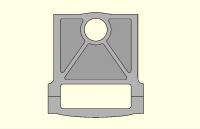
Jordan Brown wrote:
> We could render at printer pixel density.
That looks like the way to go, if printer pixel density is greater than screen pixel density. At least it would be an improvement. Would that be a big deal?
> You don't supply corn or csquare, so I have to guess at the exact
> behavior,
Sorry, I forgot. Corn is 1.3, 1.3, 0.9\*1.3 or Cornfield\*1.3. Csquare is a centred square. But you got the right idea. Two 2D shapes in the xy-plane works OK, but it seems three is a crowd. Another type of z-fighting?
> You *can* make 2D drawings with OpenSCAD. It just isn't all that easy,
> and it isn't all that obvious,
module xyz() then colour1 offset(+off) xyz(); followed by colour2 offset(-off) xyz();
No sweat.
JB
Jordan Brown
Sat, Oct 25, 2025 5:13 AM
On 10/24/2025 6:51 PM, Caddiy via Discuss wrote:
That looks like the way to go, if printer pixel density is greater
than screen pixel density.
Printers these days are basically all higher density than screens. But
printer pixel density is whatever it is; the printer can't do anything
better than that.
At least it would be an improvement. Would that be a big deal?
It would not be a small deal. I don't think it's something I could
knock out in an afternoon or a weekend, even solid. (And getting solid
blocks of time is tough.) Whether it would be more like a week or more
like a month, don't know... and "spare time" projects of that size are
really tough to predict. I wouldn't hold my breath.
But... I think you could do it externally, using the CLI to generate a
large PNG, and then using some other tool to print the PNG. The command
line would look something like:
openscad -o 2d.png --projection o --imgsize 8000,11000 --camera
0,0,100,0,0,0 2d.scad
That image will be centered on the origin. The --camera values are
eye_x,eye_y,eye_z,center_x,center_y,center_z; changing the two Y values
moves the center. The 100 is the camera altitude; larger numbers zoom
out. I don't know exactly what the math is to relate the altitude and
image size to pixels per OpenSCAD unit, but there certainly is
appropriate math.
It would be better to have something that drew the lines directly at
printer resolution, but just throwing more pixels at the problem is a
pretty good solution any time you don't like jaggies.
If you want a line drawing - black and white, no color, no gray - it
seems like you know the general idea, and then export it as an SVG.

On 10/24/2025 6:51 PM, Caddiy via Discuss wrote:
>
> That looks like the way to go, if printer pixel density is greater
> than screen pixel density.
>
Printers these days are basically all higher density than screens. But
printer pixel density is whatever it is; the printer can't do anything
better than that.
> At least it would be an improvement. Would that be a big deal?
>
It would not be a small deal. I don't think it's something I could
knock out in an afternoon or a weekend, even solid. (And getting solid
blocks of time is tough.) Whether it would be more like a week or more
like a month, don't know... and "spare time" projects of that size are
really tough to predict. I wouldn't hold my breath.
But... I think you could do it externally, using the CLI to generate a
large PNG, and then using some other tool to print the PNG. The command
line would look something like:
openscad -o 2d.png --projection o --imgsize 8000,11000 --camera
0,0,100,0,0,0 2d.scad
That image will be centered on the origin. The --camera values are
eye_x,eye_y,eye_z,center_x,center_y,center_z; changing the two Y values
moves the center. The 100 is the camera altitude; larger numbers zoom
out. I don't know exactly what the math is to relate the altitude and
image size to pixels per OpenSCAD unit, but there certainly *is*
appropriate math.
It would be better to have something that drew the lines directly at
printer resolution, but just throwing more pixels at the problem is a
pretty good solution any time you don't like jaggies.
If you want a line drawing - black and white, no color, no gray - it
seems like you know the general idea, and then export it as an SVG.
CC
Cory Cross
Sat, Oct 25, 2025 5:14 PM
On 10/24/25 12:54 PM, Jordan Brown via Discuss wrote:
On 10/24/2025 10:47 AM, Cory Cross wrote:
On 10/23/25 4:22 PM, Jordan Brown via Discuss wrote:
but when you collapse the shape on the right to a 2D object all of
those interior lines will go away.
Could the "no top level union" of lazy union resolve this? It seems
to not work on 2D like it does 3D.
Lazy union was intended as an optimization, not a semantic change.
And although I don't know the details, I believe it's been found to be
a bad idea. The very fact that you get different results from it says
that it's a bad optimization.
I don't believe it's considered a bad idea on its own. I think it's only
considered bad because it's also semantically different. Which is
exactly the behaviour I think is asked for in this case! But the
implementation only affects 3D, not 2D.
-Cory
On 10/24/25 12:54 PM, Jordan Brown via Discuss wrote:
> On 10/24/2025 10:47 AM, Cory Cross wrote:
>> On 10/23/25 4:22 PM, Jordan Brown via Discuss wrote:
>>> but when you collapse the shape on the right to a 2D object all of
>>> those interior lines will go away.
>> Could the "no top level union" of lazy union resolve this? It seems
>> to not work on 2D like it does 3D.
>
> Lazy union was intended as an optimization, not a semantic change.
>
> And although I don't know the details, I believe it's been found to be
> a bad idea. The very fact that you get different results from it says
> that it's a bad optimization.
I don't believe it's considered a bad idea on its own. I think it's only
considered bad because it's also semantically different. Which is
exactly the behaviour I think is asked for in this case! But the
implementation only affects 3D, not 2D.
-Cory
M
mikeonenine@web.de
Sat, Oct 25, 2025 7:08 PM
It would not be a small deal.
What I want is basically a nice-to-have cosmetic improvement of presumably limited general benefit, so I would not feel comfortable taking up too much of your time. I had imagined that there would be some readily available programming that could be adopted and adapted for OpenSCAD. But please do take a closer look to see whether it can be done with an acceptable amount of time and effort.
But... I think you could do it externally, using the CLI to generate a
large PNG,
and then using some other tool to print the PNG. The command
line would look something like:
openscad -o 2d.png --projection o --imgsize 8000,11000 --camera
0,0,100,0,0,0 2d.scad
I am studying Command Line for Beginners (Windows). This could be the beginning of an illustrious career as a computer programmer.
Apart from that, you have mentioned PDF and SVG. I have discovered these under Export, but it doesn’t ask where to save them and I can’t find them anywhere, even under Downloads or in the clipboard. Where have they gone? At least PNG works as expected.
Jordan Brown wrote:
> It would not be a small deal.
What I want is basically a nice-to-have cosmetic improvement of presumably limited general benefit, so I would not feel comfortable taking up too much of your time. I had imagined that there would be some readily available programming that could be adopted and adapted for OpenSCAD. But please do take a closer look to see whether it can be done with an acceptable amount of time and effort.
> But... I think you could do it externally, using the CLI to generate a
> large PNG,
>
> and then using some other tool to print the PNG. The command
> line would look something like:
>
> openscad -o 2d.png --projection o --imgsize 8000,11000 --camera
> 0,0,100,0,0,0 2d.scad
I am studying Command Line for Beginners (Windows). This could be the beginning of an illustrious career as a computer programmer.
Apart from that, you have mentioned PDF and SVG. I have discovered these under Export, but it doesn’t ask where to save them and I can’t find them anywhere, even under Downloads or in the clipboard. Where have they gone? At least PNG works as expected.
MM
Michael Marx (spintel)
Sat, Oct 25, 2025 11:33 PM
When I export PDF or SVG, in Nightly first there is a dialogue box, after clicking OK (or with 2021), a Save As dialogue box opens to specify where to save.
You don't see the later?
From: Caddiy via Discuss [mailto:discuss@lists.openscad.org]
Apart from that, you have mentioned PDF and SVG. I have discovered these under Export, but it doesn’t ask where to save them and I can’t find them anywhere, even under Downloads or in the clipboard. Where have they gone? At least PNG works as expected.
When I export PDF or SVG, in Nightly first there is a dialogue box, after clicking OK (or with 2021), a Save As dialogue box opens to specify where to save.
You don't see the later?
_____
From: Caddiy via Discuss [mailto:discuss@lists.openscad.org]
Apart from that, you have mentioned PDF and SVG. I have discovered these under Export, but it doesn’t ask where to save them and I can’t find them anywhere, even under Downloads or in the clipboard. Where have they gone? At least PNG works as expected.