
JB
Jordan Brown
Thu, May 28, 2026 9:32 PM
There is often confusion between manifold, (the 3d calculation method), and manifold, the object description
I think it’s best to use capital-m Manifold to refer to the library, and little-m manifold to refer to the geometric rule.
Karl, please supply the problematic file(s).
> There is often confusion between manifold, (the 3d calculation method), and manifold, the object description
I think it’s best to use capital-m Manifold to refer to the library, and little-m manifold to refer to the geometric rule.
Karl, please supply the problematic file(s).

L
larry
Fri, May 29, 2026 5:02 AM
On Thu, 2026-05-28 at 15:51 +0000, fred via Discuss wrote:
Larry, OpenSCAD will not create an STL, based on the error message.
One cannot repair something that can't be created. The problem lies
within the code modified by the OP.
Not sure what you mean by "will not create an STL, based on the error
message"
I modify a lot of STLs I download, and most, if not all of them, are
manifold, or at least do not get flagged by the slicer.
After modification, I sometimes get an STL that is flagged by the
slicer as being non-manifold, with an option to fix it. Clicking on
that will occasionally not result in a printable object, but quite
often it will be fixed.
The next time I have that happen, I will supply the code and results.
On Thursday, May 28, 2026 at 11:47:24 AM EDT, larry via Discuss
discuss@lists.openscad.org wrote:
On Thu, 2026-05-28 at 16:22 +0200, Karl Exler via Discuss wrote:
Dear all!
I found a beautiful cone on Thingiverse and build some changes to
use
it for my purposes. F5 works great, but when I print F6 I receive
an
error message:
ERROR: The given mesh is not closed! Unable to convert to
CGAL_Nef_Polyhedron. What can I do, that OpenScad renders this
object correctly? many thanks in advance Karl
If you are running Windows 10 or 11, and if you have (or can
download)
Bambu Studio, you can load up the STL, and when it tells you it's not
manifold, click on 'Repair'. It will try to fix it with a Microsoft
program.
I have found it to be pretty good.
Larry.
OpenSCAD mailing list
To unsubscribe send an email to discuss-leave@lists.openscad.org
OpenSCAD mailing list
To unsubscribe send an email to discuss-leave@lists.openscad.org
On Thu, 2026-05-28 at 15:51 +0000, fred via Discuss wrote:
> Larry, OpenSCAD will not create an STL, based on the error message.
> One cannot repair something that can't be created. The problem lies
> within the code modified by the OP.
Not sure what you mean by "will not create an STL, based on the error
message"
I modify a lot of STLs I download, and most, if not all of them, are
manifold, or at least do not get flagged by the slicer.
After modification, I sometimes get an STL that is flagged by the
slicer as being non-manifold, with an option to fix it. Clicking on
that will occasionally not result in a printable object, but quite
often it will be fixed.
The next time I have that happen, I will supply the code and results.
> On Thursday, May 28, 2026 at 11:47:24 AM EDT, larry via Discuss
> <discuss@lists.openscad.org> wrote:
>
>
> On Thu, 2026-05-28 at 16:22 +0200, Karl Exler via Discuss wrote:
> > Dear all!
> > I found a beautiful cone on Thingiverse and build some changes to
> > use
> > it for my purposes. F5 works great, but when I print F6 I receive
> > an
> > error message:
> >
> > ERROR: The given mesh is not closed! Unable to convert to
> > CGAL_Nef_Polyhedron. What can I do, that OpenScad renders this
> > object correctly? many thanks in advance Karl
>
> If you are running Windows 10 or 11, and if you have (or can
> download)
> Bambu Studio, you can load up the STL, and when it tells you it's not
> manifold, click on 'Repair'. It will try to fix it with a Microsoft
> program.
>
> I have found it to be pretty good.
>
> Larry.
> _______________________________________________
> OpenSCAD mailing list
> To unsubscribe send an email to discuss-leave@lists.openscad.org
> _______________________________________________
> OpenSCAD mailing list
> To unsubscribe send an email to discuss-leave@lists.openscad.org

KE
Karl Exler
Fri, May 29, 2026 5:52 AM
 I am using version 2021.01 .. the german App-Image and in this
 version there is no possibility to change between "manifold" and
 "CGAL"..

 By the way. if there is an german speaking helping hand.. coul
 someone explain "manifold" in this context in German ??
 Vielen Dank
 Karl

 Am 28.05.26 um 17:25 schrieb Rogier Wolff via Discuss:
On Thu, May 28, 2026 at 04:22:14PM +0200, Karl Exler via Discuss wrote:
 Dear all!

 I found a beautiful cone on Thingiverse and build some changes to use it for
 my purposes. F5 works great, but when I print F6 I receive an error message:

 ERROR: The given mesh is not closed! Unable to convert to
 CGAL_Nef_Polyhedron. What can I do, that OpenScad renders this object
 correctly? many thanks in advance Karl
OpenScad has, for ages, used the CGAL library for rendering the
geometry that you've defined.
About two years ago someone started a project to replace CGAL. It is
called "manifold". The openscad programmers, have for a while kept the
feature "included, but disabled by default" to allow for more
testing. I'm not sure if it would be "enabled by default" on the most
recent version or not. That said, if you have the latest stable release
it certainly has it available!
If you switch to "manifold" as opposed to CGAL you get a few benefits.
- It is orders of magnitude faster in some cases.(*)
- it accepts many of the STLs that CGAL doesn't.
You need to move to a reasonably recent openscad, and possibly
go into the preferences to enable manifold.
On my version it is
edit -> preferences -> features -> Manifold.
Even is the maintainers haven't enabled it by default, I've never seen
a problem caused by manifold, on the contrary I've had big struggles
with exactly the problem you've been having.
I previously was under the impression that everybody on the internet
was producing and sharing "bad", "broken" STL files. As "manifold"
does accept them, it seems that the problem with those STLs somehow
originate in CGAL.
Somehow I am under a strong impression that you're still using
CGAL:
ERROR: ... CGAL_Nef_Polyhedron....
Roger.
(*) It doesn't really matter if your render takes 0.001 or 0.1
seconds. But once it renders in half a second as opposed to 10
minutes, you start to appreciate the speed. :-)
I am using version 2021.01 .. the german App-Image and in this version
there is no possibility to change between "manifold" and "CGAL"..
By the way. if there is an german speaking helping hand.. coul someone
explain "manifold" in this context in German ??
Vielen Dank
Karl
Am 28.05.26 um 17:25 schrieb Rogier Wolff via Discuss:
> On Thu, May 28, 2026 at 04:22:14PM +0200, Karl Exler via Discuss wrote:
>> Dear all!
>>
>> I found a beautiful cone on Thingiverse and build some changes to use it for
>> my purposes. F5 works great, but when I print F6 I receive an error message:
>>
>> ERROR: The given mesh is not closed! Unable to convert to
>> CGAL_Nef_Polyhedron. What can I do, that OpenScad renders this object
>> correctly? many thanks in advance Karl
> OpenScad has, for ages, used the CGAL library for rendering the
> geometry that you've defined.
>
> About two years ago someone started a project to replace CGAL. It is
> called "manifold". The openscad programmers, have for a while kept the
> feature "included, but disabled by default" to allow for more
> testing. I'm not sure if it would be "enabled by default" on the most
> recent version or not. That said, if you have the latest stable release
> it certainly has it available!
>
> If you switch to "manifold" as opposed to CGAL you get a few benefits.
>
> 1) It is orders of magnitude faster in some cases.(*)
> 2) it accepts many of the STLs that CGAL doesn't.
>
> You need to move to a reasonably recent openscad, and possibly
> go into the preferences to enable manifold.
> On my version it is
> edit -> preferences -> features -> Manifold.
>
> Even is the maintainers haven't enabled it by default, I've never seen
> a problem caused by manifold, on the contrary I've had big struggles
> with exactly the problem you've been having.
>
> I previously was under the impression that everybody on the internet
> was producing and sharing "bad", "broken" STL files. As "manifold"
> does accept them, it seems that the problem with those STLs somehow
> originate in CGAL.
>
> Somehow I am under a strong impression that you're still using
> CGAL:
>> ERROR: ... CGAL_Nef_Polyhedron....
> Roger.
>
> (*) It doesn't really matter if your render takes 0.001 or 0.1
> seconds. But once it renders in half a second as opposed to 10
> minutes, you start to appreciate the speed. :-)
>

DP
David Phillip Oster
Fri, May 29, 2026 5:57 AM
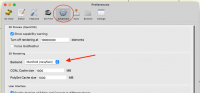
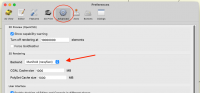
[image: Screenshot 2026-05-28 at 10.56.17 PM.png]
OpenSCAD version 2025.05.30 (git f0e24928c)
On Thu, May 28, 2026 at 10:52 PM Karl Exler via Discuss <
discuss@lists.openscad.org> wrote:
I am using version 2021.01 .. the german App-Image and in this version
there is no possibility to change between "manifold" and "CGAL"..
By the way. if there is an german speaking helping hand.. coul someone
explain "manifold" in this context in German ??
Vielen Dank
Karl
Am 28.05.26 um 17:25 schrieb Rogier Wolff via Discuss:
On Thu, May 28, 2026 at 04:22:14PM +0200, Karl Exler via Discuss wrote:
Dear all!
I found a beautiful cone on Thingiverse and build some changes to use it for
my purposes. F5 works great, but when I print F6 I receive an error message:
ERROR: The given mesh is not closed! Unable to convert to
CGAL_Nef_Polyhedron. What can I do, that OpenScad renders this object
correctly? many thanks in advance Karl
OpenScad has, for ages, used the CGAL library for rendering the
geometry that you've defined.
About two years ago someone started a project to replace CGAL. It is
called "manifold". The openscad programmers, have for a while kept the
feature "included, but disabled by default" to allow for more
testing. I'm not sure if it would be "enabled by default" on the most
recent version or not. That said, if you have the latest stable release
it certainly has it available!
If you switch to "manifold" as opposed to CGAL you get a few benefits.
- It is orders of magnitude faster in some cases.(*)
- it accepts many of the STLs that CGAL doesn't.
You need to move to a reasonably recent openscad, and possibly
go into the preferences to enable manifold.
On my version it is edit -> preferences -> features -> Manifold.
Even is the maintainers haven't enabled it by default, I've never seen
a problem caused by manifold, on the contrary I've had big struggles
with exactly the problem you've been having.
I previously was under the impression that everybody on the internet
was producing and sharing "bad", "broken" STL files. As "manifold"
does accept them, it seems that the problem with those STLs somehow
originate in CGAL.
Somehow I am under a strong impression that you're still using
CGAL:
ERROR: ... CGAL_Nef_Polyhedron....
Roger.
(*) It doesn't really matter if your render takes 0.001 or 0.1
seconds. But once it renders in half a second as opposed to 10
minutes, you start to appreciate the speed. :-)
OpenSCAD mailing list
To unsubscribe send an email to discuss-leave@lists.openscad.org
[image: Screenshot 2026-05-28 at 10.56.17 PM.png]
OpenSCAD version 2025.05.30 (git f0e24928c)
On Thu, May 28, 2026 at 10:52 PM Karl Exler via Discuss <
discuss@lists.openscad.org> wrote:
> I am using version 2021.01 .. the german App-Image and in this version
> there is no possibility to change between "manifold" and "CGAL"..
>
> By the way. if there is an german speaking helping hand.. coul someone
> explain "manifold" in this context in German ??
> Vielen Dank
> Karl
> Am 28.05.26 um 17:25 schrieb Rogier Wolff via Discuss:
>
> On Thu, May 28, 2026 at 04:22:14PM +0200, Karl Exler via Discuss wrote:
>
> Dear all!
>
> I found a beautiful cone on Thingiverse and build some changes to use it for
> my purposes. F5 works great, but when I print F6 I receive an error message:
>
> ERROR: The given mesh is not closed! Unable to convert to
> CGAL_Nef_Polyhedron. What can I do, that OpenScad renders this object
> correctly? many thanks in advance Karl
>
> OpenScad has, for ages, used the CGAL library for rendering the
> geometry that you've defined.
>
> About two years ago someone started a project to replace CGAL. It is
> called "manifold". The openscad programmers, have for a while kept the
> feature "included, but disabled by default" to allow for more
> testing. I'm not sure if it would be "enabled by default" on the most
> recent version or not. That said, if you have the latest stable release
> it certainly has it available!
>
> If you switch to "manifold" as opposed to CGAL you get a few benefits.
>
> 1) It is orders of magnitude faster in some cases.(*)
> 2) it accepts many of the STLs that CGAL doesn't.
>
> You need to move to a reasonably recent openscad, and possibly
> go into the preferences to enable manifold.
> On my version it is edit -> preferences -> features -> Manifold.
>
> Even is the maintainers haven't enabled it by default, I've never seen
> a problem caused by manifold, on the contrary I've had big struggles
> with exactly the problem you've been having.
>
> I previously was under the impression that everybody on the internet
> was producing and sharing "bad", "broken" STL files. As "manifold"
> does accept them, it seems that the problem with those STLs somehow
> originate in CGAL.
>
> Somehow I am under a strong impression that you're still using
> CGAL:
>
> ERROR: ... CGAL_Nef_Polyhedron....
>
> Roger.
>
> (*) It doesn't really matter if your render takes 0.001 or 0.1
> seconds. But once it renders in half a second as opposed to 10
> minutes, you start to appreciate the speed. :-)
>
>
> _______________________________________________
> OpenSCAD mailing list
> To unsubscribe send an email to discuss-leave@lists.openscad.org
KE
Karl Exler
Fri, May 29, 2026 6:36 AM
Jupiduuuu .. I found a newer nighlty built with this settings and now
the file is renderd perfectly.
nevertheless I would like to understand the difference between those two
paradigmas..
yours
Karl
Am 29.05.26 um 07:57 schrieb David Phillip Oster via Discuss:
Screenshot 2026-05-28 at 10.56.17 PM.png
OpenSCAD version 2025.05.30 (git f0e24928c)
On Thu, May 28, 2026 at 10:52 PM Karl Exler via Discuss
discuss@lists.openscad.org wrote:
I am using version 2021.01 .. the german App-Image and in this
version there is no possibility to change between "manifold" and
"CGAL"..
By the way. if there is an german speaking helping hand.. coul
someone explain "manifold" in this context in German ??
Vielen Dank
Karl
Am 28.05.26 um 17:25 schrieb Rogier Wolff via Discuss:
On Thu, May 28, 2026 at 04:22:14PM +0200, Karl Exler via Discuss wrote:
Dear all!
I found a beautiful cone on Thingiverse and build some changes to use it for
my purposes. F5 works great, but when I print F6 I receive an error message:
ERROR: The given mesh is not closed! Unable to convert to
CGAL_Nef_Polyhedron. What can I do, that OpenScad renders this object
correctly? many thanks in advance Karl
 OpenScad has, for ages, used the CGAL library for rendering the
 geometry that you've defined.

 About two years ago someone started a project to replace CGAL. It is
 called "manifold". The openscad programmers, have for a while kept the
 feature "included, but disabled by default" to allow for more
 testing. I'm not sure if it would be "enabled by default" on the most
 recent version or not. That said, if you have the latest stable release
 it certainly has it available!

 If you switch to "manifold" as opposed to CGAL you get a few benefits.

 1) It is orders of magnitude faster in some cases.(*)
 2) it accepts many of the STLs that CGAL doesn't.

 You need to move to a reasonably recent openscad, and possibly
 go into the preferences to enable manifold.
 On my version it is
 edit -> preferences -> features -> Manifold.

 Even is the maintainers haven't enabled it by default, I've never seen
 a problem caused by manifold, on the contrary I've had big struggles
 with exactly the problem you've been having.

 I previously was under the impression that everybody on the internet
 was producing and sharing "bad", "broken" STL files. As "manifold"
 does accept them, it seems that the problem with those STLs somehow
 originate in CGAL.

 Somehow I am under a strong impression that you're still using
 CGAL:
ERROR: ... CGAL_Nef_Polyhedron....
 	Roger.

 (*) It doesn't really matter if your render takes 0.001 or 0.1
 seconds. But once it renders in half a second as opposed to 10
 minutes, you start to appreciate the speed. :-)
 _______________________________________________
 OpenSCAD mailing list
 To unsubscribe send an email to discuss-leave@lists.openscad.org
OpenSCAD mailing list
To unsubscribe send an email todiscuss-leave@lists.openscad.org
Jupiduuuu .. I found a newer nighlty built with this settings and now
the file is renderd perfectly.
nevertheless I would like to understand the difference between those two
paradigmas..
yours
Karl
Am 29.05.26 um 07:57 schrieb David Phillip Oster via Discuss:
> Screenshot 2026-05-28 at 10.56.17 PM.png
> OpenSCAD version 2025.05.30 (git f0e24928c)
>
> On Thu, May 28, 2026 at 10:52 PM Karl Exler via Discuss
> <discuss@lists.openscad.org> wrote:
>
> I am using version 2021.01 .. the german App-Image and in this
> version there is no possibility to change between "manifold" and
> "CGAL"..
>
> By the way. if there is an german speaking helping hand.. coul
> someone explain "manifold" in this context in German ??
> Vielen Dank
> Karl
>
> Am 28.05.26 um 17:25 schrieb Rogier Wolff via Discuss:
>> On Thu, May 28, 2026 at 04:22:14PM +0200, Karl Exler via Discuss wrote:
>>> Dear all!
>>>
>>> I found a beautiful cone on Thingiverse and build some changes to use it for
>>> my purposes. F5 works great, but when I print F6 I receive an error message:
>>>
>>> ERROR: The given mesh is not closed! Unable to convert to
>>> CGAL_Nef_Polyhedron. What can I do, that OpenScad renders this object
>>> correctly? many thanks in advance Karl
>> OpenScad has, for ages, used the CGAL library for rendering the
>> geometry that you've defined.
>>
>> About two years ago someone started a project to replace CGAL. It is
>> called "manifold". The openscad programmers, have for a while kept the
>> feature "included, but disabled by default" to allow for more
>> testing. I'm not sure if it would be "enabled by default" on the most
>> recent version or not. That said, if you have the latest stable release
>> it certainly has it available!
>>
>> If you switch to "manifold" as opposed to CGAL you get a few benefits.
>>
>> 1) It is orders of magnitude faster in some cases.(*)
>> 2) it accepts many of the STLs that CGAL doesn't.
>>
>> You need to move to a reasonably recent openscad, and possibly
>> go into the preferences to enable manifold.
>> On my version it is
>> edit -> preferences -> features -> Manifold.
>>
>> Even is the maintainers haven't enabled it by default, I've never seen
>> a problem caused by manifold, on the contrary I've had big struggles
>> with exactly the problem you've been having.
>>
>> I previously was under the impression that everybody on the internet
>> was producing and sharing "bad", "broken" STL files. As "manifold"
>> does accept them, it seems that the problem with those STLs somehow
>> originate in CGAL.
>>
>> Somehow I am under a strong impression that you're still using
>> CGAL:
>>> ERROR: ... CGAL_Nef_Polyhedron....
>> Roger.
>>
>> (*) It doesn't really matter if your render takes 0.001 or 0.1
>> seconds. But once it renders in half a second as opposed to 10
>> minutes, you start to appreciate the speed. :-)
>>
> _______________________________________________
> OpenSCAD mailing list
> To unsubscribe send an email to discuss-leave@lists.openscad.org
>
>
> _______________________________________________
> OpenSCAD mailing list
> To unsubscribe send an email todiscuss-leave@lists.openscad.org

RW
Rogier Wolff
Fri, May 29, 2026 8:29 AM
On Fri, May 29, 2026 at 07:52:25AM +0200, Karl Exler via Discuss wrote:
I am using version 2021.01 .. the german App-Image and in this version there
is no possibility to change between "manifold" and "CGAL"..
By the way. if there is an german speaking helping hand.. coul someone
explain "manifold" in this context in German ??
Sorry, I don't speak enough German. Use google translate.
I'll try to keep to Jordan's suggestion to refer (from now on) to the
library as Manifold and the mathematical concept as manifold.
You can define a cube (the solid) by specifying its 6 faces. This is
what solid-object-definition files like "STL" do. If you do this
correctly those 6 squares bound a volume. This is said to be manifold:
to go from "inside" to "outside" you always have to pass trhough one
of the squares. Mathematically it is something like: "For ANY point
inside and ANY point outside, the line between the two ALWAYS
intersects at least one of the faces"
But if you make an error in specifying the 6 faces, the shape has a
"hole". e.g. if you specify only 5 of the six sides. Now that would be
a "gaping" hole, but way more subtle holes are possible too. e.g. a
small rounding error on some of the points. This is a problem: A
slicer would not know where to continue if it encounters the edge of
such a hole.
And now about Manifold. If your 2021 version doesn't have it, you have
a choice: Do not upgrade your software and continue to be unable to
do what you want to do, or upgrade your openscad and what you thought
was simple, is indeed simple!
Roger.
Vielen Dank
Karl
Am 28.05.26 um 17:25 schrieb Rogier Wolff via Discuss:
On Thu, May 28, 2026 at 04:22:14PM +0200, Karl Exler via Discuss wrote:
Dear all!
I found a beautiful cone on Thingiverse and build some changes to use it for
my purposes. F5 works great, but when I print F6 I receive an error message:
ERROR: The given mesh is not closed! Unable to convert to
CGAL_Nef_Polyhedron. What can I do, that OpenScad renders this object
correctly? many thanks in advance Karl
OpenScad has, for ages, used the CGAL library for rendering the
geometry that you've defined.
About two years ago someone started a project to replace CGAL. It is
called "manifold". The openscad programmers, have for a while kept the
feature "included, but disabled by default" to allow for more
testing. I'm not sure if it would be "enabled by default" on the most
recent version or not. That said, if you have the latest stable release
it certainly has it available!
If you switch to "manifold" as opposed to CGAL you get a few benefits.
- It is orders of magnitude faster in some cases.(*)
- it accepts many of the STLs that CGAL doesn't.
You need to move to a reasonably recent openscad, and possibly
go into the preferences to enable manifold.
On my version it is
edit -> preferences -> features -> Manifold.
Even is the maintainers haven't enabled it by default, I've never seen
a problem caused by manifold, on the contrary I've had big struggles
with exactly the problem you've been having.
I previously was under the impression that everybody on the internet
was producing and sharing "bad", "broken" STL files. As "manifold"
does accept them, it seems that the problem with those STLs somehow
originate in CGAL.
Somehow I am under a strong impression that you're still using
CGAL:
ERROR: ... CGAL_Nef_Polyhedron....
Roger.
(*) It doesn't really matter if your render takes 0.001 or 0.1
seconds. But once it renders in half a second as opposed to 10
minutes, you start to appreciate the speed. :-)
--
** R.E.Wolff@BitWizard.nl ** https://www.BitWizard.nl/ ** +31-15-2049110 **
** Verl. Spiegelmakerstraat 37 2645 LZ Delfgauw, The Netherlands.
** KVK: 27239233 **
f equals m times a. When your f is steady, and your m is going down
your a** is going up. -- Chris Hadfield about flying up the space shuttle.
** 'a' for accelleration.
On Fri, May 29, 2026 at 07:52:25AM +0200, Karl Exler via Discuss wrote:
> I am using version 2021.01 .. the german App-Image and in this version there
> is no possibility to change between "manifold" and "CGAL"..
>
> By the way. if there is an german speaking helping hand.. coul someone
> explain "manifold" in this context in German ??
Sorry, I don't speak enough German. Use google translate.
I'll try to keep to Jordan's suggestion to refer (from now on) to the
library as Manifold and the mathematical concept as manifold.
You can define a cube (the solid) by specifying its 6 faces. This is
what solid-object-definition files like "STL" do. If you do this
correctly those 6 squares bound a volume. This is said to be manifold:
to go from "inside" to "outside" you always have to pass trhough one
of the squares. Mathematically it is something like: "For ANY point
inside and ANY point outside, the line between the two ALWAYS
intersects at least one of the faces"
But if you make an error in specifying the 6 faces, the shape has a
"hole". e.g. if you specify only 5 of the six sides. Now that would be
a "gaping" hole, but way more subtle holes are possible too. e.g. a
small rounding error on some of the points. This is a problem: A
slicer would not know where to continue if it encounters the edge of
such a hole.
And now about Manifold. If your 2021 version doesn't have it, you have
a choice: Do not upgrade your software and continue to be unable to
do what you want to do, or upgrade your openscad and what you thought
was simple, is indeed simple!
Roger.
> Vielen Dank
> Karl
>
> Am 28.05.26 um 17:25 schrieb Rogier Wolff via Discuss:
> > On Thu, May 28, 2026 at 04:22:14PM +0200, Karl Exler via Discuss wrote:
> > > Dear all!
> > >
> > > I found a beautiful cone on Thingiverse and build some changes to use it for
> > > my purposes. F5 works great, but when I print F6 I receive an error message:
> > >
> > > ERROR: The given mesh is not closed! Unable to convert to
> > > CGAL_Nef_Polyhedron. What can I do, that OpenScad renders this object
> > > correctly? many thanks in advance Karl
> > OpenScad has, for ages, used the CGAL library for rendering the
> > geometry that you've defined.
> >
> > About two years ago someone started a project to replace CGAL. It is
> > called "manifold". The openscad programmers, have for a while kept the
> > feature "included, but disabled by default" to allow for more
> > testing. I'm not sure if it would be "enabled by default" on the most
> > recent version or not. That said, if you have the latest stable release
> > it certainly has it available!
> >
> > If you switch to "manifold" as opposed to CGAL you get a few benefits.
> >
> > 1) It is orders of magnitude faster in some cases.(*)
> > 2) it accepts many of the STLs that CGAL doesn't.
> >
> > You need to move to a reasonably recent openscad, and possibly
> > go into the preferences to enable manifold.
> > On my version it is
> > edit -> preferences -> features -> Manifold.
> >
> > Even is the maintainers haven't enabled it by default, I've never seen
> > a problem caused by manifold, on the contrary I've had big struggles
> > with exactly the problem you've been having.
> >
> > I previously was under the impression that everybody on the internet
> > was producing and sharing "bad", "broken" STL files. As "manifold"
> > does accept them, it seems that the problem with those STLs somehow
> > originate in CGAL.
> >
> > Somehow I am under a strong impression that you're still using
> > CGAL:
> > > ERROR: ... CGAL_Nef_Polyhedron....
> > Roger.
> >
> > (*) It doesn't really matter if your render takes 0.001 or 0.1
> > seconds. But once it renders in half a second as opposed to 10
> > minutes, you start to appreciate the speed. :-)
> >
> _______________________________________________
> OpenSCAD mailing list
> To unsubscribe send an email to discuss-leave@lists.openscad.org
--
** R.E.Wolff@BitWizard.nl ** https://www.BitWizard.nl/ ** +31-15-2049110 **
** Verl. Spiegelmakerstraat 37 2645 LZ Delfgauw, The Netherlands.
** KVK: 27239233 **
f equals m times a. When your f is steady, and your m is going down
your a** is going up. -- Chris Hadfield about flying up the space shuttle.
** 'a' for accelleration.

NK
Nikolaus Klepp
Fri, May 29, 2026 9:09 AM
Anno domini 2026 Fri, 29 May 10:29:02 +0200
Rogier Wolff via Discuss scripsit:
On Fri, May 29, 2026 at 07:52:25AM +0200, Karl Exler via Discuss wrote:
I am using version 2021.01 .. the german App-Image and in this version there
is no possibility to change between "manifold" and "CGAL"..
By the way. if there is an german speaking helping hand.. coul someone
explain "manifold" in this context in German ??
Sorry, I don't speak enough German. Use google translate.
I'll try to keep to Jordan's suggestion to refer (from now on) to the
library as Manifold and the mathematical concept as manifold.
You can define a cube (the solid) by specifying its 6 faces. This is
what solid-object-definition files like "STL" do. If you do this
correctly those 6 squares bound a volume. This is said to be manifold:
to go from "inside" to "outside" you always have to pass trhough one
of the squares. Mathematically it is something like: "For ANY point
inside and ANY point outside, the line between the two ALWAYS
intersects at least one of the faces"
But if you make an error in specifying the 6 faces, the shape has a
"hole". e.g. if you specify only 5 of the six sides. Now that would be
a "gaping" hole, but way more subtle holes are possible too. e.g. a
small rounding error on some of the points. This is a problem: A
slicer would not know where to continue if it encounters the edge of
such a hole.
And now about Manifold. If your 2021 version doesn't have it, you have
a choice: Do not upgrade your software and continue to be unable to
do what you want to do, or upgrade your openscad and what you thought
was simple, is indeed simple!
Roger.
Vielen Dank
Karl
Am 28.05.26 um 17:25 schrieb Rogier Wolff via Discuss:
On Thu, May 28, 2026 at 04:22:14PM +0200, Karl Exler via Discuss wrote:
Dear all!
I found a beautiful cone on Thingiverse and build some changes to use it for
my purposes. F5 works great, but when I print F6 I receive an error message:
ERROR: The given mesh is not closed! Unable to convert to
CGAL_Nef_Polyhedron. What can I do, that OpenScad renders this object
correctly? many thanks in advance Karl
OpenScad has, for ages, used the CGAL library for rendering the
geometry that you've defined.
About two years ago someone started a project to replace CGAL. It is
called "manifold". The openscad programmers, have for a while kept the
feature "included, but disabled by default" to allow for more
testing. I'm not sure if it would be "enabled by default" on the most
recent version or not. That said, if you have the latest stable release
it certainly has it available!
If you switch to "manifold" as opposed to CGAL you get a few benefits.
- It is orders of magnitude faster in some cases.(*)
- it accepts many of the STLs that CGAL doesn't.
You need to move to a reasonably recent openscad, and possibly
go into the preferences to enable manifold.
On my version it is
edit -> preferences -> features -> Manifold.
Even is the maintainers haven't enabled it by default, I've never seen
a problem caused by manifold, on the contrary I've had big struggles
with exactly the problem you've been having.
I previously was under the impression that everybody on the internet
was producing and sharing "bad", "broken" STL files. As "manifold"
does accept them, it seems that the problem with those STLs somehow
originate in CGAL.
Somehow I am under a strong impression that you're still using
CGAL:
ERROR: ... CGAL_Nef_Polyhedron....
Roger.
(*) It doesn't really matter if your render takes 0.001 or 0.1
seconds. But once it renders in half a second as opposed to 10
minutes, you start to appreciate the speed. :-)
--
Please do not email me anything that you are not comfortable also sharing with the NSA, CIA ...
Anno domini 2026 Fri, 29 May 10:29:02 +0200
Rogier Wolff via Discuss scripsit:
> On Fri, May 29, 2026 at 07:52:25AM +0200, Karl Exler via Discuss wrote:
> > I am using version 2021.01 .. the german App-Image and in this version there
> > is no possibility to change between "manifold" and "CGAL"..
> >
> > By the way. if there is an german speaking helping hand.. coul someone
> > explain "manifold" in this context in German ??
>
> Sorry, I don't speak enough German. Use google translate.
Please see here:
https://de.wikipedia.org/wiki/Mannigfaltigkeit
Nik
>
> I'll try to keep to Jordan's suggestion to refer (from now on) to the
> library as Manifold and the mathematical concept as manifold.
>
> You can define a cube (the solid) by specifying its 6 faces. This is
> what solid-object-definition files like "STL" do. If you do this
> correctly those 6 squares bound a volume. This is said to be manifold:
> to go from "inside" to "outside" you always have to pass trhough one
> of the squares. Mathematically it is something like: "For ANY point
> inside and ANY point outside, the line between the two ALWAYS
> intersects at least one of the faces"
>
> But if you make an error in specifying the 6 faces, the shape has a
> "hole". e.g. if you specify only 5 of the six sides. Now that would be
> a "gaping" hole, but way more subtle holes are possible too. e.g. a
> small rounding error on some of the points. This is a problem: A
> slicer would not know where to continue if it encounters the edge of
> such a hole.
>
> And now about Manifold. If your 2021 version doesn't have it, you have
> a choice: Do not upgrade your software and continue to be unable to
> do what you want to do, or upgrade your openscad and what you thought
> was simple, is indeed simple!
>
> Roger.
>
>
> > Vielen Dank
> > Karl
> >
> > Am 28.05.26 um 17:25 schrieb Rogier Wolff via Discuss:
> > > On Thu, May 28, 2026 at 04:22:14PM +0200, Karl Exler via Discuss wrote:
> > > > Dear all!
> > > >
> > > > I found a beautiful cone on Thingiverse and build some changes to use it for
> > > > my purposes. F5 works great, but when I print F6 I receive an error message:
> > > >
> > > > ERROR: The given mesh is not closed! Unable to convert to
> > > > CGAL_Nef_Polyhedron. What can I do, that OpenScad renders this object
> > > > correctly? many thanks in advance Karl
> > > OpenScad has, for ages, used the CGAL library for rendering the
> > > geometry that you've defined.
> > >
> > > About two years ago someone started a project to replace CGAL. It is
> > > called "manifold". The openscad programmers, have for a while kept the
> > > feature "included, but disabled by default" to allow for more
> > > testing. I'm not sure if it would be "enabled by default" on the most
> > > recent version or not. That said, if you have the latest stable release
> > > it certainly has it available!
> > >
> > > If you switch to "manifold" as opposed to CGAL you get a few benefits.
> > >
> > > 1) It is orders of magnitude faster in some cases.(*)
> > > 2) it accepts many of the STLs that CGAL doesn't.
> > >
> > > You need to move to a reasonably recent openscad, and possibly
> > > go into the preferences to enable manifold.
> > > On my version it is
> > > edit -> preferences -> features -> Manifold.
> > >
> > > Even is the maintainers haven't enabled it by default, I've never seen
> > > a problem caused by manifold, on the contrary I've had big struggles
> > > with exactly the problem you've been having.
> > >
> > > I previously was under the impression that everybody on the internet
> > > was producing and sharing "bad", "broken" STL files. As "manifold"
> > > does accept them, it seems that the problem with those STLs somehow
> > > originate in CGAL.
> > >
> > > Somehow I am under a strong impression that you're still using
> > > CGAL:
> > > > ERROR: ... CGAL_Nef_Polyhedron....
> > > Roger.
> > >
> > > (*) It doesn't really matter if your render takes 0.001 or 0.1
> > > seconds. But once it renders in half a second as opposed to 10
> > > minutes, you start to appreciate the speed. :-)
> > >
>
> > _______________________________________________
> > OpenSCAD mailing list
> > To unsubscribe send an email to discuss-leave@lists.openscad.org
>
>
--
Please do not email me anything that you are not comfortable also sharing with the NSA, CIA ...
JB
Jordan Brown
Fri, May 29, 2026 11:29 PM
The explanation of what “manifold”, the geometric concept, means, that I learned and seems simple and understandable, is that an ant walking on the surface will never fall off an edge, and will never be presented with multiple choices of which surface to walk on next. A bit more formally, every edge is connected to exactly two faces, and the surface never intersects itself.
With respect to Manifold, the library, and CGAL: OpenSCAD supports those two libraries for doing geometric operations like unions, differences, and so on. CGAL is the library that it has used for many years; Manifold is a newer and far faster library. Manifold (or perhaps the way that OpenSCAD uses it) seems to be more tolerant of imperfection.
The explanation of what “manifold”, the geometric concept, means, that I learned and seems simple and understandable, is that an ant walking on the surface will never fall off an edge, and will never be presented with multiple choices of which surface to walk on next. A bit more formally, every edge is connected to exactly two faces, and the surface never intersects itself.
With respect to Manifold, the library, and CGAL: OpenSCAD supports those two libraries for doing geometric operations like unions, differences, and so on. CGAL is the library that it has used for many years; Manifold is a newer and far faster library. Manifold (or perhaps the way that OpenSCAD uses it) seems to be more tolerant of imperfection.

GB
Glenn Butcher
Sat, May 30, 2026 1:03 AM
I recently finished writing code to do a specific sort of mesh, stone
walls, and ran into all the fussiness of making 'manifold' meshes. I
then wrote a short blog post on why STL files are problematic
representing object boundaries:
https://glenn.pulpitrock.net/blog/posts/2025-12-21-whats-so-bad-about-stl-files/
Tried to make it understandable; anyone has questions, post them here.
Glenn
On 5/29/2026 5:29 PM, Jordan Brown via Discuss wrote:
The explanation of what “manifold”, the geometric concept, means, that I learned and seems simple and understandable, is that an ant walking on the surface will never fall off an edge, and will never be presented with multiple choices of which surface to walk on next. A bit more formally, every edge is connected to exactly two faces, and the surface never intersects itself.
With respect to Manifold, the library, and CGAL: OpenSCAD supports those two libraries for doing geometric operations like unions, differences, and so on. CGAL is the library that it has used for many years; Manifold is a newer and far faster library. Manifold (or perhaps the way that OpenSCAD uses it) seems to be more tolerant of imperfection.
OpenSCAD mailing list
To unsubscribe send an email to discuss-leave@lists.openscad.org
I recently finished writing code to do a specific sort of mesh, stone
walls, and ran into all the fussiness of making 'manifold' meshes. I
then wrote a short blog post on why STL files are problematic
representing object boundaries:
https://glenn.pulpitrock.net/blog/posts/2025-12-21-whats-so-bad-about-stl-files/
Tried to make it understandable; anyone has questions, post them here.
Glenn
On 5/29/2026 5:29 PM, Jordan Brown via Discuss wrote:
> The explanation of what “manifold”, the geometric concept, means, that I learned and seems simple and understandable, is that an ant walking on the surface will never fall off an edge, and will never be presented with multiple choices of which surface to walk on next. A bit more formally, every edge is connected to exactly two faces, and the surface never intersects itself.
>
> With respect to Manifold, the library, and CGAL: OpenSCAD supports those two libraries for doing geometric operations like unions, differences, and so on. CGAL is the library that it has used for many years; Manifold is a newer and far faster library. Manifold (or perhaps the way that OpenSCAD uses it) seems to be more tolerant of imperfection.
> _______________________________________________
> OpenSCAD mailing list
> To unsubscribe send an email to discuss-leave@lists.openscad.org

JD
John David
Sat, May 30, 2026 1:36 AM
It has been a long time ago, but when I was taking a graduate class in
computer graphics algorithms one of our projects was to detect these holes,
color them, and then correct them. If I remember correctly, we looked for
any hole that was smaller than some user specified size. It is doable, but
it is niggily - there are a handful of special cases, and you have to
determine how you are going to handle them. Along those lines, we also
looked at data-decimation -- removing chosen points in the input TIN, and
verify that the output TIN does not deviate from the original from some
small epsilon...
Anyway, it is not an easy problem. I wish you the best of success.
On Fri, May 29, 2026 at 9:03 PM Glenn Butcher via Discuss <
discuss@lists.openscad.org> wrote:
I recently finished writing code to do a specific sort of mesh, stone
walls, and ran into all the fussiness of making 'manifold' meshes. I
then wrote a short blog post on why STL files are problematic
representing object boundaries:
https://glenn.pulpitrock.net/blog/posts/2025-12-21-whats-so-bad-about-stl-files/
Tried to make it understandable; anyone has questions, post them here.
Glenn
On 5/29/2026 5:29 PM, Jordan Brown via Discuss wrote:
The explanation of what “manifold”, the geometric concept, means, that I
learned and seems simple and understandable, is that an ant walking on the
surface will never fall off an edge, and will never be presented with
multiple choices of which surface to walk on next. A bit more formally,
every edge is connected to exactly two faces, and the surface never
intersects itself.
With respect to Manifold, the library, and CGAL: OpenSCAD supports those
two libraries for doing geometric operations like unions, differences, and
so on. CGAL is the library that it has used for many years; Manifold is a
newer and far faster library. Manifold (or perhaps the way that OpenSCAD
uses it) seems to be more tolerant of imperfection.
It has been a long time ago, but when I was taking a graduate class in
computer graphics algorithms one of our projects was to detect these holes,
color them, and then correct them. If I remember correctly, we looked for
any hole that was smaller than some user specified size. It is doable, but
it is niggily - there are a handful of special cases, and you have to
determine how you are going to handle them. Along those lines, we also
looked at data-decimation -- removing chosen points in the input TIN, and
verify that the output TIN does not deviate from the original from some
small epsilon...
Anyway, it is not an easy problem. I wish you the best of success.
On Fri, May 29, 2026 at 9:03 PM Glenn Butcher via Discuss <
discuss@lists.openscad.org> wrote:
> I recently finished writing code to do a specific sort of mesh, stone
> walls, and ran into all the fussiness of making 'manifold' meshes. I
> then wrote a short blog post on why STL files are problematic
> representing object boundaries:
>
>
> https://glenn.pulpitrock.net/blog/posts/2025-12-21-whats-so-bad-about-stl-files/
>
> Tried to make it understandable; anyone has questions, post them here.
>
> Glenn
>
> On 5/29/2026 5:29 PM, Jordan Brown via Discuss wrote:
> > The explanation of what “manifold”, the geometric concept, means, that I
> learned and seems simple and understandable, is that an ant walking on the
> surface will never fall off an edge, and will never be presented with
> multiple choices of which surface to walk on next. A bit more formally,
> every edge is connected to exactly two faces, and the surface never
> intersects itself.
> >
> > With respect to Manifold, the library, and CGAL: OpenSCAD supports those
> two libraries for doing geometric operations like unions, differences, and
> so on. CGAL is the library that it has used for many years; Manifold is a
> newer and far faster library. Manifold (or perhaps the way that OpenSCAD
> uses it) seems to be more tolerant of imperfection.
> > _______________________________________________
> > OpenSCAD mailing list
> > To unsubscribe send an email to discuss-leave@lists.openscad.org
> _______________________________________________
> OpenSCAD mailing list
> To unsubscribe send an email to discuss-leave@lists.openscad.org

