

Maths problem = finding corners of an intersection of 2 polygons

Hi all
I have a very practical problem - a failed 3D print which is over 10 DAYS in
with as many to go, and as it stopped cleanly, perfectly recoverable IF I
can re-register the X and Y axis, which I want to try to do by re-playing
just a section of the diamond pattern infill, and jogging in x and Y until
everything lines up perfectly.
The attached, hacked down GCODE file is one attempt to do this, by isolating
just a few lines of the infill. This would work. Even better would be just
to print the square at the intersection of these lines.
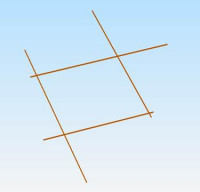
Using the following lines of OpenSCAD I have been able to draw a square
which perfectly corresponds to the intersection:
intersection()
{
polygon(points=[[378.546,352.217],[458.698,272.065],[384.642,252.783],[324.2
04,313.221]]);
polygon(points=[[379.141,252.143],[470.219,343.221],[403.88,370.221],[301.29
4,267.635]]);
}
Is anybody able to point me to either
-
Suitable mathematical equations to find the corner co=ordinates of
this polygon?
-
A way to get OpenSCAD to output the corner co-ordinates?
Thanks!!!
Alex Gibson
admg consulting
edumaker limited
. Project management
. Operations & Process improvement
. 3D Printing


On 21.07.19 02:20, Alex Gibson wrote:
2) A way to get OpenSCAD to output the corner co-ordinates?
Export as SVG, that gives:
M 428.88,-301.882 L 382.211,-348.552 L 335.542,-301.883 L 382.212,-255.214 z
Note that the Y coordinates are negated due to SVG coordinate
system having the origin top left.
ciao,
Torsten.
Fantastic, thanks Torsten, I was just thinking on similar lines...
I remembered an online STL to OpenSCAD converter.
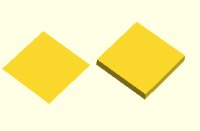
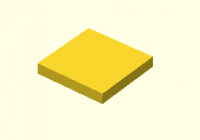
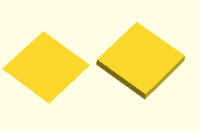
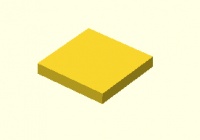
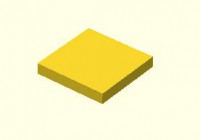
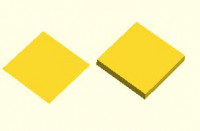
So I did a Linear_extrude of my intersection and got:
Then used this dead useful tool https://jsfiddle.net/Riham/yzvGD/ to get:
module object1(scale) {polyhedron(
points=[[382.211,348.552,0],[428.88,301.883,0],[382.211,255.214,0],[382.211,
348.552,0],[382.211,255.214,0],[335.542,301.883,0],[382.211,255.214,10],[428
.88,301.883,10],[382.211,348.552,10],[335.542,301.883,10],[382.211,255.214,1
0],[382.211,348.552,10],[382.211,348.552,0],[428.88,301.883,10],[428.88,301.
883,0],[382.211,348.552,0],[382.211,348.552,10],[428.88,301.883,10],[335.542
,301.883,0],[382.211,348.552,10],[382.211,348.552,0],[335.542,301.883,0],[33
5.542,301.883,10],[382.211,348.552,10],[382.211,255.214,0],[335.542,301.883,
10],[335.542,301.883,0],[382.211,255.214,0],[382.211,255.214,10],[335.542,30
1.883,10],[428.88,301.883,0],[382.211,255.214,10],[382.211,255.214,0],[428.8
8,301.883,0],[428.88,301.883,10],[382.211,255.214,10] ],
faces=[[0,1,2],[3,4,5],[6,7,8],[9,10,11],[12,13,14],[15,16,17],[18,19,20],[2
1,22,23],[24,25,26],[27,28,29],[30,31,32],[33,34,35]]);}
translate([200,0,0])
object1(1);
Which if I strip it down a bit gets:
module object4(scale) {polyhedron(
points=[[382.211,348.552,0],
[428.88,301.883,0],
[382.211,255.214,0],
[335.542,301.883,0]],
faces=[[0,1,2,3]]);}
object4(1);
.which are exactly the same co-ordinates you got with rounding error of
0.001mm so that's verified nicely via 2 methods!
Thanks very much!!!
Now I can use these co-ordinates to make a GCODE file that plays repeats of
a square movement between those co-ordinates, and finally one that extrudes
plastic for when I think I've jogged X and Y successfully!
Alex Gibson
admg consulting
edumaker limited
. Project management
. Operations & Process improvement
. 3D Printing
-----Original Message-----
From: Discuss [mailto:discuss-bounces@lists.openscad.org] On Behalf Of
Torsten Paul
Sent: 21 July 2019 01:39
To: discuss@lists.openscad.org
Subject: Re: [OpenSCAD] Maths problem = finding corners of an intersection
of 2 polygons
On 21.07.19 02:20, Alex Gibson wrote:
-
A way to get OpenSCAD to output the corner co-ordinates?
Export as SVG, that gives:
M 428.88,-301.882 L 382.211,-348.552 L 335.542,-301.883 L 382.212,-255.214 z
Note that the Y coordinates are negated due to SVG coordinate
system having the origin top left.
ciao,
Torsten.
OpenSCAD mailing list
http://lists.openscad.org/mailman/listinfo/discuss_lists.openscad.org
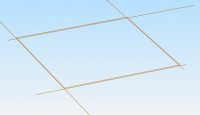
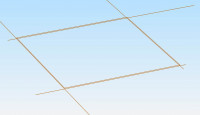
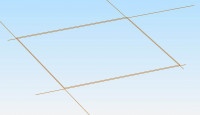
Yep - playing the GCODE back in Simplify3D gets a perfect square:
That is:
G92 E0
G1 X378.546 Y352.217
G1 X458.698 Y272.065 E76.6848 ;
G1 X457.434 Y271.615
G1 X384.642 Y252.783
G1 X324.204 Y313.221 E144.1098 ;
G1 X323.103 Y312.381
G1 X379.141 Y252.143
G1 X470.219 Y343.221 E58.8828 ;
G1 X469.321 Y343.146
G1 X403.880 Y370.221
G1 X301.294 Y267.635 E129.3704 ;
; layer 717, Z = 359.250
G1 Z359.250
G1 X382.211 Y348.552
G1 X428.88 Y301.883 E76.6848 ;
G1 X382.211 Y255.214 E144.1098 ;
G1 X335.542 Y301.883 E58.8828 ;
G1 X382.211 Y348.552 E129.3704 ;
Now I just have to make a couple of versions of this, one repeating 3 times
with no extrusion and one just once with extrusion, and jog the printer in
between until I find the perfect offset!
Thanks again
Alex Gibson
admg consulting
edumaker limited
. Project management
. Operations & Process improvement
. 3D Printing
From: Discuss [mailto:discuss-bounces@lists.openscad.org] On Behalf Of Alex
Gibson
Sent: 21 July 2019 01:49
To: 'OpenSCAD general discussion'
Subject: Re: [OpenSCAD] Maths problem = finding corners of an intersection
of 2 polygons
Fantastic, thanks Torsten, I was just thinking on similar lines...
I remembered an online STL to OpenSCAD converter.
So I did a Linear_extrude of my intersection and got:
Then used this dead useful tool https://jsfiddle.net/Riham/yzvGD/ to get:
module object1(scale) {polyhedron(
points=[[382.211,348.552,0],[428.88,301.883,0],[382.211,255.214,0],[382.211,
348.552,0],[382.211,255.214,0],[335.542,301.883,0],[382.211,255.214,10],[428
.88,301.883,10],[382.211,348.552,10],[335.542,301.883,10],[382.211,255.214,1
0],[382.211,348.552,10],[382.211,348.552,0],[428.88,301.883,10],[428.88,301.
883,0],[382.211,348.552,0],[382.211,348.552,10],[428.88,301.883,10],[335.542
,301.883,0],[382.211,348.552,10],[382.211,348.552,0],[335.542,301.883,0],[33
5.542,301.883,10],[382.211,348.552,10],[382.211,255.214,0],[335.542,301.883,
10],[335.542,301.883,0],[382.211,255.214,0],[382.211,255.214,10],[335.542,30
1.883,10],[428.88,301.883,0],[382.211,255.214,10],[382.211,255.214,0],[428.8
8,301.883,0],[428.88,301.883,10],[382.211,255.214,10] ],
faces=[[0,1,2],[3,4,5],[6,7,8],[9,10,11],[12,13,14],[15,16,17],[18,19,20],[2
1,22,23],[24,25,26],[27,28,29],[30,31,32],[33,34,35]]);}
translate([200,0,0])
object1(1);
Which if I strip it down a bit gets:
module object4(scale) {polyhedron(
points=[[382.211,348.552,0],
[428.88,301.883,0],
[382.211,255.214,0],
[335.542,301.883,0]],
faces=[[0,1,2,3]]);}
object4(1);
.which are exactly the same co-ordinates you got with rounding error of
0.001mm so that's verified nicely via 2 methods!
Thanks very much!!!
Now I can use these co-ordinates to make a GCODE file that plays repeats of
a square movement between those co-ordinates, and finally one that extrudes
plastic for when I think I've jogged X and Y successfully!
Alex Gibson
admg consulting
edumaker limited
. Project management
. Operations & Process improvement
. 3D Printing
-----Original Message-----
From: Discuss [mailto:discuss-bounces@lists.openscad.org] On Behalf Of
Torsten Paul
Sent: 21 July 2019 01:39
To: discuss@lists.openscad.org
Subject: Re: [OpenSCAD] Maths problem = finding corners of an intersection
of 2 polygons
On 21.07.19 02:20, Alex Gibson wrote:
-
A way to get OpenSCAD to output the corner co-ordinates?
Export as SVG, that gives:
M 428.88,-301.882 L 382.211,-348.552 L 335.542,-301.883 L 382.212,-255.214 z
Note that the Y coordinates are negated due to SVG coordinate
system having the origin top left.
ciao,
Torsten.
OpenSCAD mailing list
http://lists.openscad.org/mailman/listinfo/discuss_lists.openscad.org
.so that's my problem solved for this time.
But I'm still interested in solving with maths, with the idea of making a
post-processing tool...
Alex Gibson
admg consulting
edumaker limited
. Project management
. Operations & Process improvement
. 3D Printing
From: Discuss [mailto:discuss-bounces@lists.openscad.org] On Behalf Of Alex
Gibson
Sent: 21 July 2019 02:05
To: 'OpenSCAD general discussion'
Subject: Re: [OpenSCAD] Maths problem = finding corners of an intersection
of 2 polygons
Yep - playing the GCODE back in Simplify3D gets a perfect square:
That is:
G92 E0
G1 X378.546 Y352.217
G1 X458.698 Y272.065 E76.6848 ;
G1 X457.434 Y271.615
G1 X384.642 Y252.783
G1 X324.204 Y313.221 E144.1098 ;
G1 X323.103 Y312.381
G1 X379.141 Y252.143
G1 X470.219 Y343.221 E58.8828 ;
G1 X469.321 Y343.146
G1 X403.880 Y370.221
G1 X301.294 Y267.635 E129.3704 ;
; layer 717, Z = 359.250
G1 Z359.250
G1 X382.211 Y348.552
G1 X428.88 Y301.883 E76.6848 ;
G1 X382.211 Y255.214 E144.1098 ;
G1 X335.542 Y301.883 E58.8828 ;
G1 X382.211 Y348.552 E129.3704 ;
Now I just have to make a couple of versions of this, one repeating 3 times
with no extrusion and one just once with extrusion, and jog the printer in
between until I find the perfect offset!
Thanks again
Alex Gibson
admg consulting
edumaker limited
. Project management
. Operations & Process improvement
. 3D Printing
From: Discuss [mailto:discuss-bounces@lists.openscad.org] On Behalf Of Alex
Gibson
Sent: 21 July 2019 01:49
To: 'OpenSCAD general discussion'
Subject: Re: [OpenSCAD] Maths problem = finding corners of an intersection
of 2 polygons
Fantastic, thanks Torsten, I was just thinking on similar lines...
I remembered an online STL to OpenSCAD converter.
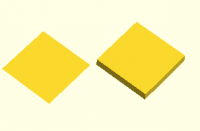
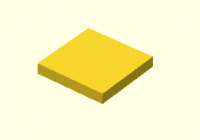
So I did a Linear_extrude of my intersection and got:
Then used this dead useful tool https://jsfiddle.net/Riham/yzvGD/ to get:
module object1(scale) {polyhedron(
points=[[382.211,348.552,0],[428.88,301.883,0],[382.211,255.214,0],[382.211,
348.552,0],[382.211,255.214,0],[335.542,301.883,0],[382.211,255.214,10],[428
.88,301.883,10],[382.211,348.552,10],[335.542,301.883,10],[382.211,255.214,1
0],[382.211,348.552,10],[382.211,348.552,0],[428.88,301.883,10],[428.88,301.
883,0],[382.211,348.552,0],[382.211,348.552,10],[428.88,301.883,10],[335.542
,301.883,0],[382.211,348.552,10],[382.211,348.552,0],[335.542,301.883,0],[33
5.542,301.883,10],[382.211,348.552,10],[382.211,255.214,0],[335.542,301.883,
10],[335.542,301.883,0],[382.211,255.214,0],[382.211,255.214,10],[335.542,30
1.883,10],[428.88,301.883,0],[382.211,255.214,10],[382.211,255.214,0],[428.8
8,301.883,0],[428.88,301.883,10],[382.211,255.214,10] ],
faces=[[0,1,2],[3,4,5],[6,7,8],[9,10,11],[12,13,14],[15,16,17],[18,19,20],[2
1,22,23],[24,25,26],[27,28,29],[30,31,32],[33,34,35]]);}
translate([200,0,0])
object1(1);
Which if I strip it down a bit gets:
module object4(scale) {polyhedron(
points=[[382.211,348.552,0],
[428.88,301.883,0],
[382.211,255.214,0],
[335.542,301.883,0]],
faces=[[0,1,2,3]]);}
object4(1);
.which are exactly the same co-ordinates you got with rounding error of
0.001mm so that's verified nicely via 2 methods!
Thanks very much!!!
Now I can use these co-ordinates to make a GCODE file that plays repeats of
a square movement between those co-ordinates, and finally one that extrudes
plastic for when I think I've jogged X and Y successfully!
Alex Gibson
admg consulting
edumaker limited
. Project management
. Operations & Process improvement
. 3D Printing
-----Original Message-----
From: Discuss [mailto:discuss-bounces@lists.openscad.org] On Behalf Of
Torsten Paul
Sent: 21 July 2019 01:39
To: discuss@lists.openscad.org
Subject: Re: [OpenSCAD] Maths problem = finding corners of an intersection
of 2 polygons
On 21.07.19 02:20, Alex Gibson wrote:
-
A way to get OpenSCAD to output the corner co-ordinates?
Export as SVG, that gives:
M 428.88,-301.882 L 382.211,-348.552 L 335.542,-301.883 L 382.212,-255.214 z
Note that the Y coordinates are negated due to SVG coordinate
system having the origin top left.
ciao,
Torsten.
OpenSCAD mailing list
http://lists.openscad.org/mailman/listinfo/discuss_lists.openscad.org

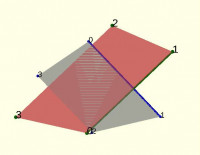
But I'm still interested in solving with maths,
Plus https://rosettacode.org/wiki/Find_the_intersection_of_two_lines should be hints enough?
p1=[[378.546,352.217],[458.698,272.065],[384.642,252.783],[324.204,313.221]];
p2=[[379.141,252.143],[470.219,343.221],[403.88,370.221],[301.294,267.635]];
intersection()
{
%polygon(p1);
#polygon(p2);
}
plot(p1,size=1.5);
plot(p2,size=2,c="green");
line(p1[0], p1[1]);
line(p2[0], p2[1], c="green");
module line(a,b,thick=1,c="blue") {
color(c)
hull() {

  translate(a) circle(thick);

  translate(b) circle(thick);

}
}
module plot(v,size=1,c="blue") { // v=[ [x,y,z] or [x,y], ... ]
d3=(len(v[0])==3);
for(j=[0:len(v)-1]) {
i=v[j];

translate([i.x,i.y,d3 ? i.z : 0]) { //echo(i,j);

  color(c)

    if (d3)

      sphere(size,$fn=12);

    else

      circle(size,$fn=8);

  %color("black")

    translate([0,-1,0.1])

      if (d3)

        linear_extrude(height=1)

          text(str(j),size=size*4);

      else

          text(str(j),size=size*4);

}
}
}
From: Discuss [mailto:discuss-bounces@lists.openscad.org] On Behalf Of Alex Gibson
Sent: Sun, 21 Jul 2019 11:12
To: 'OpenSCAD general discussion'
Subject: Re: [OpenSCAD] Maths problem = finding corners of an intersection of 2 polygons
.so that's my problem solved for this time.
But I'm still interested in solving with maths, with the idea of making a post-processing tool...
Alex Gibson
admg consulting
edumaker limited
-
Project management -
Operations & Process improvement -
3D Printing
From: Discuss [mailto:discuss-bounces@lists.openscad.org] On Behalf Of Alex Gibson
Sent: 21 July 2019 02:05
To: 'OpenSCAD general discussion'
Subject: Re: [OpenSCAD] Maths problem = finding corners of an intersection of 2 polygons
Yep - playing the GCODE back in Simplify3D gets a perfect square:
That is:
G92 E0
G1 X378.546 Y352.217
G1 X458.698 Y272.065 E76.6848 ;
G1 X457.434 Y271.615
G1 X384.642 Y252.783
G1 X324.204 Y313.221 E144.1098 ;
G1 X323.103 Y312.381
G1 X379.141 Y252.143
G1 X470.219 Y343.221 E58.8828 ;
G1 X469.321 Y343.146
G1 X403.880 Y370.221
G1 X301.294 Y267.635 E129.3704 ;
; layer 717, Z = 359.250
G1 Z359.250
G1 X382.211 Y348.552
G1 X428.88 Y301.883 E76.6848 ;
G1 X382.211 Y255.214 E144.1098 ;
G1 X335.542 Y301.883 E58.8828 ;
G1 X382.211 Y348.552 E129.3704 ;
Now I just have to make a couple of versions of this, one repeating 3 times with no extrusion and
one just once with extrusion, and jog the printer in between until I find the perfect offset!
Thanks again
Alex Gibson
admg consulting
edumaker limited
-
Project management -
Operations & Process improvement -
3D Printing
From: Discuss [mailto:discuss-bounces@lists.openscad.org] On Behalf Of Alex Gibson
Sent: 21 July 2019 01:49
To: 'OpenSCAD general discussion'
Subject: Re: [OpenSCAD] Maths problem = finding corners of an intersection of 2 polygons
Fantastic, thanks Torsten, I was just thinking on similar lines...
I remembered an online STL to OpenSCAD converter.
So I did a Linear_extrude of my intersection and got:
Then used this dead useful tool https://jsfiddle.net/Riham/yzvGD/ to get:
module object1(scale) {polyhedron(
points=[[382.211,348.552,0],[428.88,301.883,0],[382.211,255.214,0],[382.211,348.552,0],[382.211,255
.214,0],[335.542,301.883,0],[382.211,255.214,10],[428.88,301.883,10],[382.211,348.552,10],[335.542,
301.883,10],[382.211,255.214,10],[382.211,348.552,10],[382.211,348.552,0],[428.88,301.883,10],[428.
88,301.883,0],[382.211,348.552,0],[382.211,348.552,10],[428.88,301.883,10],[335.542,301.883,0],[382
.211,348.552,10],[382.211,348.552,0],[335.542,301.883,0],[335.542,301.883,10],[382.211,348.552,10],
[382.211,255.214,0],[335.542,301.883,10],[335.542,301.883,0],[382.211,255.214,0],[382.211,255.214,1
0],[335.542,301.883,10],[428.88,301.883,0],[382.211,255.214,10],[382.211,255.214,0],[428.88,301.883
,0],[428.88,301.883,10],[382.211,255.214,10] ],
faces=[[0,1,2],[3,4,5],[6,7,8],[9,10,11],[12,13,14],[15,16,17],[18,19,20],[21,22,23],[24,25,26],[27
,28,29],[30,31,32],[33,34,35]]);}
translate([200,0,0])
object1(1);
Which if I strip it down a bit gets:
module object4(scale) {polyhedron(
points=[[382.211,348.552,0],
[428.88,301.883,0],
[382.211,255.214,0],
[335.542,301.883,0]],
faces=[[0,1,2,3]]);}
object4(1);
.which are exactly the same co-ordinates you got with rounding error of 0.001mm so that's verified
nicely via 2 methods!
Thanks very much!!!
Now I can use these co-ordinates to make a GCODE file that plays repeats of a square movement
between those co-ordinates, and finally one that extrudes plastic for when I think I've jogged X
and Y successfully!
Alex Gibson
admg consulting
edumaker limited
. Project management
. Operations & Process improvement
. 3D Printing
-----Original Message-----
From: Discuss [mailto:discuss-bounces@lists.openscad.org] On Behalf Of Torsten Paul
Sent: 21 July 2019 01:39
To: discuss@lists.openscad.org
Subject: Re: [OpenSCAD] Maths problem = finding corners of an intersection of 2 polygons
On 21.07.19 02:20, Alex Gibson wrote:
-
A way to get OpenSCAD to output the corner co-ordinates?
Export as SVG, that gives:
M 428.88,-301.882 L 382.211,-348.552 L 335.542,-301.883 L 382.212,-255.214 z
Note that the Y coordinates are negated due to SVG coordinate
system having the origin top left.
ciao,
Torsten.
OpenSCAD mailing list
http://lists.openscad.org/mailman/listinfo/discuss_lists.openscad.org
This email has been checked for viruses by AVG.
https://www.avg.com

with the idea of making a post-processing tool...
For the more general case you may want to see Clipper
http://www.angusj.com/delphi/clipper/documentation/Docs/Overview/_Body.htm
.
Or https://rosettacode.org/wiki/Sutherland-Hodgman_polygon_clipping
Admin - email* me if you need anything, or if I've done something stupid...
- click on my MichaelAtOz label, there is a link to email me.
Unless specifically shown otherwise above, my contribution is in the Public Domain; to the extent possible under law, I have waived all copyright and related or neighbouring rights to this work. Obviously inclusion of works of previous authors is not included in the above.
The TPP is no simple “trade agreement.” Fight it! http://www.ourfairdeal.org/ time is running out!
Sent from: http://forum.openscad.org/

The BOSL2 library has polygon intersection functions, so you can directly
compute the intersection of your polygons in OpenSCAD. Be warned that it is
not yet a stable library.
https://github.com/revarbat/BOSL2/wiki/geometry.scad#intersection
include <BOSL2/std.scad>
polygon1 =
[[378.546,352.217],[458.698,272.065],[384.642,252.783],[324.204,313.221]];
polygon2 =
[[379.141,252.143],[470.219,343.221],[403.88,370.221],[301.294,267.635]];
echo(intersection([polygon1],[polygon2]));
The output printed is:
ECHO: [[[382.211, 348.552], [428.88, 301.882], [382.212, 255.213], [335.542,
301.883], [382.211, 348.552]]]
--
Sent from: http://forum.openscad.org/

Hello all!
I have an external program that opens OpenSCAD giving it as parameter a
filename with the instructions.
When the data on my program is changed, I modify only the target file
and OpenSCAD, because is in "Autoreload = True", draws the new graphic
again.
Until this point, all works well. Actually, all works very well. But I
think I need new functionality or a trick.
My program works on various levels, and when the user goes down a level
needs to change the viewport with the mouse to see the sub-part properly.
As it run now, when the user goes up the previous level, the viewport is
now the changed level, this is, the appropriate for the sub-part, not
the appropriate for the current part.
{***********************************************************************************}
What I need is: When the user goes down to a sublevel, save the current
viewport, and when the user returns to this level, restore the saved
viewport.
{***********************************************************************************}
If it's possible without close and reopen OpenSCAD.
My program makes some changes in the registry before calling OpenSCAD.
I've see State registry variable that saves some info. But I don't know
his format, nor the values saved nor if I the modifications in this
value are immediate or is necessary reopen OpenSCAD.
Thank you all for your help.
On 26.07.19 19:33, Juan C.Cilleruelo wrote:
If it's possible without close and reopen OpenSCAD.
For giving a specific viewport setting when loading a file,
you can include the $vpX variables to setup a fixed viewport
on preview/render.
The saved state is Qt internal, I don't know what the
format is and if it can/should be driven from outside.
That said, there's an (experimental) InputDriver for DBus
which allows external programs to interact with a running
OpenSCAD. But so far that is only available on Linux.
There might be a way to get DBus working on Windows, but
I have never tried.
ciao,
Torsten.