

Apple M1 migtation

I've pinned the XCode version to 12.2 for the CircleCI builds
which means the snapshots should build with the latest XCode
release going forward.
Meanwhile the test build is available at:
http://files.openscad.org/snapshots/OpenSCAD-2020.11.27_xcode12.2.dmg
I'm not sure why this is just 17mb vs. 26mb of the current
builds. It seems to at least start on my ancient MacBook Pro
(OS X 10.11.6 El Capitan).
If that otherwise makes any difference regarding newer machines,
I don't know.
ciao,
Torsten.

Come on Total Cost of Ownership?
My 2011 Pro (“inherited” from my daughter after she got a new one) still
runs better than a friend’s 12 month old PC and, in the 7 years I’ve been
running my 2013 Air, another friend has killed 4 PCs, a total expenditure on
her part of 30% more than mine, and my Air goes bicycle touring with me,
belted about with my camping gear in a pannier.
Initially expensive sure, but find me another brand where the longevity
stories run to 10 years!
Anyway, my rant aside lol, the discussion on this thread so far has been
interesting and hopeful.
Make things, travel and tell stories.
Sent from: http://forum.openscad.org/
My M1 Air is scheduled to arrive in 2 weeks or so, Torsten, so definitely up
for the challenge of testing builds.
Make things, travel and tell stories.
Sent from: http://forum.openscad.org/
OK, I'm having a love/hate relationship with my M1 Macbook Air right now.
There are quirks to Big Sur (MacOS 11) that are frustrating me, mostly a new
gesture that is too subtle and nuanced for good design (force touch) but
I'll get over it ;-)
The good news is, immediately after replacing Safari with Chrome as my
default browser, I downloaded the latest stable build of OpenSCAD and ran
it.
First, I was told that, to run it, I needed to download and install
Rosetta2, Apple's Intel emulator for the M1 Macs. This happened live and
VERY quickly. Next, I double-clicked OpenSCAD and got the usual "first run"
security protocol, "The App OpenSCAD cannot be verified..." (can't remember
the exact wording, but it's the usual thing with non Developer Connection
meber apps) This involves clicking Cancel, going to Apple/System
preferences.../Security and Privacy, where it will say, "OpenSCAD could not
be verified" and give you the option to run it anyway or delete it, run it
anyway, it will again confirm that you really do want to run it again and
then will run happily ever after. (Unless you delete and reinstall.)
This is my first experience of the M1's processor speed and all those cores!
OpenSCAD's current build is running under Intel emulation. Total emulation.
The model I tested is a moderately complex (probably inefficient) bicycle
pannier mounting system, and it generated a render, ready for export in
about 2/3 the time it takes on my old i5 2013 Air and in easily less than a
10th of the time my 2010 Macbook Pro takes. It saves that render to an STL
in what I can only call instantly! All under Intel emulation on Apple
Silicon M1
So, the Mac version will get by for now, and will give our community 2 years
to get 100% M1 native. Meanwhile, the roadmap is to build a "Universal
Binary" using X-Code. I have played around with trying to learn Swift and
Objective C on Mac OS and never really had the patience to get beyond a 10
step tute on "How to write your own Mac App." But in all that, I know that
Mac OS does support C, C++ and Python in the command line developer tools
when X-Code is installed, so Mac builds should be easy for somebody who
knows how to do this, or for me if somebody can steer me through the
process. I do work well from "recipes."
From here, I'm happy to start learning and reading to help however I can. No
promises I'll be any good. However, what I can do is run nightly builds and
give feedback.
I also iterate again that Developer connection membership is worth it to
remove the "Cannot be verified" first run hurdle.
So, Mac OS build status: Runs under Big Sur on Apple Silicon under Rosetta
emulation, straight from download.
Two screenshots uploaded...
OpenSCADPreview.png
http://forum.openscad.org/file/t3026/OpenSCADPreview.png
OpenScadRender.png http://forum.openscad.org/file/t3026/OpenScadRender.png
Make things, travel and tell stories.
Sent from: http://forum.openscad.org/

I am also having a love hate relationship with my new M1.
The primary purpose of buying a new computer was to reduce the long CGAL
rendering (F6) times of some of my larger models (WW2 Spitfire Cockpit
Instruments) on my 2012 I7 Macbook. Some can take 40+ minutes.
A lot of this could possibly be down to the way that I use OpenScad and not
understanding any of the tuning options.
The M1 will F6 render faster than the i7 at around 175% so good news there.
However the big problem that I have is that trying to change the viewpoint
in preview mode on my more complex models has dropped from around 4 or 5fps
to around 2 seconds per frame making it totally unusable.
Any thoughts or suggestions ?
http://forum.openscad.org/file/t3083/Screenshot_2021-01-09_at_10.png
--
Sent from: http://forum.openscad.org/

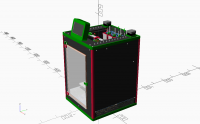
Try wrapping it in render(). It will take time to make the first frame but
be fast to draw after that.
If you post the code I could probably make it faster as it doesn't look
like it should take 2s per frame. I get that sort of frame rate on my
laptop with this model but it has about 2000 parts.
[image: image.png]
On Sat, 9 Jan 2021 at 10:21, caggius caggius@gmail.com wrote:
I am also having a love hate relationship with my new M1.
The primary purpose of buying a new computer was to reduce the long CGAL
rendering (F6) times of some of my larger models (WW2 Spitfire Cockpit
Instruments) on my 2012 I7 Macbook. Some can take 40+ minutes.
A lot of this could possibly be down to the way that I use OpenScad and not
understanding any of the tuning options.
The M1 will F6 render faster than the i7 at around 175% so good news there.
However the big problem that I have is that trying to change the viewpoint
in preview mode on my more complex models has dropped from around 4 or 5fps
to around 2 seconds per frame making it totally unusable.
Any thoughts or suggestions ?
http://forum.openscad.org/file/t3083/Screenshot_2021-01-09_at_10.png
--
Sent from: http://forum.openscad.org/
OpenSCAD mailing list
Discuss@lists.openscad.org
http://lists.openscad.org/mailman/listinfo/discuss_lists.openscad.org
On 09.01.21 11:20, caggius wrote:
Any thoughts or suggestions ?
In addition to the other suggestions, you can register
this new feature:
https://github.com/openscad/openscad/pull/1935
Once it's merged, which may happen in the next couple of
days, try out the snapshot version (and enable the new
display features in Preferences).
ciao,
Torsten.
Render time is proportional to complexity. That's always been the case, since
the dawn of the computer age. So, while you probably may already know this,
but jic you don't, don't use larger numbers than necessary in $fn calls. If
your fragments are about the size of your intended print resolution for a
given job, that's as large a number as you ever need to plug into $fn, which
in my experience, seems to increase render time logarithmically as its value
increases.
Make things, travel and tell stories.
Sent from: http://forum.openscad.org/

I don't think it is restricted to Mac.
I've just compared my complex model in RC5 v's 2019.05.
In 2019.05 preview repaint is bad at ~5s, ie, click view/front icon, 5s to repaint.
In RC5 it is unusable.
The repaint overwhelms the GUI handling.
I got to the point where I clicked the close X,
but as I had unsaved changes, I got the 'do you want to save'
dialogue, but as that overlayed the viewport, it went to
repaint, clicking 'cancel' typing Esc was ignored.
I pulled up another windows, then minimised it,
OpenSCAD repainted the editor & console (in ~3s), tries to
repaint the viewport, and never gets to repaint
the dialogue box.
I think this needs fixing before release.
I'll raise an Issue with further info.
-----Original Message-----
From: Discuss [mailto:discuss-bounces@lists.openscad.org] On Behalf Of caggius
Sent: Sat, 9 Jan 2021 21:21
To: discuss@lists.openscad.org
Subject: Re: [OpenSCAD] Apple M1 migtation
I am also having a love hate relationship with my new M1.
The primary purpose of buying a new computer was to reduce the long CGAL
rendering (F6) times of some of my larger models (WW2 Spitfire Cockpit
Instruments) on my 2012 I7 Macbook. Some can take 40+ minutes.
A lot of this could possibly be down to the way that I use OpenScad and not
understanding any of the tuning options.
The M1 will F6 render faster than the i7 at around 175% so good news there.
However the big problem that I have is that trying to change the viewpoint
in preview mode on my more complex models has dropped from around 4 or 5fps
to around 2 seconds per frame making it totally unusable.
Any thoughts or suggestions ?
http://forum.openscad.org/file/t3083/Screenshot_2021-01-09_at_10.png
--
Sent from: http://forum.openscad.org/
OpenSCAD mailing list
Discuss@lists.openscad.org
http://lists.openscad.org/mailman/listinfo/discuss_lists.openscad.org
--
This email has been checked for viruses by AVG.
https://www.avg.com
oops...I keep forgetting I'm using S/W rendering on my VM.
-----Original Message-----
From: Discuss [mailto:discuss-bounces@lists.openscad.org] On Behalf Of MichaelAtOz
Sent: Sun, 10 Jan 2021 14:29
To: 'OpenSCAD general discussion'
Subject: Re: [OpenSCAD] Apple M1 migtation
I don't think it is restricted to Mac.
I've just compared my complex model in RC5 v's 2019.05.
In 2019.05 preview repaint is bad at ~5s, ie, click view/front icon, 5s to repaint.
In RC5 it is unusable.
The repaint overwhelms the GUI handling.
I got to the point where I clicked the close X,
but as I had unsaved changes, I got the 'do you want to save'
dialogue, but as that overlayed the viewport, it went to
repaint, clicking 'cancel' typing Esc was ignored.
I pulled up another windows, then minimised it,
OpenSCAD repainted the editor & console (in ~3s), tries to
repaint the viewport, and never gets to repaint
the dialogue box.
I think this needs fixing before release.
I'll raise an Issue with further info.
-----Original Message-----
From: Discuss [mailto:discuss-bounces@lists.openscad.org] On Behalf Of caggius
Sent: Sat, 9 Jan 2021 21:21
To: discuss@lists.openscad.org
Subject: Re: [OpenSCAD] Apple M1 migtation
I am also having a love hate relationship with my new M1.
The primary purpose of buying a new computer was to reduce the long CGAL
rendering (F6) times of some of my larger models (WW2 Spitfire Cockpit
Instruments) on my 2012 I7 Macbook. Some can take 40+ minutes.
A lot of this could possibly be down to the way that I use OpenScad and not
understanding any of the tuning options.
The M1 will F6 render faster than the i7 at around 175% so good news there.
However the big problem that I have is that trying to change the viewpoint
in preview mode on my more complex models has dropped from around 4 or 5fps
to around 2 seconds per frame making it totally unusable.
Any thoughts or suggestions ?
http://forum.openscad.org/file/t3083/Screenshot_2021-01-09_at_10.png
--
Sent from: http://forum.openscad.org/
OpenSCAD mailing list
Discuss@lists.openscad.org
http://lists.openscad.org/mailman/listinfo/discuss_lists.openscad.org
--
This email has been checked for viruses by AVG.
https://www.avg.com
OpenSCAD mailing list
Discuss@lists.openscad.org
http://lists.openscad.org/mailman/listinfo/discuss_lists.openscad.org
--
This email has been checked for viruses by AVG.
https://www.avg.com