

discuss@lists.openscad.org

OpenSCAD general discussion Mailing-list

View all threads

Using SCAD with multiple screens

J
jonnie
Tue, Nov 10, 2020 12:11 PM

Hi,

I usually work with CAD and rendering software using two monitor screens.
OpenSCAD offers a preference under "advanced" to enable undocking of the
editor and console.

However there seem to be limitations.

The Editor which is launched does not seem to be a fully configured window,
it always stays ontop with respect to the console window from where it was
undocked and in addition the header bar does not react to the usual right
click ( I am working on linux UBUNTU ) which would normally result in a
pop-up offering options like "move to workspace left" which is how I would
usually send it to a different monitor.

I can send the main console to a different workspace but then the editor
follows it so I am still not achieving the desired result of having editor
on one monitor screen and the console ( with customiser hidden ) occupying
the screen of my second monitor.

I wondered if anyone had any views or knowledge on this, for instance could
QT the gui used for openScad offer the kind of full child window
independence required to offer twin monitor support and ability to bring one
window infront of the other etc.

--
Sent from: http://forum.openscad.org/

Hi, I usually work with CAD and rendering software using two monitor screens. OpenSCAD offers a preference under "advanced" to enable undocking of the editor and console. However there seem to be limitations. The Editor which is launched does not seem to be a fully configured window, it always stays ontop with respect to the console window from where it was undocked and in addition the header bar does not react to the usual right click ( I am working on linux UBUNTU ) which would normally result in a pop-up offering options like "move to workspace left" which is how I would usually send it to a different monitor. I can send the main console to a different workspace but then the editor follows it so I am still not achieving the desired result of having editor on one monitor screen and the console ( with customiser hidden ) occupying the screen of my second monitor. I wondered if anyone had any views or knowledge on this, for instance could QT the gui used for openScad offer the kind of full child window independence required to offer twin monitor support and ability to bring one window infront of the other etc. -- Sent from: http://forum.openscad.org/
AG
Alex Gibson
Tue, Nov 10, 2020 12:21 PM

Could I just tack onto this a related issue please?

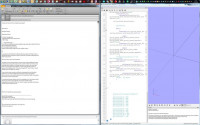
Under Windows 10 64-bit, OpenSCAD doesn't seem to respect the taskbar being
at the top of the screen (as it should always have been and was originally
intended, fight me J !)

Here you can see it behaving correctly under Windows 7 (but not always) but
sometimes when maximised the title bar disappears behind the taskbar, often
leaving a taskbar sized gap at the bottom of the screen.  No doubt this is
not OpenSCAD specific but may be a bug in QT or whatever is used for the
window manager. any hints and tips to force the correct behaviour, I'd be
grateful!!

Kind regards,

Alex Gibson

admg consulting

edumaker limited

. Project management

. Operations & Process improvement

. 3D Printing

-----Original Message-----
From: Discuss [mailto:discuss-bounces@lists.openscad.org] On Behalf Of
jonnie
Sent: 10 November 2020 12:11
To: discuss@lists.openscad.org
Subject: [OpenSCAD] Using SCAD with multiple screens

Hi,

I usually work with CAD and rendering software using two monitor screens.

OpenSCAD offers a preference under "advanced" to enable undocking of the

editor and console.

However there seem to be limitations.

The Editor which is launched does not seem to be a fully configured window,

it always stays ontop with respect to the console window from where it was

undocked and in addition the header bar does not react to the usual right

click ( I am working on linux UBUNTU ) which would normally result in a

pop-up offering options like "move to workspace left" which is how I would

usually send it to a different monitor.

I can send the main console to a different workspace but then the editor

follows it so I am still not achieving the desired result of having editor

on one monitor screen and the console ( with customiser hidden ) occupying

the screen of my second monitor.

I wondered if anyone had any views or knowledge on this, for instance could

QT the gui used for openScad offer the kind of full child window

independence required to offer twin monitor support and ability to bring one

window infront of the other etc.

--

Sent from: http://forum.openscad.org/


OpenSCAD mailing list

Discuss@lists.openscad.org

http://lists.openscad.org/mailman/listinfo/discuss_lists.openscad.org

--

This email has been checked for viruses by AVG.
https://www.avg.com

Could I just tack onto this a related issue please? Under Windows 10 64-bit, OpenSCAD doesn't seem to respect the taskbar being at the top of the screen (as it should always have been and was originally intended, fight me J !) Here you can see it behaving correctly under Windows 7 (but not always) but sometimes when maximised the title bar disappears behind the taskbar, often leaving a taskbar sized gap at the bottom of the screen. No doubt this is not OpenSCAD specific but may be a bug in QT or whatever is used for the window manager. any hints and tips to force the correct behaviour, I'd be grateful!! Kind regards, Alex Gibson admg consulting edumaker limited . Project management . Operations & Process improvement . 3D Printing -----Original Message----- From: Discuss [mailto:discuss-bounces@lists.openscad.org] On Behalf Of jonnie Sent: 10 November 2020 12:11 To: discuss@lists.openscad.org Subject: [OpenSCAD] Using SCAD with multiple screens Hi, I usually work with CAD and rendering software using two monitor screens. OpenSCAD offers a preference under "advanced" to enable undocking of the editor and console. However there seem to be limitations. The Editor which is launched does not seem to be a fully configured window, it always stays ontop with respect to the console window from where it was undocked and in addition the header bar does not react to the usual right click ( I am working on linux UBUNTU ) which would normally result in a pop-up offering options like "move to workspace left" which is how I would usually send it to a different monitor. I can send the main console to a different workspace but then the editor follows it so I am still not achieving the desired result of having editor on one monitor screen and the console ( with customiser hidden ) occupying the screen of my second monitor. I wondered if anyone had any views or knowledge on this, for instance could QT the gui used for openScad offer the kind of full child window independence required to offer twin monitor support and ability to bring one window infront of the other etc. -- Sent from: http://forum.openscad.org/ _______________________________________________ OpenSCAD mailing list Discuss@lists.openscad.org http://lists.openscad.org/mailman/listinfo/discuss_lists.openscad.org -- This email has been checked for viruses by AVG. https://www.avg.com
T
Troberg
Sun, Nov 15, 2020 10:33 AM

Another related issue: The one panel I feel would be useful to undock when
working with multimonitor setups is the 3D view, and it's the one panel I
can't undock.

My ideal setup would be one window with the editor, console, customizer and
animation bar, and a window on the secondary screen with just the 3D view.

Sure, I can undock everything, but then I get a bunch of loose windows,
which is a hassle.

--
Sent from: http://forum.openscad.org/

Another related issue: The one panel I feel would be useful to undock when working with multimonitor setups is the 3D view, and it's the one panel I can't undock. My ideal setup would be one window with the editor, console, customizer and animation bar, and a window on the secondary screen with just the 3D view. Sure, I can undock everything, but then I get a bunch of loose windows, which is a hassle. -- Sent from: http://forum.openscad.org/
R
Rick
Sun, Nov 15, 2020 7:25 PM

I haven't used SCAD in a while, but I use vim as an editor.  When you save
the file SCAD detects that the file is changed.
Of course you can put it in whichever window you want.

On Sun, Nov 15, 2020 at 5:33 AM Troberg troberg.anders@gmail.com wrote:

Another related issue: The one panel I feel would be useful to undock when
working with multimonitor setups is the 3D view, and it's the one panel I
can't undock.

My ideal setup would be one window with the editor, console, customizer and
animation bar, and a window on the secondary screen with just the 3D view.

Sure, I can undock everything, but then I get a bunch of loose windows,
which is a hassle.

--
Sent from: http://forum.openscad.org/


OpenSCAD mailing list
Discuss@lists.openscad.org
http://lists.openscad.org/mailman/listinfo/discuss_lists.openscad.org

I haven't used SCAD in a while, but I use vim as an editor. When you save the file SCAD detects that the file is changed. Of course you can put it in whichever window you want. On Sun, Nov 15, 2020 at 5:33 AM Troberg <troberg.anders@gmail.com> wrote: > Another related issue: The one panel I feel would be useful to undock when > working with multimonitor setups is the 3D view, and it's the one panel I > can't undock. > > My ideal setup would be one window with the editor, console, customizer and > animation bar, and a window on the secondary screen with just the 3D view. > > Sure, I can undock everything, but then I get a bunch of loose windows, > which is a hassle. > > > > -- > Sent from: http://forum.openscad.org/ > > _______________________________________________ > OpenSCAD mailing list > Discuss@lists.openscad.org > http://lists.openscad.org/mailman/listinfo/discuss_lists.openscad.org >
T
Troberg
Mon, Nov 16, 2020 9:05 AM

tsingi wrote

I haven't used SCAD in a while, but I use vim as an editor.  When you save
the file SCAD detects that the file is changed.
Of course you can put it in whichever window you want.

True, and I sometimes do similar things when I have programs which generate
OpenSCAD code, but it's not really an answer here. You use an external
editor because the internal is lacking, and the long term solution should be
to fix the internal editor so more people use it (though, in my opinion,
it's quite good enough for my use).

--
Sent from: http://forum.openscad.org/

tsingi wrote > I haven't used SCAD in a while, but I use vim as an editor. When you save > the file SCAD detects that the file is changed. > Of course you can put it in whichever window you want. True, and I sometimes do similar things when I have programs which generate OpenSCAD code, but it's not really an answer here. You use an external editor because the internal is lacking, and the long term solution should be to fix the internal editor so more people use it (though, in my opinion, it's quite good enough for my use). -- Sent from: http://forum.openscad.org/
NH
nop head
Mon, Nov 16, 2020 9:43 AM

I don't use the internal editor because I use an external editor I wrote
myself, which also does my source control. It stores my code in an XML
database on GoogleDrive so I can see any version of anything
instantaneously from anywhere. The actual editor component is a much older
version of Scintilla that is not configured for OpenSCAD, so doesn't syntax
hilite, etc, but the integrated source control means I prefer it.

On Mon, 16 Nov 2020 at 09:06, Troberg troberg.anders@gmail.com wrote:

tsingi wrote

I haven't used SCAD in a while, but I use vim as an editor.  When you

save

the file SCAD detects that the file is changed.
Of course you can put it in whichever window you want.

True, and I sometimes do similar things when I have programs which generate
OpenSCAD code, but it's not really an answer here. You use an external
editor because the internal is lacking, and the long term solution should
be
to fix the internal editor so more people use it (though, in my opinion,
it's quite good enough for my use).

--
Sent from: http://forum.openscad.org/


OpenSCAD mailing list
Discuss@lists.openscad.org
http://lists.openscad.org/mailman/listinfo/discuss_lists.openscad.org

I don't use the internal editor because I use an external editor I wrote myself, which also does my source control. It stores my code in an XML database on GoogleDrive so I can see any version of anything instantaneously from anywhere. The actual editor component is a much older version of Scintilla that is not configured for OpenSCAD, so doesn't syntax hilite, etc, but the integrated source control means I prefer it. On Mon, 16 Nov 2020 at 09:06, Troberg <troberg.anders@gmail.com> wrote: > tsingi wrote > > I haven't used SCAD in a while, but I use vim as an editor. When you > save > > the file SCAD detects that the file is changed. > > Of course you can put it in whichever window you want. > > True, and I sometimes do similar things when I have programs which generate > OpenSCAD code, but it's not really an answer here. You use an external > editor because the internal is lacking, and the long term solution should > be > to fix the internal editor so more people use it (though, in my opinion, > it's quite good enough for my use). > > > > > -- > Sent from: http://forum.openscad.org/ > > _______________________________________________ > OpenSCAD mailing list > Discuss@lists.openscad.org > http://lists.openscad.org/mailman/listinfo/discuss_lists.openscad.org >
TH
Tim Hawkins
Mon, Nov 16, 2020 11:17 AM

The extra internal editor most just needs formatting capability, brace
matching and possibly git integrstion. (Or textpad style macros). Being
able to connect to an openscad language server would be cool.

On Mon, Nov 16, 2020, 17:06 Troberg troberg.anders@gmail.com wrote:

tsingi wrote

I haven't used SCAD in a while, but I use vim as an editor.  When you

save

the file SCAD detects that the file is changed.
Of course you can put it in whichever window you want.

True, and I sometimes do similar things when I have programs which generate
OpenSCAD code, but it's not really an answer here. You use an external
editor because the internal is lacking, and the long term solution should
be
to fix the internal editor so more people use it (though, in my opinion,
it's quite good enough for my use).

--
Sent from: http://forum.openscad.org/


OpenSCAD mailing list
Discuss@lists.openscad.org
http://lists.openscad.org/mailman/listinfo/discuss_lists.openscad.org

The extra internal editor most just needs formatting capability, brace matching and possibly git integrstion. (Or textpad style macros). Being able to connect to an openscad language server would be cool. On Mon, Nov 16, 2020, 17:06 Troberg <troberg.anders@gmail.com> wrote: > tsingi wrote > > I haven't used SCAD in a while, but I use vim as an editor. When you > save > > the file SCAD detects that the file is changed. > > Of course you can put it in whichever window you want. > > True, and I sometimes do similar things when I have programs which generate > OpenSCAD code, but it's not really an answer here. You use an external > editor because the internal is lacking, and the long term solution should > be > to fix the internal editor so more people use it (though, in my opinion, > it's quite good enough for my use). > > > > > -- > Sent from: http://forum.openscad.org/ > > _______________________________________________ > OpenSCAD mailing list > Discuss@lists.openscad.org > http://lists.openscad.org/mailman/listinfo/discuss_lists.openscad.org >
JB
Jordan Brown
Mon, Nov 16, 2020 3:53 PM

On 11/16/2020 3:17 AM, Tim Hawkins wrote:

The extra internal editor most just needs formatting capability, brace
matching and possibly git integrstion. (Or textpad style macros).
Being able to connect to an openscad language server would be cool.

It does automatic indentation and highlights matching braces, brackets,
and parentheses.  What else were you looking for in terms of formatting?

On 11/16/2020 3:17 AM, Tim Hawkins wrote: > The extra internal editor most just needs formatting capability, brace > matching and possibly git integrstion. (Or textpad style macros). > Being able to connect to an openscad language server would be cool. It does automatic indentation and highlights matching braces, brackets, and parentheses.  What else were you looking for in terms of formatting?
TH
Tim Hawkins
Mon, Nov 16, 2020 11:44 PM

It does not seem to allow you to format a file, or a block, I have started
using the openscad mode in intelij so that I can get my files formated
correctly without having to do a load of manual reformatting.

On Mon, Nov 16, 2020, 23:53 Jordan Brown openscad@jordan.maileater.net
wrote:

On 11/16/2020 3:17 AM, Tim Hawkins wrote:

The extra internal editor most just needs formatting capability, brace
matching and possibly git integrstion. (Or textpad style macros). Being
able to connect to an openscad language server would be cool.

It does automatic indentation and highlights matching braces, brackets,
and parentheses.  What else were you looking for in terms of formatting?

It does not seem to allow you to format a file, or a block, I have started using the openscad mode in intelij so that I can get my files formated correctly without having to do a load of manual reformatting. On Mon, Nov 16, 2020, 23:53 Jordan Brown <openscad@jordan.maileater.net> wrote: > On 11/16/2020 3:17 AM, Tim Hawkins wrote: > > The extra internal editor most just needs formatting capability, brace > matching and possibly git integrstion. (Or textpad style macros). Being > able to connect to an openscad language server would be cool. > > > It does automatic indentation and highlights matching braces, brackets, > and parentheses. What else were you looking for in terms of formatting? >
JB
Jordan Brown
Tue, Nov 17, 2020 1:14 AM

On 11/16/2020 3:44 PM, Tim Hawkins wrote:

It does not seem to allow you to format a file, or a block, I have
started using the openscad mode in intelij so that I can get my files
formated correctly without having to do a load of manual reformatting.

Ah, reformatting, rather than just as-you-type formatting.

You can at least do block indent/outdent, but I agree you can't just
throw a block at it and say "fix this".

On 11/16/2020 3:44 PM, Tim Hawkins wrote: > It does not seem to allow you to format a file, or a block, I have > started using the openscad mode in intelij so that I can get my files > formated correctly without having to do a load of manual reformatting. Ah, *re*formatting, rather than just as-you-type formatting. You can at least do block indent/outdent, but I agree you can't just throw a block at it and say "fix this".