

discuss@lists.openscad.org

OpenSCAD general discussion Mailing-list

View all threads

converting svg files from Inkscape to scad files to stl files

A
arnholm@arnholm.org
Wed, Feb 10, 2016 8:46 AM

On 2016-02-10 02:31, adamtimm1 wrote:

I am a photographer and an artist.  I want to create 3D images from my
photos and from artwork so that the blind can touch an image and "see
it."
That is* all *I want to do. I did it once through another venue.

Hi, you may be interested in this
http://arnholm.org/a-reverse-3d-printing-experiment/

Where I convert a 2d image to a printable 3d object. The description is
fairly detailed. Observe that there are different forms of DXF.

Also, this relates to the same issue, but possibly closer to what you
want
http://arnholm.org/angelscript-csg-part-3/

Carsten Arnholm

On 2016-02-10 02:31, adamtimm1 wrote: > I am a photographer and an artist. I want to create 3D images from my > photos and from artwork so that the blind can touch an image and "see > it." > That is* all *I want to do. I did it once through another venue. Hi, you may be interested in this http://arnholm.org/a-reverse-3d-printing-experiment/ Where I convert a 2d image to a printable 3d object. The description is fairly detailed. Observe that there are different forms of DXF. Also, this relates to the same issue, but possibly closer to what you want http://arnholm.org/angelscript-csg-part-3/ Carsten Arnholm
DE
David Eccles (gringer)
Wed, Feb 10, 2016 8:51 AM

Another option is to save the files as a small png image, then use ImageJ
to convert the image to a text image (File->Save As->Text Image). This will
convert greyscale values into numbers, which can be read in by openscad as a
height map. Things are improved by converting to greyscale (8-bit colour)
first, then applying a gaussian blur, but the example image you've provided
doesn't really work in its current form as a height/bump map:

http://forum.openscad.org/file/n16095/4EE5_bumpmap.png

I've had more success in doing this from light-field microscope images,
although it still takes a bit of work to get things working properly:

http://www.thingiverse.com/thing:897505

--
View this message in context: http://forum.openscad.org/converting-svg-files-from-Inkscape-to-scad-files-to-stl-files-tp16084p16095.html
Sent from the OpenSCAD mailing list archive at Nabble.com.

Another option is to save the files as a *small* png image, then use ImageJ to convert the image to a text image (File->Save As->Text Image). This will convert greyscale values into numbers, which can be read in by openscad as a height map. Things are improved by converting to greyscale (8-bit colour) first, then applying a gaussian blur, but the example image you've provided doesn't really work in its current form as a height/bump map: <http://forum.openscad.org/file/n16095/4EE5_bumpmap.png> I've had more success in doing this from light-field microscope images, although it still takes a bit of work to get things working properly: http://www.thingiverse.com/thing:897505 -- View this message in context: http://forum.openscad.org/converting-svg-files-from-Inkscape-to-scad-files-to-stl-files-tp16084p16095.html Sent from the OpenSCAD mailing list archive at Nabble.com.
A
Adam
Thu, Feb 11, 2016 3:49 AM

Absolutely cool suggestion.  I will check them out.

----- Original Message -----

From: David Eccles (gringer)mailto:bioinformatics@gringene.org

To: discuss@lists.openscad.orgmailto:discuss@lists.openscad.org

Sent: Wednesday, February 10, 2016 2:51 AM

Subject: Re: [OpenSCAD] converting svg files from Inkscape to scad files tostl files

Another option is to save the files as a small png image, then use ImageJ
to convert the image to a text image (File->Save As->Text Image). This will
convert greyscale values into numbers, which can be read in by openscad as a
height map. Things are improved by converting to greyscale (8-bit colour)
first, then applying a gaussian blur, but the example image you've provided
doesn't really work in its current form as a height/bump map:

http://forum.openscad.org/file/n16095/4EE5_bumpmap.png

I've had more success in doing this from light-field microscope images,
although it still takes a bit of work to get things working properly:

http://www.thingiverse.com/thing:897505

--
View this message in context: http://forum.openscad.org/converting-svg-files-from-Inkscape-to-scad-files-to-stl-files-tp16084p16095.html
Sent from the OpenSCAD mailing list archive at Nabble.com.


OpenSCAD mailing list
Discuss@lists.openscad.org
http://lists.openscad.org/mailman/listinfo/discuss_lists.openscad.org

Absolutely cool suggestion. I will check them out. ----- Original Message ----- From: David Eccles (gringer)<mailto:bioinformatics@gringene.org> To: discuss@lists.openscad.org<mailto:discuss@lists.openscad.org> Sent: Wednesday, February 10, 2016 2:51 AM Subject: Re: [OpenSCAD] converting svg files from Inkscape to scad files tostl files Another option is to save the files as a *small* png image, then use ImageJ to convert the image to a text image (File->Save As->Text Image). This will convert greyscale values into numbers, which can be read in by openscad as a height map. Things are improved by converting to greyscale (8-bit colour) first, then applying a gaussian blur, but the example image you've provided doesn't really work in its current form as a height/bump map: <http://forum.openscad.org/file/n16095/4EE5_bumpmap.png> I've had more success in doing this from light-field microscope images, although it still takes a bit of work to get things working properly: http://www.thingiverse.com/thing:897505 -- View this message in context: http://forum.openscad.org/converting-svg-files-from-Inkscape-to-scad-files-to-stl-files-tp16084p16095.html Sent from the OpenSCAD mailing list archive at Nabble.com. _______________________________________________ OpenSCAD mailing list Discuss@lists.openscad.org http://lists.openscad.org/mailman/listinfo/discuss_lists.openscad.org
A
Adam
Thu, Feb 11, 2016 3:50 AM

Fabulous Carsten!  Thank you!

----- Original Message -----

From: arnholm@arnholm.orgmailto:arnholm@arnholm.org

To: OpenSCAD general discussionmailto:discuss@lists.openscad.org

Sent: Wednesday, February 10, 2016 2:46 AM

Subject: Re: [OpenSCAD] converting svg files from Inkscape to scad files to stl files

On 2016-02-10 02:31, adamtimm1 wrote:

I am a photographer and an artist.  I want to create 3D images from my
photos and from artwork so that the blind can touch an image and "see
it."
That is* all *I want to do. I did it once through another venue.

Hi, you may be interested in this
http://arnholm.org/a-reverse-3d-printing-experiment/

Where I convert a 2d image to a printable 3d object. The description is
fairly detailed. Observe that there are different forms of DXF.

Also, this relates to the same issue, but possibly closer to what you
want
http://arnholm.org/angelscript-csg-part-3/

Carsten Arnholm


OpenSCAD mailing list
Discuss@lists.openscad.org
http://lists.openscad.org/mailman/listinfo/discuss_lists.openscad.org
Fabulous Carsten! Thank you! ----- Original Message ----- From: arnholm@arnholm.org<mailto:arnholm@arnholm.org> To: OpenSCAD general discussion<mailto:discuss@lists.openscad.org> Sent: Wednesday, February 10, 2016 2:46 AM Subject: Re: [OpenSCAD] converting svg files from Inkscape to scad files to stl files On 2016-02-10 02:31, adamtimm1 wrote: > I am a photographer and an artist. I want to create 3D images from my > photos and from artwork so that the blind can touch an image and "see > it." > That is* all *I want to do. I did it once through another venue. Hi, you may be interested in this http://arnholm.org/a-reverse-3d-printing-experiment/ Where I convert a 2d image to a printable 3d object. The description is fairly detailed. Observe that there are different forms of DXF. Also, this relates to the same issue, but possibly closer to what you want http://arnholm.org/angelscript-csg-part-3/ Carsten Arnholm _______________________________________________ OpenSCAD mailing list Discuss@lists.openscad.org http://lists.openscad.org/mailman/listinfo/discuss_lists.openscad.org
A
Adam
Thu, Feb 11, 2016 3:56 AM

And to  you my friend!

Thank you so much for your detailed description.  I am getting wonderful feedback.

I am on the FreeCad forum and one of their moderators ran a paragraph rant about how stupid my questions were/are.  I responded that one cannot learn if they think their questions are too stupid to be asked.

I feel better.

Best,

Adam

----- Original Message -----

From: Neon22mailto:mschafer@wireframe.biz

To: discuss@lists.openscad.orgmailto:discuss@lists.openscad.org

Sent: Tuesday, February 09, 2016 11:39 PM

Subject: Re: [OpenSCAD] converting svg files from Inkscape to scad filestostl files

ok thanks for the detail. A couple of things first.

  1. Regrettably changing a raster file to a vector file cannot be done by
    just changing the file extension. That would be like changing a car to an
    airplane by swapping the gas caps over. While they are both forms of
    transport, they do different things. So there is no way it'll ever be that
    simple. Sorry.

  2. Your image is going to need to be in several layers. One for each of the
    contour colors you can see in your image. Maybe 8 or more. Oh yes - as you
    can see (way below), the image needs a bit of editing and tidying at the
    borders before you begin to get a good result and no cruft at the edges.

So things to try:

  1. You really should look at lithopanes. The author solved an interesting
    problem and its worth considering if you can use it for what you want.
    The live customiser online version cannot use really big files. But if you
    download the scad then you can use much bigger images.
    Try it:

  2. I'm sorry for your troubles with Inkscape.
    You need 0.91. You also need to download the extension (which what inkscape
    calls plugins) and put it in the right directory. If you're on windows
    that's %APPDATA% then go looking for the inkscape/extensions folder.

The instructable you reference is making a simple black and white one-layer
shape. Your image looks like its maybe > 8 layers.
When you split your image into 8 layers - using the Trace_Bitmap tool -
you'll need to have these settings:

  • choose colors,
  • 8 layers (or however many you need)
  • stack scans off
  • remove_background off (but you can play with this and the previous
    option)
  • smooth on (optional)
    http://forum.openscad.org/file/n16093/bitmap_001315.png
    Then export using the extension (must be v8). force line output must be off.
    Then open in openscad and be disappointed to see a low cube....

But wait....
at the end of the file will be 8 (or whatever you chose) poly_path
statements.
You can toggle visibiility of these on and off using the // comment operator
to check each shape is there.

Anyway - if you translate each one away from the next one (by whatever
height you choose) then you'll end up with a stacked scan like this:
http://forum.openscad.org/file/n16093/profile_001316.png

  • now they won't come in in the exact order you need. You'll have to swap
    them round until they are in correct height order.

The following numbers won't match yours at all but see what I'm doing with
the translates in Z... ?
// The shapes
poly_path4313(height, width);
translate([0,0,-height])
poly_path4319(height, width);
translate([0,0,-height2])
poly_path4311(height, width);
translate([0,0,-height
3])
poly_path4315(height, width);
translate([0,0,-height4])
poly_path4321(height, width);
translate([0,0,-height
5])
poly_path4317(height, width);
translate([0,0,-height6])
poly_path4309(height, width);
translate([0,0,-height
7])
poly_path4307(height, width);

Try again
Cheers...

--
View this message in context: http://forum.openscad.org/converting-svg-files-from-Inkscape-to-scad-files-to-stl-files-tp16084p16093.html
Sent from the OpenSCAD mailing list archive at Nabble.com.


OpenSCAD mailing list
Discuss@lists.openscad.org
http://lists.openscad.org/mailman/listinfo/discuss_lists.openscad.org

And to you my friend! Thank you so much for your detailed description. I am getting wonderful feedback. I am on the FreeCad forum and one of their moderators ran a paragraph rant about how stupid my questions were/are. I responded that one cannot learn if they think their questions are too stupid to be asked. I feel better. Best, Adam ----- Original Message ----- From: Neon22<mailto:mschafer@wireframe.biz> To: discuss@lists.openscad.org<mailto:discuss@lists.openscad.org> Sent: Tuesday, February 09, 2016 11:39 PM Subject: Re: [OpenSCAD] converting svg files from Inkscape to scad filestostl files ok thanks for the detail. A couple of things first. 1. Regrettably changing a raster file to a vector file cannot be done by just changing the file extension. That would be like changing a car to an airplane by swapping the gas caps over. While they are both forms of transport, they do different things. So there is no way it'll ever be that simple. Sorry. 2. Your image is going to need to be in several layers. One for each of the contour colors you can see in your image. Maybe 8 or more. Oh yes - as you can see (way below), the image needs a bit of editing and tidying at the borders before you begin to get a good result and no cruft at the edges. So things to try: 1. You really should look at lithopanes. The author solved an interesting problem and its worth considering if you can use it for what you want. The live customiser online version cannot use really big files. But if you download the scad then you can use much bigger images. Try it: - http://www.thingiverse.com/thing:74322 - http://www.thingiverse.com/search?q=lithopane&sa= 2. I'm sorry for your troubles with Inkscape. You need 0.91. You also need to download the extension (which what inkscape calls plugins) and put it in the right directory. If you're on windows that's %APPDATA% then go looking for the inkscape/extensions folder. - you really should use the zip file from here: http://www.thingiverse.com/thing:1065500/#files - unpack it into that extensions folder - http://www.thingiverse.com/thing:25036 - if you unpack it then it should appear on that specific menu - when you restart inkscape. The instructable you reference is making a simple black and white one-layer shape. Your image looks like its maybe > 8 layers. When you split your image into 8 layers - using the Trace_Bitmap tool - you'll need to have these settings: - choose colors, - 8 layers (or however many you need) - stack scans off - remove_background off (but you can play with this and the previous option) - smooth on (optional) <http://forum.openscad.org/file/n16093/bitmap_001315.png> Then export using the extension (must be v8). force line output must be off. Then open in openscad and be disappointed to see a low cube.... But wait.... at the end of the file will be 8 (or whatever you chose) poly_path statements. You can toggle visibiility of these on and off using the // comment operator to check each shape is there. Anyway - if you translate each one away from the next one (by whatever height you choose) then you'll end up with a stacked scan like this: <http://forum.openscad.org/file/n16093/profile_001316.png> - now they won't come in in the exact order you need. You'll have to swap them round until they are in correct height order. The following numbers won't match yours at all but see what I'm doing with the translates in Z... ? // The shapes poly_path4313(height, width); translate([0,0,-height]) poly_path4319(height, width); translate([0,0,-height*2]) poly_path4311(height, width); translate([0,0,-height*3]) poly_path4315(height, width); translate([0,0,-height*4]) poly_path4321(height, width); translate([0,0,-height*5]) poly_path4317(height, width); translate([0,0,-height*6]) poly_path4309(height, width); translate([0,0,-height*7]) poly_path4307(height, width); Try again Cheers... -- View this message in context: http://forum.openscad.org/converting-svg-files-from-Inkscape-to-scad-files-to-stl-files-tp16084p16093.html Sent from the OpenSCAD mailing list archive at Nabble.com. _______________________________________________ OpenSCAD mailing list Discuss@lists.openscad.org http://lists.openscad.org/mailman/listinfo/discuss_lists.openscad.org
A
Adam
Thu, Feb 11, 2016 4:11 AM

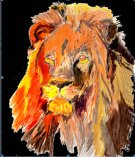
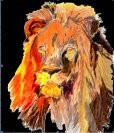
Thank you Laura.  As I said my goal is about making a textured topology of a 2D image.  I want people to "feel" the lion when they cannot see.

Think of yourself as blind.  How would anyone describe Van Gough's Starry Night to you?  Maybe, if it could be touched.  That is my goal.

Have you ever seen a Monet up close?  I did at the Denver Art Museum.  I got so close I was surprised that I did not end up in trouble with security.  I could see the brush marks of Monet himself, (he uses check marks) because I have eyes.  Who can touch such a masterpiece and how can you define what you really cannot see?  ABS plastic can stand up to a lot of rough use and a new image can be printed again when needed.

Additionally I have sketches of feet of women I know.  I want to print shoes that will exactly fit a womans foot-no more scrunching into a "cute" shoe that does not fit.  No sending your foot to an Italian shoe maker.  Taulman 3D has a new filament that would work with that.  It's called PCPTE.

----- Original Message -----

From: Laura Taalmanmailto:laurataalman@gmail.com

To: OpenSCAD general discussionmailto:discuss@lists.openscad.org

Sent: Tuesday, February 09, 2016 11:10 PM

Subject: Re: [OpenSCAD] converting svg files from Inkscape to scad filestostl files

Haha, no, not related to Taulman, but that is a neat coincidence.

Tinkercad is indeed only good for simple things, too bad that was not enough!  My next-easiest quick-fix probably-too-simple suggestion is to try to use the Thingiverse Customizer for lithopanes: http://www.thingiverse.com/thing:74322http://www.thingiverse.com/thing:74322 (press "Open in Customizer"). It works well but it is limited in what it can do since it is for the specific purpose of making lithopanes. Might work for what you want to do, though. You can also select "View Source" when in the Customizer, and you'll see the OpenSCAD code that is used; maybe you can extend or modify it to suit your purposes.

On Tue, Feb 9, 2016 at 11:51 PM, Adam <adamtimm1@msn.commailto:adamtimm1@msn.com> wrote:

Thank you Laura.  Are you related to Taulman filments?

I tried Tinkercad out and it only works with svg and stl files.  It also did not give me the topography that I wanted rather just a bunch of dots all over the place and in 2D no matter how much I elevated.  Messy!  In short not powerful enough.

I use FreeCad but don't know how to get it to give me what I want.  I printed this lion once and got some topography and want to do it again but better.  I want people to be able to touch the image and get a sense of what it looks like.

Adam

----- Original Message -----

From: Laura Taalmanmailto:laurataalman@gmail.com

To: OpenSCAD general discussionmailto:discuss@lists.openscad.org

Sent: Tuesday, February 09, 2016 9:23 PM

Subject: Re: [OpenSCAD] converting svg files from Inkscape to scad files tostl files

Maybe this is too simple a solution, but maybe not... If you really don't need openscad functionality beyond extruding a 2D image, then you could try using tinkercad instead. Here's instructions for how to do that: http://www.thingiverse.com/thing:1031735http://www.thingiverse.com/thing:1031735


Laura Taalman

educ.jmu.edu/~taalmalahttp://educ.jmu.edu/~taalmala

www.mathgrrl.comhttp://www.mathgrrl.com/

On Feb 9, 2016, at 8:31 PM, adamtimm1 <adamtimm1@msn.commailto:adamtimm1@msn.com> wrote:

I hope I do not offend anyone with this request or my stupidity.  This was
supposed to be a simple "thing."

From an "instructable" and a "Thing" in Thingiverse (

http://www.instructables.com/id/Convert-any-2D-image-to-a-3D-object-using-OpenSCAD/http://www.instructables.com/id/Convert-any-2D-image-to-a-3D-object-using-OpenSCAD/
) the instructions said that I could import a 2D jpeg into Inkscape, covert
it into an svg file, click Path>Object to Path  then click extensions

Paths2openscad.  When I opened openscad I was supposed to be able to easily

convert the file to an extruded stl that I could print on my 3D printer.
REally??  I have been working on it for 2 days.

I am a photographer and an artist.  I want to create 3D images from my
photos and from artwork so that the blind can touch an image and "see it."
That is* all *I want to do. I did it once through another venue.

I did drop a "dxf" file onto the command line but I haven't the foggiest how
to implement it.  The first time I did it I got a message saying I had
dropped an invalid dxf file onto the command line.

I am told that I have to "correctly escape the string." How do I do that?  I
am totally overwhelmed with things I have to do at the moment and I do not
want more.  I am at a point where everything I do takes me further afield
from my goals.  I know that there is a manual but for the little thing I am
attempting to do I only need a couple of instructions.  I have no intention
of doing any greater things with SCAD.  It is a task I will repeat many
times until something better/easier comes along.

Could someone please tell me how to import the dxf file I want, extrude it
then save it as an STL?  I was thinking I would get an  "import" button, but
noooo!

Can/would someone please walk me through this?

--
View this message in context: http://forum.openscad.org/converting-svg-files-from-Inkscape-to-scad-files-to-stl-files-tp16084.htmlhttp://forum.openscad.org/converting-svg-files-from-Inkscape-to-scad-files-to-stl-files-tp16084.html
Sent from the OpenSCAD mailing list archive at Nabble.comhttp://nabble.com/.


OpenSCAD mailing list
Discuss@lists.openscad.orgmailto:Discuss@lists.openscad.org
http://lists.openscad.org/mailman/listinfo/discuss_lists.openscad.orghttp://lists.openscad.org/mailman/listinfo/discuss_lists.openscad.org


OpenSCAD mailing list
Discuss@lists.openscad.orgmailto:Discuss@lists.openscad.org
http://lists.openscad.org/mailman/listinfo/discuss_lists.openscad.orghttp://lists.openscad.org/mailman/listinfo/discuss_lists.openscad.org


OpenSCAD mailing list
Discuss@lists.openscad.orgmailto:Discuss@lists.openscad.org
http://lists.openscad.org/mailman/listinfo/discuss_lists.openscad.orghttp://lists.openscad.org/mailman/listinfo/discuss_lists.openscad.org

--

Dr. Laura Taalman

www.mathgrrl.com/hacktastichttp://www.mathgrrl.com/hacktastic + educ.jmu.edu/~taalmalahttp://educ.jmu.edu/~taalmala + @mathgrrlhttp://www.twitter.com/mathgrrl


OpenSCAD mailing list
Discuss@lists.openscad.org
http://lists.openscad.org/mailman/listinfo/discuss_lists.openscad.org

Thank you Laura. As I said my goal is about making a textured topology of a 2D image. I want people to "feel" the lion when they cannot see. Think of yourself as blind. How would anyone describe Van Gough's Starry Night to you? Maybe, if it could be touched. That is my goal. Have you ever seen a Monet up close? I did at the Denver Art Museum. I got so close I was surprised that I did not end up in trouble with security. I could see the brush marks of Monet himself, (he uses check marks) because I have eyes. Who can touch such a masterpiece and how can you define what you really cannot see? ABS plastic can stand up to a lot of rough use and a new image can be printed again when needed. Additionally I have sketches of feet of women I know. I want to print shoes that will exactly fit a womans foot-no more scrunching into a "cute" shoe that does not fit. No sending your foot to an Italian shoe maker. Taulman 3D has a new filament that would work with that. It's called PCPTE. ----- Original Message ----- From: Laura Taalman<mailto:laurataalman@gmail.com> To: OpenSCAD general discussion<mailto:discuss@lists.openscad.org> Sent: Tuesday, February 09, 2016 11:10 PM Subject: Re: [OpenSCAD] converting svg files from Inkscape to scad filestostl files Haha, no, not related to Taulman, but that is a neat coincidence. Tinkercad is indeed only good for simple things, too bad that was not enough! My next-easiest quick-fix probably-too-simple suggestion is to try to use the Thingiverse Customizer for lithopanes: http://www.thingiverse.com/thing:74322<http://www.thingiverse.com/thing:74322> (press "Open in Customizer"). It works well but it is limited in what it can do since it is for the specific purpose of making lithopanes. Might work for what you want to do, though. You can also select "View Source" when in the Customizer, and you'll see the OpenSCAD code that is used; maybe you can extend or modify it to suit your purposes. On Tue, Feb 9, 2016 at 11:51 PM, Adam <adamtimm1@msn.com<mailto:adamtimm1@msn.com>> wrote: Thank you Laura. Are you related to Taulman filments? I tried Tinkercad out and it only works with svg and stl files. It also did not give me the topography that I wanted rather just a bunch of dots all over the place and in 2D no matter how much I elevated. Messy! In short not powerful enough. I use FreeCad but don't know how to get it to give me what I want. I printed this lion once and got some topography and want to do it again but better. I want people to be able to touch the image and get a sense of what it looks like. Adam ----- Original Message ----- From: Laura Taalman<mailto:laurataalman@gmail.com> To: OpenSCAD general discussion<mailto:discuss@lists.openscad.org> Sent: Tuesday, February 09, 2016 9:23 PM Subject: Re: [OpenSCAD] converting svg files from Inkscape to scad files tostl files Maybe this is too simple a solution, but maybe not... If you really don't need openscad functionality beyond extruding a 2D image, then you could try using tinkercad instead. Here's instructions for how to do that: http://www.thingiverse.com/thing:1031735<http://www.thingiverse.com/thing:1031735> ----- Laura Taalman educ.jmu.edu/~taalmala<http://educ.jmu.edu/~taalmala> www.mathgrrl.com<http://www.mathgrrl.com/> On Feb 9, 2016, at 8:31 PM, adamtimm1 <adamtimm1@msn.com<mailto:adamtimm1@msn.com>> wrote: I hope I do not offend anyone with this request or my stupidity. This was supposed to be a simple "thing." >From an "instructable" and a "Thing" in Thingiverse ( http://www.instructables.com/id/Convert-any-2D-image-to-a-3D-object-using-OpenSCAD/<http://www.instructables.com/id/Convert-any-2D-image-to-a-3D-object-using-OpenSCAD/> ) the instructions said that I could import a 2D jpeg into Inkscape, covert it into an svg file, click Path>Object to Path then click extensions Paths2openscad. When I opened openscad I was supposed to be able to easily convert the file to an extruded stl that I could print on my 3D printer. REally?? I have been working on it for 2 days. I am a photographer and an artist. I want to create 3D images from my photos and from artwork so that the blind can touch an image and "see it." That is* all *I want to do. I did it once through another venue. I did drop a "dxf" file onto the command line but I haven't the foggiest how to implement it. The first time I did it I got a message saying I had dropped an invalid dxf file onto the command line. I am told that I have to "correctly escape the string." How do I do that? I am totally overwhelmed with things I have to do at the moment and I do not want more. I am at a point where everything I do takes me further afield from my goals. I know that there is a manual but for the little thing I am attempting to do I only need a couple of instructions. I have no intention of doing any greater things with SCAD. It is a task I will repeat many times until something better/easier comes along. Could someone please tell me how to import the dxf file I want, extrude it then save it as an STL? I was thinking I would get an "import" button, but noooo! Can/would someone please walk me through this? -- View this message in context: http://forum.openscad.org/converting-svg-files-from-Inkscape-to-scad-files-to-stl-files-tp16084.html<http://forum.openscad.org/converting-svg-files-from-Inkscape-to-scad-files-to-stl-files-tp16084.html> Sent from the OpenSCAD mailing list archive at Nabble.com<http://nabble.com/>. _______________________________________________ OpenSCAD mailing list Discuss@lists.openscad.org<mailto:Discuss@lists.openscad.org> http://lists.openscad.org/mailman/listinfo/discuss_lists.openscad.org<http://lists.openscad.org/mailman/listinfo/discuss_lists.openscad.org> _______________________________________________ OpenSCAD mailing list Discuss@lists.openscad.org<mailto:Discuss@lists.openscad.org> http://lists.openscad.org/mailman/listinfo/discuss_lists.openscad.org<http://lists.openscad.org/mailman/listinfo/discuss_lists.openscad.org> _______________________________________________ OpenSCAD mailing list Discuss@lists.openscad.org<mailto:Discuss@lists.openscad.org> http://lists.openscad.org/mailman/listinfo/discuss_lists.openscad.org<http://lists.openscad.org/mailman/listinfo/discuss_lists.openscad.org> -- Dr. Laura Taalman www.mathgrrl.com/hacktastic<http://www.mathgrrl.com/hacktastic> + educ.jmu.edu/~taalmala<http://educ.jmu.edu/~taalmala> + @mathgrrl<http://www.twitter.com/mathgrrl> _______________________________________________ OpenSCAD mailing list Discuss@lists.openscad.org http://lists.openscad.org/mailman/listinfo/discuss_lists.openscad.org
PF
Peter Falke
Thu, Feb 11, 2016 10:07 PM

A few thoughts about 3d.

If U want to let them "see" a lion, than print the lion in 3d.

Start with black and white images, better even images that are only full
black and full white.

Think about what lightning U need.
One hard light from the side can through a hard shadow that defines  a
shape.

A few thoughts about 3d. If U want to let them "see" a lion, than print the lion in 3d. Start with black and white images, better even images that are only full black and full white. Think about what lightning U need. One hard light from the side can through a hard shadow that defines a shape.
M
MichaelAtOz
Sun, Feb 14, 2016 10:00 PM

adamtimm1 wrote

Can/would someone please walk me through this?

Adam,

Did you get the Inkscape plug-in to work as per Neon22's  suggestion
http://forum.openscad.org/converting-svg-files-from-Inkscape-to-scad-files-to-stl-files-tp16084p16093.html
?

Where are you at?

Note for others. Adman just wants a black box, not an intro to how OpenSCAD
can be used.


Newly minted Admin - PM me if you need anything, or if I've done something stupid...

Unless specifically shown otherwise above, my contribution is in the Public Domain; to the extent possible under law, I have waived all copyright and related or neighbouring rights to this work. Obviously inclusion of works of previous authors is not included in the above.

The TPP is no simple “trade agreement.”  Fight it! http://www.ourfairdeal.org/  time is running out!

View this message in context: http://forum.openscad.org/converting-svg-files-from-Inkscape-to-scad-files-to-stl-files-tp16084p16130.html
Sent from the OpenSCAD mailing list archive at Nabble.com.

adamtimm1 wrote > Can/would someone please walk me through this? Adam, Did you get the Inkscape plug-in to work as per Neon22's suggestion <http://forum.openscad.org/converting-svg-files-from-Inkscape-to-scad-files-to-stl-files-tp16084p16093.html> ? Where are you at? Note for others. Adman just wants a black box, not an intro to how OpenSCAD can be used. ----- Newly minted Admin - PM me if you need anything, or if I've done something stupid... Unless specifically shown otherwise above, my contribution is in the Public Domain; to the extent possible under law, I have waived all copyright and related or neighbouring rights to this work. Obviously inclusion of works of previous authors is not included in the above. The TPP is no simple “trade agreement.” Fight it! http://www.ourfairdeal.org/ time is running out! -- View this message in context: http://forum.openscad.org/converting-svg-files-from-Inkscape-to-scad-files-to-stl-files-tp16084p16130.html Sent from the OpenSCAD mailing list archive at Nabble.com.
A
Adam
Sun, Feb 14, 2016 10:15 PM

Thank you Peter,

Per the "Instructables" article I am trying to work from I had not thought about copying an image from a jpg into InkScape, saving the image as an svg or dxf file then importing from InkScape to OpenScad and once in OpenScad converting the image to an STL so that I can print it with my 3D printer.

Sorry, could not resist. I am getting posts from threads I did not subscribe to and they are flooding my email.

What I have found is that in InkScape the "Extensions" > "paths to OpenScad" does not work.  I did not  know how to use the OpenScad "import" function, which the author forgot to mention instructions for, but it is a moot point if I cannot export the file from InkScape .

I actually had one of my images converted by a "free" source and was able to print it the way I wanted to.  While not perfect it was pretty cool and I am trying to learn how to do it so I have control over the results.  I have attached the file from Instructables and please see below.  I could use some help if you know how or are of a mind to be merciful.

"1. to transform a 2D raster image like a jpg you need to convert it to
vector form, then export it to .scad file

  • drop the jpg onto the inkscape canvas (or use File/Import)
  • select it and select Path/Trace_Bitmap
    • this will allow you to chose how to threshold it and create one or more
      vector layers.
    • I'm going to assume you want a simple, single level, outline.
      • Choose "Brightness Cutoff" = 0.5. Hit update to preview and OK to
        add to canvas.
    • You will now have an extra object which is a 2D threshholded vectored
      version of your jpg image.
    • You can scale it and position it manually.
      • Use the paper size as a guide and set Default units to mm in
        File/Document_Properties.
      • So you can see its actual size when you export to OPENscad
  • export it
    • select it and then choose Extensions/Generate_from_path/Paths to
      OPENscad
    • it will save into profile.scad in your home directory
      Double click it to open in openSCAD.
  • see more details on using it once its there in this thingiverse post
    where the latest version of the paths to openscad.py conversion tool is.

Note: To make a multilevel vectored version of your jpg artwork - check out
inkscape and trace bitmap online for help. basically the same but several
grouped layers.

Also the Lithopane idea mentioned by @fred_dot_u is very good one for many
layers but for touch you may need to scale the off-page axis quite a lot.

  1. Using a 2D dxf file as the source
  • just import it or drop it onto the canvas.
  • if it won't load and complains about the format in some way - then the dxf
    is crafted a bit special to the authoring program.
    • I suggest you load it into some kind of dxf converter and save as dxf
      again or svg if it can do it.
  • if it appers in inkscape then it should be ok.
  • select it and save to openscad as per 1.

BTW do you still have the "raincoat?"

Adam

----- Original Message -----

From: Peter Falkemailto:stempeldergeschichte@googlemail.com

To: OpenSCAD general discussionmailto:discuss@lists.openscad.org

Sent: Thursday, February 11, 2016 4:07 PM

Subject: Re: [OpenSCAD] converting svg files from Inkscape to scadfilestostl files

A few thoughts about 3d.

If U want to let them "see" a lion, than print the lion in 3d.

Start with black and white images, better even images that are only full black and full white.

Think about what lightning U need.
One hard light from the side can through a hard shadow that defines  a shape.


OpenSCAD mailing list
Discuss@lists.openscad.org
http://lists.openscad.org/mailman/listinfo/discuss_lists.openscad.org

Thank you Peter, Per the "Instructables" article I am trying to work from I had not thought about copying an image from a jpg into InkScape, saving the image as an svg or dxf file then importing from InkScape to OpenScad and once in OpenScad converting the image to an STL so that I can print it with my 3D printer. Sorry, could not resist. I am getting posts from threads I did not subscribe to and they are flooding my email. What I have found is that in InkScape the "Extensions" > "paths to OpenScad" does not work. I did not know how to use the OpenScad "import" function, which the author forgot to mention instructions for, but it is a moot point if I cannot export the file from InkScape . I actually had one of my images converted by a "free" source and was able to print it the way I wanted to. While not perfect it was pretty cool and I am trying to learn how to do it so I have control over the results. I have attached the file from Instructables and please see below. I could use some help if you know how or are of a mind to be merciful. "1. to transform a 2D raster image like a jpg you need to convert it to vector form, then export it to .scad file - drop the jpg onto the inkscape canvas (or use File/Import) - select it and select Path/Trace_Bitmap - this will allow you to chose how to threshold it and create one or more vector layers. - I'm going to assume you want a simple, single level, outline. - Choose "Brightness Cutoff" = 0.5. Hit update to preview and OK to add to canvas. - You will now have an extra object which is a 2D threshholded vectored version of your jpg image. - You can scale it and position it manually. - Use the paper size as a guide and set Default units to mm in File/Document_Properties. - So you can see its actual size when you export to OPENscad - export it - select it and then choose Extensions/Generate_from_path/Paths to OPENscad - it will save into profile.scad in your home directory Double click it to open in openSCAD. - see more details on using it once its there in this thingiverse post where the latest version of the paths to openscad.py conversion tool is. - http://www.thingiverse.com/thing:1065500<http://www.thingiverse.com/thing:1065500> Note: To make a multilevel vectored version of your jpg artwork - check out inkscape and trace bitmap online for help. basically the same but several grouped layers. Also the Lithopane idea mentioned by @fred_dot_u is very good one for many layers but for touch you may need to scale the off-page axis quite a lot. 2. Using a 2D dxf file as the source - just import it or drop it onto the canvas. - if it won't load and complains about the format in some way - then the dxf is crafted a bit special to the authoring program. - I suggest you load it into some kind of dxf converter and save as dxf again or svg if it can do it. - if it appers in inkscape then it should be ok. - select it and save to openscad as per 1. BTW do you still have the "raincoat?" Adam ----- Original Message ----- From: Peter Falke<mailto:stempeldergeschichte@googlemail.com> To: OpenSCAD general discussion<mailto:discuss@lists.openscad.org> Sent: Thursday, February 11, 2016 4:07 PM Subject: Re: [OpenSCAD] converting svg files from Inkscape to scadfilestostl files A few thoughts about 3d. If U want to let them "see" a lion, than print the lion in 3d. Start with black and white images, better even images that are only full black and full white. Think about what lightning U need. One hard light from the side can through a hard shadow that defines a shape. _______________________________________________ OpenSCAD mailing list Discuss@lists.openscad.org http://lists.openscad.org/mailman/listinfo/discuss_lists.openscad.org
TP
Torsten Paul
Sun, Feb 14, 2016 10:53 PM

On 02/14/2016 11:00 PM, MichaelAtOz wrote:

Note for others. Adman just wants a black box, not an intro to how
OpenSCAD can be used.

There's an older snapshot version for the potrace branch which would
remove the need to use inkscape and make the conversion from image
to 2D-vector to 3D as simple as:

height = 10;
linear_extrude(height) trace(file = "file.png", threshold = 0.5);

(must be non-transparent PNG image, no other formats supported yet)

http://files.openscad.org/snapshots/OpenSCAD-2015.05.17-x86-64_potrace.zip
http://files.openscad.org/snapshots/OpenSCAD-2015.05.17-x86-64_potrace-Installer.exe

However after the rude words in the last mail, my motivation to
check the state of that snapshot version or even build a newer
one is currently a bit limited.

ciao,
Torsten.

On 02/14/2016 11:00 PM, MichaelAtOz wrote: > Note for others. Adman just wants a black box, not an intro to how > OpenSCAD can be used. > There's an older snapshot version for the potrace branch which would remove the need to use inkscape and make the conversion from image to 2D-vector to 3D as simple as: height = 10; linear_extrude(height) trace(file = "file.png", threshold = 0.5); (must be non-transparent PNG image, no other formats supported yet) http://files.openscad.org/snapshots/OpenSCAD-2015.05.17-x86-64_potrace.zip http://files.openscad.org/snapshots/OpenSCAD-2015.05.17-x86-64_potrace-Installer.exe However after the rude words in the last mail, my motivation to check the state of that snapshot version or even build a newer one is currently a bit limited. ciao, Torsten.