discuss@lists.openscad.org

OpenSCAD general discussion Mailing-list

View all threads

Bug or my misunderstanding of 'for'?

AG
Alex Gibson
Thu, Jun 18, 2020 3:26 PM

Hi all,

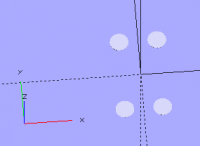
This produces the correct result, 'lilypads' at all 4 corners of an A3 sized
3D print.

for(i=[-0.5,0.5],j=[-0.5,0.5])

            {

            translate([297*i,420*j,0])

                            cylinder(0.2,15,15); 

            }

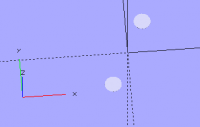
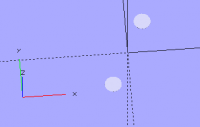
However this, which I tried first, did not work, and shows only 2 corners:

for(i=[-0.5,0.5])

            {

            translate([297*i,420*i,0])

                            cylinder(0.2,15,15);

            }

Two things bug me:

  1.  I'm sure I used to be able to get away with the same variable twice.
    
  2.  I don't see what the problem is, as it's clearly recognised that 
    

a.      The x translation  is moved by i * 297

b.      The y translation  is moved by i * 420

c.      One disc is moved by both +ve values, the other by both -ve values

Version is 2019.05, on Windows 10.

Trying to answer my own question.

is it the case that OpenSCAD  processes the contents of the braces twice:
once for the first value for 'i', -0.5, then again for the second value,
+0.5?  And does not apply the other combination of cases that are valid?

Is this a behaviour that was changed at some point deliberately, or did I
imagine being able to get away with placing 4 corner pieces, or drilling 4
holes with just one for() variable?

Is there something I may have done subtly differently before to get the
result I was expecting with only one variable - or do I just need to always
define a second, to my mind redundant, variable?

Thanks for any illumination of this process!

Cheers,

Alex Gibson

admg consulting

edumaker limited

.        Project management

.        Operations & Process improvement

.        3D Printing
Hi all, This produces the correct result, 'lilypads' at all 4 corners of an A3 sized 3D print. for(i=[-0.5,0.5],j=[-0.5,0.5]) { translate([297*i,420*j,0]) cylinder(0.2,15,15); } However this, which I tried first, did not work, and shows only 2 corners: for(i=[-0.5,0.5]) { translate([297*i,420*i,0]) cylinder(0.2,15,15); } Two things bug me: 1) I'm sure I used to be able to get away with the same variable twice. 2) I don't see what the problem is, as it's clearly recognised that a. The x translation is moved by i * 297 b. The y translation is moved by i * 420 c. One disc is moved by both +ve values, the other by both -ve values Version is 2019.05, on Windows 10. Trying to answer my own question. is it the case that OpenSCAD processes the contents of the braces twice: once for the first value for 'i', -0.5, then again for the second value, +0.5? And does not apply the other combination of cases that are valid? Is this a behaviour that was changed at some point deliberately, or did I imagine being able to get away with placing 4 corner pieces, or drilling 4 holes with just one for() variable? Is there something I may have done subtly differently before to get the result I was expecting with only one variable - or do I just need to always define a second, to my mind redundant, variable? Thanks for any illumination of this process! Cheers, Alex Gibson admg consulting edumaker limited . Project management . Operations & Process improvement . 3D Printing
NH
nop head
Thu, Jun 18, 2020 3:47 PM

The for loop is iterating through a list with two elements, -0.5 and +0.5
so it will only create two objects, no matter what you do with the result.
Not sure why you would think otherwise. If you use i in both the x and y
expressions it has the same value for one iteration and the second value
for the other.

To make four holes with one loop perhaps you rotated by 90 degrees, or
indexed a table to get independent x and y values. The straight forward way
is to use two variables as your first example. It has always been like that.

On Thu, 18 Jun 2020 at 16:28, Alex Gibson alex@alexgibson.net wrote:

Hi all,

This produces the correct result, ‘lilypads’ at all 4 corners of an A3
sized 3D print.

for(i=[-0.5,0.5],j=[-0.5,0.5])

             {

             translate([297*i,420*j,0])

                             cylinder(0.2,15,15);

             }

However this, which I tried first, did not work, and shows only 2 corners:

for(i=[-0.5,0.5])

             {

             translate([297*i,420*i,0])

                             cylinder(0.2,15,15);

             }

Two things bug me:

  1.  I’m sure I used to be able to get away with the same variable
    

twice.

  1.  I don’t see what the problem is, as it’s clearly recognised that
    

a.      The x translation  is moved by i * 297

b.      The y translation  is moved by i * 420

c.      One disc is moved by both +ve values, the other by both -ve
values

Version is 2019.05, on Windows 10.

Trying to answer my own question…

is it the case that OpenSCAD  processes the contents of the braces twice:
once for the first value for ‘i’, -0.5, then again for the second value,
+0.5?  And does not apply the other combination of cases that are valid?

Is this a behaviour that was changed at some point deliberately, or did I
imagine being able to get away with placing 4 corner pieces, or drilling 4
holes with just one for() variable?

Is there something I may have done subtly differently before to get the
result I was expecting with only one variable – or do I just need to always
define a second, to my mind redundant, variable?

Thanks for any illumination of this process!

Cheers,

Alex Gibson

admg consulting

edumaker limited

·        Project management

·        Operations & Process improvement

·        3D Printing


OpenSCAD mailing list
Discuss@lists.openscad.org
http://lists.openscad.org/mailman/listinfo/discuss_lists.openscad.org
The for loop is iterating through a list with two elements, -0.5 and +0.5 so it will only create two objects, no matter what you do with the result. Not sure why you would think otherwise. If you use i in both the x and y expressions it has the same value for one iteration and the second value for the other. To make four holes with one loop perhaps you rotated by 90 degrees, or indexed a table to get independent x and y values. The straight forward way is to use two variables as your first example. It has always been like that. On Thu, 18 Jun 2020 at 16:28, Alex Gibson <alex@alexgibson.net> wrote: > Hi all, > > > > This produces the correct result, ‘lilypads’ at all 4 corners of an A3 > sized 3D print. > > > > for(i=[-0.5,0.5],j=[-0.5,0.5]) > > { > > translate([297*i,420*j,0]) > > cylinder(0.2,15,15); > > } > > > > However this, which I tried first, did not work, and shows only 2 corners: > > > > for(i=[-0.5,0.5]) > > { > > translate([297*i,420*i,0]) > > cylinder(0.2,15,15); > > } > > > > Two things bug me: > > 1) I’m sure I used to be able to get away with the same variable > twice. > > 2) I don’t see what the problem is, as it’s clearly recognised that > > a. The x translation is moved by i * 297 > > b. The y translation is moved by i * 420 > > c. One disc is moved by both +ve values, the other by both -ve > values > > > > Version is 2019.05, on Windows 10. > > > > Trying to answer my own question… > > is it the case that OpenSCAD processes the contents of the braces twice: > once for the first value for ‘i’, -0.5, then again for the second value, > +0.5? And does not apply the other combination of cases that are valid? > > > > Is this a behaviour that was changed at some point deliberately, or did I > imagine being able to get away with placing 4 corner pieces, or drilling 4 > holes with just one for() variable? > > > > Is there something I may have done subtly differently before to get the > result I was expecting with only one variable – or do I just need to always > define a second, to my mind redundant, variable? > > > > Thanks for any illumination of this process! > > > > Cheers, > > > > Alex Gibson > > > > admg consulting > > > > edumaker limited > > > > · Project management > > · Operations & Process improvement > > · 3D Printing > > > _______________________________________________ > OpenSCAD mailing list > Discuss@lists.openscad.org > http://lists.openscad.org/mailman/listinfo/discuss_lists.openscad.org >
AG
Alex Gibson
Thu, Jun 18, 2020 4:07 PM

Thanks Chris, so I’ve correctly understood what’s going on, but somehow must have a false memory of it ever working another way!

It’s quite possible I might have used a rotation.  Will go back over some older code and see.

The ‘other way’ I imagined this could work is that for the contents of the braces, every time it gets to an instance of ‘i’, it could apply both (/all) values of ‘i’.  This results in the  grid of 4 possible outcomes.

At least I can now eliminate that from my thinking and that was the purpose of asking the question!

Cheers,

Alex Gibson

admg consulting

edumaker limited

·        Project management

·        Operations & Process improvement

·        3D Printing

From: Discuss [mailto:discuss-bounces@lists.openscad.org] On Behalf Of nop head
Sent: 18 June 2020 16:48
To: OpenSCAD general discussion
Subject: Re: [OpenSCAD] Bug or my misunderstanding of 'for'?

The for loop is iterating through a list with two elements, -0.5 and +0.5 so it will only create two objects, no matter what you do with the result. Not sure why you would think otherwise. If you use i in both the x and y expressions it has the same value for one iteration and the second value for the other.

To make four holes with one loop perhaps you rotated by 90 degrees, or indexed a table to get independent x and y values. The straight forward way is to use two variables as your first example. It has always been like that.

On Thu, 18 Jun 2020 at 16:28, Alex Gibson alex@alexgibson.net wrote:

Hi all,

This produces the correct result, ‘lilypads’ at all 4 corners of an A3 sized 3D print.

for(i=[-0.5,0.5],j=[-0.5,0.5])

            {

            translate([297*i,420*j,0])

                            cylinder(0.2,15,15); 

            }

However this, which I tried first, did not work, and shows only 2 corners:

for(i=[-0.5,0.5])

            {

            translate([297*i,420*i,0])

                            cylinder(0.2,15,15);

            }

Two things bug me:

  1.  I’m sure I used to be able to get away with the same variable twice.
    
  2.  I don’t see what the problem is, as it’s clearly recognised that 
    

a.      The x translation  is moved by i * 297

b.      The y translation  is moved by i * 420

c.      One disc is moved by both +ve values, the other by both -ve values

Version is 2019.05, on Windows 10.

Trying to answer my own question…

is it the case that OpenSCAD  processes the contents of the braces twice: once for the first value for ‘i’, -0.5, then again for the second value, +0.5?  And does not apply the other combination of cases that are valid?

Is this a behaviour that was changed at some point deliberately, or did I imagine being able to get away with placing 4 corner pieces, or drilling 4 holes with just one for() variable?

Is there something I may have done subtly differently before to get the result I was expecting with only one variable – or do I just need to always define a second, to my mind redundant, variable?

Thanks for any illumination of this process!

Cheers,

Alex Gibson

admg consulting

edumaker limited

·        Project management

·        Operations & Process improvement

·        3D Printing


OpenSCAD mailing list
Discuss@lists.openscad.org
http://lists.openscad.org/mailman/listinfo/discuss_lists.openscad.org

http://www.avg.com/email-signature?utm_medium=email&utm_source=link&utm_campaign=sig-email&utm_content=emailclient

Virus-free.  http://www.avg.com/email-signature?utm_medium=email&utm_source=link&utm_campaign=sig-email&utm_content=emailclient www.avg.com
Thanks Chris, so I’ve correctly understood what’s going on, but somehow must have a false memory of it ever working another way! It’s quite possible I might have used a rotation. Will go back over some older code and see. The ‘other way’ I imagined this *could* work is that for the contents of the braces, every time it gets to an instance of ‘i’, it could apply both (/all) values of ‘i’. This results in the grid of 4 possible outcomes. At least I can now eliminate that from my thinking and that was the purpose of asking the question! Cheers, Alex Gibson admg consulting edumaker limited · Project management · Operations & Process improvement · 3D Printing From: Discuss [mailto:discuss-bounces@lists.openscad.org] On Behalf Of nop head Sent: 18 June 2020 16:48 To: OpenSCAD general discussion Subject: Re: [OpenSCAD] Bug or my misunderstanding of 'for'? The for loop is iterating through a list with two elements, -0.5 and +0.5 so it will only create two objects, no matter what you do with the result. Not sure why you would think otherwise. If you use i in both the x and y expressions it has the same value for one iteration and the second value for the other. To make four holes with one loop perhaps you rotated by 90 degrees, or indexed a table to get independent x and y values. The straight forward way is to use two variables as your first example. It has always been like that. On Thu, 18 Jun 2020 at 16:28, Alex Gibson <alex@alexgibson.net> wrote: Hi all, This produces the correct result, ‘lilypads’ at all 4 corners of an A3 sized 3D print. for(i=[-0.5,0.5],j=[-0.5,0.5]) { translate([297*i,420*j,0]) cylinder(0.2,15,15); } However this, which I tried first, did not work, and shows only 2 corners: for(i=[-0.5,0.5]) { translate([297*i,420*i,0]) cylinder(0.2,15,15); } Two things bug me: 1) I’m sure I used to be able to get away with the same variable twice. 2) I don’t see what the problem is, as it’s clearly recognised that a. The x translation is moved by i * 297 b. The y translation is moved by i * 420 c. One disc is moved by both +ve values, the other by both -ve values Version is 2019.05, on Windows 10. Trying to answer my own question… is it the case that OpenSCAD processes the contents of the braces twice: once for the first value for ‘i’, -0.5, then again for the second value, +0.5? And does not apply the other combination of cases that are valid? Is this a behaviour that was changed at some point deliberately, or did I imagine being able to get away with placing 4 corner pieces, or drilling 4 holes with just one for() variable? Is there something I may have done subtly differently before to get the result I was expecting with only one variable – or do I just need to always define a second, to my mind redundant, variable? Thanks for any illumination of this process! Cheers, Alex Gibson admg consulting edumaker limited · Project management · Operations & Process improvement · 3D Printing _______________________________________________ OpenSCAD mailing list Discuss@lists.openscad.org http://lists.openscad.org/mailman/listinfo/discuss_lists.openscad.org <http://www.avg.com/email-signature?utm_medium=email&utm_source=link&utm_campaign=sig-email&utm_content=emailclient> Virus-free. <http://www.avg.com/email-signature?utm_medium=email&utm_source=link&utm_campaign=sig-email&utm_content=emailclient> www.avg.com
JB
Jordan Brown
Thu, Jun 18, 2020 4:35 PM

On 6/18/2020 9:07 AM, Alex Gibson wrote:

The ‘other way’ I imagined this could work is that for the
contents of the braces, every time it gets to an instance of ‘i’, it
could apply both (/all) values of ‘i’.  This results in the  grid of 4
possible outcomes.

That would yield some very peculiar results.

for (i = [1,2]) echo(i*2, i+i);

would yield, I think:

2, 2
2, 3
2, 3
2, 4
4, 2
4, 3
4, 3
4, 4

and of course the number of combinations would explode as the number of
values and the number of references increase.

On 6/18/2020 9:07 AM, Alex Gibson wrote: > > The ‘other way’ I imagined this **could** work is that for the > contents of the braces, every time it gets to an instance of ‘i’, it > could apply both (/all) values of ‘i’.  This results in the  grid of 4 > possible outcomes. > That would yield some very peculiar results. for (i = [1,2]) echo(i*2, i+i); would yield, I think: 2, 2 2, 3 2, 3 2, 4 4, 2 4, 3 4, 3 4, 4 and of course the number of combinations would explode as the number of values and the number of references increase.
AG
Alex Gibson
Thu, Jun 18, 2020 5:14 PM

I see!

So, while it might be useful and quicker in my use case, it could cause an unacceptable lack of constraint in others!

At the risk of putting my ignorance of programming languages formation on full display, but in the spirit of ‘don’t repeat yourself’, is there not a shorter way to use a globally defined range of numbers in a for() loop?

plus_minus_halves = [-0.5,0.5];

one_two_three = [1,2,3];

for (plus_minus_halves,one_two_three)

            {

            translate([20*plus_minus_halves,40*one_two_three,0])

            cylinder(0.2,15,15);

            }

…results in no movement – but also no error!

Whereas this works, and seems to be saying the same thing…

plus_minus_halves = [-0.5,0.5];

one_two_three = [1,2,3];

for (i=plus_minus_halves,j=one_two_three)

            {

            translate([20*i,40*j,0])

            cylinder(0.2,5,5);

            }

You can even write the same thing as:

i = [-0.5,0.5];

j = [1,2,3];

for (i=i,j=j)

            {

            translate([20*i,40*j,0])

            cylinder(0.2,5,5);

            }

Is that just a case of ‘that’s the syntax’ or is there something that is usefully being done by forcing the for() loop to define the variables in what feels to me like a redundant way?

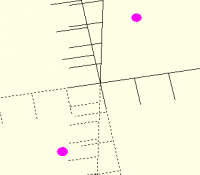
This is an odd (to me) case:

i = [-0.5,0.5];

j = [1,2,3];

for (i=i,j=i)

            {

            translate([20*i,40*j,0])

            cylinder(0.2,5,5);

            }

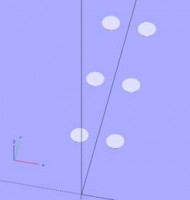
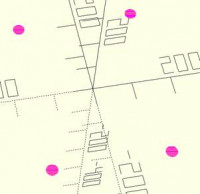
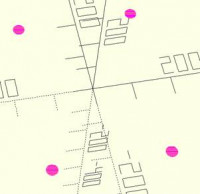
Results in:

…whereas…

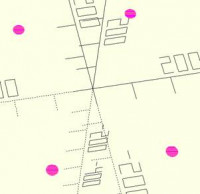
india = [-0.5,0.5];

juliet = [1,2,3];

for (i=india,j=india)

            {

            translate([20*i,40*j,0])

            cylinder(0.2,5,5);

            }

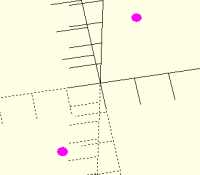
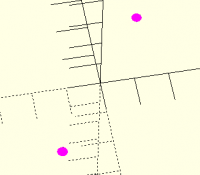
Gives you..

So even though in the for() variable, we first say that i (within the for loop) is i (as defined earlier), saying j=i does not result in an output matching either instance???

I find that a bit odd.  No doubt there is a sensible reason for this!

Cheers,

Alex Gibson

admg consulting

edumaker limited

·        Project management

·        Operations & Process improvement

·        3D Printing

From: Jordan Brown [mailto:openscad@jordan.maileater.net]
Sent: 18 June 2020 17:35
To: OpenSCAD general discussion; Alex Gibson
Subject: Re: [OpenSCAD] Bug or my misunderstanding of 'for'?

On 6/18/2020 9:07 AM, Alex Gibson wrote:

The ‘other way’ I imagined this could work is that for the contents of the braces, every time it gets to an instance of ‘i’, it could apply both (/all) values of ‘i’.  This results in the  grid of 4 possible outcomes.

That would yield some very peculiar results.

for (i = [1,2]) echo(i*2, i+i);

would yield, I think:

2, 2
2, 3
2, 3
2, 4
4, 2
4, 3
4, 3
4, 4

and of course the number of combinations would explode as the number of values and the number of references increase.

http://www.avg.com/email-signature?utm_medium=email&utm_source=link&utm_campaign=sig-email&utm_content=emailclient

Virus-free.  http://www.avg.com/email-signature?utm_medium=email&utm_source=link&utm_campaign=sig-email&utm_content=emailclient www.avg.com

I see! So, while it might be useful and quicker in my use case, it could cause an unacceptable lack of constraint in others! At the risk of putting my ignorance of programming languages formation on full display, but in the spirit of ‘don’t repeat yourself’, is there not a shorter way to use a globally defined range of numbers in a for() loop? plus_minus_halves = [-0.5,0.5]; one_two_three = [1,2,3]; for (plus_minus_halves,one_two_three) { translate([20*plus_minus_halves,40*one_two_three,0]) cylinder(0.2,15,15); } …results in no movement – but also no error! Whereas this works, and seems to be saying the same thing… plus_minus_halves = [-0.5,0.5]; one_two_three = [1,2,3]; for (i=plus_minus_halves,j=one_two_three) { translate([20*i,40*j,0]) cylinder(0.2,5,5); } You can even write the same thing as: i = [-0.5,0.5]; j = [1,2,3]; for (i=i,j=j) { translate([20*i,40*j,0]) cylinder(0.2,5,5); } Is that just a case of ‘that’s the syntax’ or is there something that is usefully being done by forcing the for() loop to define the variables in what feels to me like a redundant way? This is an odd (to me) case: i = [-0.5,0.5]; j = [1,2,3]; for (i=i,j=i) { translate([20*i,40*j,0]) cylinder(0.2,5,5); } Results in: …whereas… india = [-0.5,0.5]; juliet = [1,2,3]; for (i=india,j=india) { translate([20*i,40*j,0]) cylinder(0.2,5,5); } Gives you.. So even though in the for() variable, we first say that i (within the for loop) is i (as defined earlier), saying j=i does not result in an output matching either instance??? I find that a bit odd. No doubt there is a sensible reason for this! Cheers, Alex Gibson admg consulting edumaker limited · Project management · Operations & Process improvement · 3D Printing From: Jordan Brown [mailto:openscad@jordan.maileater.net] Sent: 18 June 2020 17:35 To: OpenSCAD general discussion; Alex Gibson Subject: Re: [OpenSCAD] Bug or my misunderstanding of 'for'? On 6/18/2020 9:07 AM, Alex Gibson wrote: The ‘other way’ I imagined this *could* work is that for the contents of the braces, every time it gets to an instance of ‘i’, it could apply both (/all) values of ‘i’. This results in the grid of 4 possible outcomes. That would yield some very peculiar results. for (i = [1,2]) echo(i*2, i+i); would yield, I think: 2, 2 2, 3 2, 3 2, 4 4, 2 4, 3 4, 3 4, 4 and of course the number of combinations would explode as the number of values and the number of references increase. <http://www.avg.com/email-signature?utm_medium=email&utm_source=link&utm_campaign=sig-email&utm_content=emailclient> Virus-free. <http://www.avg.com/email-signature?utm_medium=email&utm_source=link&utm_campaign=sig-email&utm_content=emailclient> www.avg.com
NH
nop head
Thu, Jun 18, 2020 5:26 PM

For your first version I get an error: WARNING: Unable to convert
translate([[-10, 10], [40, 80, 120], 0]) parameter to a vec3 or vec2 of
numbers, in file , line 11

I am surprised for without a variable doesn't give an error though. It
executes the loop but as there is no variable each iteration is identical.

i = [-0.5,0.5];

j = [1,2,3];

for (i=i,j=i)

The j = i now refers to the variable i, not the list i.

On Thu, 18 Jun 2020 at 18:15, Alex Gibson alex@alexgibson.net wrote:

I see!

So, while it might be useful and quicker in my use case, it could cause an
unacceptable lack of constraint in others!

At the risk of putting my ignorance of programming languages formation on
full display, but in the spirit of ‘don’t repeat yourself’, is there not a
shorter way to use a globally defined range of numbers in a for() loop?

plus_minus_halves = [-0.5,0.5];

one_two_three = [1,2,3];

for (plus_minus_halves,one_two_three)

  •            {*
    
  •            translate([20*plus_minus_halves,40*one_two_three,0])*
    
  •            cylinder(0.2,15,15);*
    
  •            }*
    

…results in no movement – but also no error!

Whereas this works, and seems to be saying the same thing…

plus_minus_halves = [-0.5,0.5];

one_two_three = [1,2,3];

for (i=plus_minus_halves,j=one_two_three)

  •            {*
    
  •            translate([20*i,40*j,0])*
    
  •            cylinder(0.2,5,5);*
    
  •            }*
    

You can even write the same thing as:

i = [-0.5,0.5];

j = [1,2,3];

for (i=i,j=j)

  •            {*
    
  •            translate([20*i,40*j,0])*
    
  •            cylinder(0.2,5,5);*
    
  •            }*
    

Is that just a case of ‘that’s the syntax’ or is there something that is
usefully being done by forcing the for() loop to define the variables in
what feels to me like a redundant way?

This is an odd (to me) case:

i = [-0.5,0.5];

j = [1,2,3];

for (i=i,j=i)

  •            {*
    
  •            translate([20*i,40*j,0])*
    
  •            cylinder(0.2,5,5);*
    
  •            }*
    

Results in:

…whereas…

india = [-0.5,0.5];

juliet = [1,2,3];

for (i=india,j=india)

             {

             translate([20*i,40*j,0])

             cylinder(0.2,5,5);

             }

Gives you..

So even though in the for() variable, we first say that i (within the for
loop) is i (as defined earlier), saying j=i does not result in an output
matching either instance???

I find that a bit odd.  No doubt there is a sensible reason for this!

Cheers,

Alex Gibson

admg consulting

edumaker limited

·        Project management

·        Operations & Process improvement

·        3D Printing

From: Jordan Brown [mailto:openscad@jordan.maileater.net]
Sent: 18 June 2020 17:35
To: OpenSCAD general discussion; Alex Gibson
Subject: Re: [OpenSCAD] Bug or my misunderstanding of 'for'?

On 6/18/2020 9:07 AM, Alex Gibson wrote:

The ‘other way’ I imagined this could work is that for the contents
of the braces, every time it gets to an instance of ‘i’, it could apply
both (/all) values of ‘i’.  This results in the  grid of 4 possible
outcomes.

That would yield some very peculiar results.

for (i = [1,2]) echo(i*2, i+i);

would yield, I think:

2, 2

2, 3

2, 3

2, 4

4, 2

4, 3

4, 3

4, 4

and of course the number of combinations would explode as the number of
values and the number of references increase.

http://www.avg.com/email-signature?utm_medium=email&utm_source=link&utm_campaign=sig-email&utm_content=emailclient

Virus-free. www.avg.com
http://www.avg.com/email-signature?utm_medium=email&utm_source=link&utm_campaign=sig-email&utm_content=emailclient


OpenSCAD mailing list
Discuss@lists.openscad.org
http://lists.openscad.org/mailman/listinfo/discuss_lists.openscad.org

For your first version I get an error: WARNING: Unable to convert translate([[-10, 10], [40, 80, 120], 0]) parameter to a vec3 or vec2 of numbers, in file , line 11 I am surprised for without a variable doesn't give an error though. It executes the loop but as there is no variable each iteration is identical. *i = [-0.5,0.5];* *j = [1,2,3];* *for (i=i,j=i)* The j = i now refers to the variable i, not the list i. On Thu, 18 Jun 2020 at 18:15, Alex Gibson <alex@alexgibson.net> wrote: > I see! > > > > So, while it might be useful and quicker in my use case, it could cause an > unacceptable lack of constraint in others! > > > > At the risk of putting my ignorance of programming languages formation on > full display, but in the spirit of ‘don’t repeat yourself’, is there not a > shorter way to use a globally defined range of numbers in a for() loop? > > > > *plus_minus_halves = [-0.5,0.5];* > > *one_two_three = [1,2,3];* > > > > *for (plus_minus_halves,one_two_three)* > > * {* > > * translate([20*plus_minus_halves,40*one_two_three,0])* > > * cylinder(0.2,15,15);* > > * }* > > > > …results in no movement – but also no error! > > > > Whereas this works, and seems to be saying the same thing… > > > > *plus_minus_halves = [-0.5,0.5];* > > *one_two_three = [1,2,3];* > > > > *for (i=plus_minus_halves,j=one_two_three)* > > * {* > > * translate([20*i,40*j,0])* > > * cylinder(0.2,5,5);* > > * }* > > > > You can even write the same thing as: > > > > *i = [-0.5,0.5];* > > *j = [1,2,3];* > > > > *for (i=i,j=j)* > > * {* > > * translate([20*i,40*j,0])* > > * cylinder(0.2,5,5);* > > * }* > > > > Is that just a case of ‘that’s the syntax’ or is there something that is > usefully being done by forcing the for() loop to define the variables in > what feels to me like a redundant way? > > > > This is an odd (to me) case: > > > > *i = [-0.5,0.5];* > > *j = [1,2,3];* > > > > *for (i=i,j=i)* > > * {* > > * translate([20*i,40*j,0])* > > * cylinder(0.2,5,5);* > > * }* > > > > Results in: > > > > …whereas… > > > > india = [-0.5,0.5]; > > juliet = [1,2,3]; > > > > for (i=india,j=india) > > { > > translate([20*i,40*j,0]) > > cylinder(0.2,5,5); > > } > > > > Gives you.. > > > > So even though in the for() variable, we first say that i (within the for > loop) is i (as defined earlier), saying j=i does not result in an output > matching either instance??? > > > > I find that a bit odd. No doubt there is a sensible reason for this! > > > > Cheers, > > > > Alex Gibson > > > > admg consulting > > > > edumaker limited > > > > · Project management > > · Operations & Process improvement > > · 3D Printing > > > > *From:* Jordan Brown [mailto:openscad@jordan.maileater.net] > *Sent:* 18 June 2020 17:35 > *To:* OpenSCAD general discussion; Alex Gibson > *Subject:* Re: [OpenSCAD] Bug or my misunderstanding of 'for'? > > > > On 6/18/2020 9:07 AM, Alex Gibson wrote: > > The ‘other way’ I imagined this **could** work is that for the contents > of the braces, every time it gets to an instance of ‘i’, it could apply > both (/all) values of ‘i’. This results in the grid of 4 possible > outcomes. > > > That would yield some very peculiar results. > > for (i = [1,2]) echo(i*2, i+i); > > would yield, I think: > > 2, 2 > > 2, 3 > > 2, 3 > > 2, 4 > > 4, 2 > > 4, 3 > > 4, 3 > > 4, 4 > > and of course the number of combinations would explode as the number of > values and the number of references increase. > > > > > > > > > <http://www.avg.com/email-signature?utm_medium=email&utm_source=link&utm_campaign=sig-email&utm_content=emailclient> > > Virus-free. www.avg.com > <http://www.avg.com/email-signature?utm_medium=email&utm_source=link&utm_campaign=sig-email&utm_content=emailclient> > > > _______________________________________________ > OpenSCAD mailing list > Discuss@lists.openscad.org > http://lists.openscad.org/mailman/listinfo/discuss_lists.openscad.org >
JB
Jordan Brown
Thu, Jun 18, 2020 10:22 PM

On 6/18/2020 10:14 AM, Alex Gibson wrote:

So, while it might be useful and quicker in my use case, it could
cause an unacceptable lack of constraint in others!

More that in the general case it wouldn't be a useful interpretation.

At the risk of putting my ignorance of programming languages formation
on full display, but in the spirit of ‘don’t repeat yourself’, is
there not a shorter way to use a globally defined range of numbers in
a for() loop?

/ /

/plus_minus_halves = [-0.5,0.5];/

/one_two_three = [1,2,3];/

/ /

/for (plus_minus_halves,one_two_three)/

/                {/

/                translate([20plus_minus_halves,40one_two_three,0])/

/                cylinder(0.2,15,15);/

/                }/

/ /

…results in no movement – but also no error!

I suspect that it's an accident that that "for" is not considered to be
an error.  What it seems to do is to iterate across the vector(s)
without assigning the values to any names.

In the translate, plus_minus_halves and one_two_three are still
vectors.  Multiplying a vector by a number is allowed, but what you're
then passing to translate is a vector consisting of a two-entry vector,
a three-entry vector, and a zero.  That's not a legal input for translate().

Whereas this works, and seems to be saying the same thing…


/plus_minus_halves = [-0.5,0.5];/

/one_two_three = [1,2,3];/

/ /

/for (i=plus_minus_halves,j=one_two_three)/

/                {/

/                translate([20i,40j,0])/

/                cylinder(0.2,5,5);/

/                }/

That assigns successive values from the vectors to i and j.

Considering the simpler case first:

v = [1,2,3];
for (i = v) {
echo(i);
}

evaluates the body once for each element in v, setting i equal to that
element.  That is, the body is evaluated once with i=1, once with i=2,
and once with i=3.

A "for" with multiple values is treated like nested "for"s:

v1 = [1,2,3];
v2 = [4,5,6];
for (i = v1, j = v2) {
echo(i,j);
}

is the same as

v1 = [1,2,3];
v2 = [4,5,6];
for (i = v1) {
for (j = v2) {
 echo(i,j);
}
}

except that the generated tree is subtly different.  (You can't tell
unless you look at diagnostic information; it doesn't affect the model.)

You can even write the same thing as:


/i = [-0.5,0.5];/

/j = [1,2,3];/

/ /

/for (i=i,j=j)/

/                {/

/                translate([20i,40j,0])/

/                cylinder(0.2,5,5);/

/                }/


Is that just a case of ‘that’s the syntax’ or is there something that
is usefully being done by forcing the for() loop to define the
variables in what feels to me like a redundant way?

Here you're doing something that works, but can be confusing.

i and j are vectors of two and three elements, respectively.
The for loop walks across those two vectors as in the previous examples,
assigning the individual values to new i and j.  Those new i and j
"hide" the i and j defined earlier.

This is an odd (to me) case:


/i = [-0.5,0.5];/

/j = [1,2,3];/

/ /

/for (i=i,j=i)/

/                {/

/                translate([20i,40j,0])/

/                cylinder(0.2,5,5);/

/                }/

The same sort of thing is happening, but we need to look at it even more
carefully.

i and j start out as the two vectors.

Then a new i is created to step across the old i.
Then a new j is created to step across ... the new i.  By the time that
the j=i is examined, the original "i" containing a vector is no longer
visible; what is visible is the current value of i as we step along the
vector.

Mostly, just don't do this kind of thing.  It will hurt your brain.


india = [-0.5,0.5];

juliet = [1,2,3];


for (i=india,j=india)

                {

                translate([20i,40j,0])

                cylinder(0.2,5,5);

                }

Right.  Because nothing is replacing "india".  i steps across india (a
vector of two elements), and for each of those elements j steps across
india.  (Note that nothing looks at juliet.)

So even though in the for() variable, we first say that i (within the
for loop) is i (as defined earlier), saying j=i does not result in an
output matching either instance???


I find that a bit odd.  No doubt there is a sensible reason for this!

It's all about exactly what happens to the names, in exactly what order.

99% of the answer is "don't assign to a name that's defined in a
higher-level block".

On 6/18/2020 10:14 AM, Alex Gibson wrote: > So, while it might be useful and quicker in my use case, it could > cause an unacceptable lack of constraint in others! More that in the general case it wouldn't be a useful interpretation. > At the risk of putting my ignorance of programming languages formation > on full display, but in the spirit of ‘don’t repeat yourself’, is > there not a shorter way to use a globally defined range of numbers in > a for() loop? > > / / > > /plus_minus_halves = [-0.5,0.5];/ > > /one_two_three = [1,2,3];/ > > / / > > /for (plus_minus_halves,one_two_three)/ > > /                {/ > > /                translate([20*plus_minus_halves,40*one_two_three,0])/ > > /                cylinder(0.2,15,15);/ > > /                }/ > > / / > > …results in no movement – but also no error! > I suspect that it's an accident that that "for" is not considered to be an error.  What it seems to do is to iterate across the vector(s) without assigning the values to any names. In the translate, plus_minus_halves and one_two_three are still vectors.  Multiplying a vector by a number is allowed, but what you're then passing to translate is a vector consisting of a two-entry vector, a three-entry vector, and a zero.  That's not a legal input for translate(). > Whereas this works, and seems to be saying the same thing… > >   > > /plus_minus_halves = [-0.5,0.5];/ > > /one_two_three = [1,2,3];/ > > / / > > /for (i=plus_minus_halves,j=one_two_three)/ > > /                {/ > > /                translate([20*i,40*j,0])/ > > /                cylinder(0.2,5,5);/ > > /                }/ > That assigns successive values from the vectors to i and j. Considering the simpler case first: v = [1,2,3]; for (i = v) { echo(i); } evaluates the body once for each element in v, setting i equal to that element.  That is, the body is evaluated once with i=1, once with i=2, and once with i=3. A "for" with multiple values is treated like nested "for"s: v1 = [1,2,3]; v2 = [4,5,6]; for (i = v1, j = v2) { echo(i,j); } is the same as v1 = [1,2,3]; v2 = [4,5,6]; for (i = v1) { for (j = v2) {  echo(i,j); } } except that the generated tree is subtly different.  (You can't tell unless you look at diagnostic information; it doesn't affect the model.) You can even write the same thing as: > >   > > /i = [-0.5,0.5];/ > > /j = [1,2,3];/ > > / / > > /for (i=i,j=j)/ > > /                {/ > > /                translate([20*i,40*j,0])/ > > /                cylinder(0.2,5,5);/ > > /                }/ > >   > > Is that just a case of ‘that’s the syntax’ or is there something that > is usefully being done by forcing the for() loop to define the > variables in what feels to me like a redundant way? > Here you're doing something that works, but can be confusing. i and j are vectors of two and three elements, respectively. The for loop walks across those two vectors as in the previous examples, assigning the individual values to *new* i and j.  Those new i and j "hide" the i and j defined earlier. > This is an odd (to me) case: > >   > > /i = [-0.5,0.5];/ > > /j = [1,2,3];/ > > / / > > /for (i=i,j=i)/ > > /                {/ > > /                translate([20*i,40*j,0])/ > > /                cylinder(0.2,5,5);/ > > /                }/ > The same sort of thing is happening, but we need to look at it even more carefully. i and j start out as the two vectors. Then a new i is created to step across the old i. Then a new j is created to step across ... the new i.  By the time that the j=i is examined, the original "i" containing a vector is no longer visible; what is visible is the current value of i as we step along the vector. Mostly, just don't do this kind of thing.  It will hurt your brain.   > > india = [-0.5,0.5]; > > juliet = [1,2,3]; > >   > > for (i=india,j=india) > >                 { > >                 translate([20*i,40*j,0]) > >                 cylinder(0.2,5,5); > >                 } > Right.  Because nothing is replacing "india".  i steps across india (a vector of two elements), and for each of those elements j steps across india.  (Note that nothing looks at juliet.) > So even though in the for() variable, we first say that i (within the > for loop) is i (as defined earlier), saying j=i does not result in an > output matching either instance??? > >   > > I find that a bit odd.  No doubt there is a sensible reason for this! > It's all about exactly what happens to the names, in exactly what order. 99% of the answer is "don't assign to a name that's defined in a higher-level block".
AG
Alex Gibson
Thu, Jun 18, 2020 11:50 PM

Thanks all for your input.

It seems that having been successfully using for() loops for a long while I had reasonably understood what was actually going on, but was chasing a mirage in terms of shortcuts to writing these for() loops.

This has really helped to de-clutter my understanding and get a more solid idea of the mechanics ‘under the bonnet’ of OpenSCAD and why it behaves as it does.  Hope it’s not cluttered your brains too much!

So I will just accept that for() can’t immediately use a pre-defined list, but can take it and assign it to a value.  This is still a small benefit to me as I need to run for() over a specific list of values quite often, I can create a named list for the cleanest possible DRY code!

Cheers,

Alex Gibson

admg consulting

edumaker limited

·        Project management

·        Operations & Process improvement

·        3D Printing

From: Jordan Brown [mailto:openscad@jordan.maileater.net]
Sent: 18 June 2020 23:23
To: Alex Gibson; 'OpenSCAD general discussion'
Subject: Re: [OpenSCAD] Bug or my misunderstanding of 'for'?

On 6/18/2020 10:14 AM, Alex Gibson wrote:

So, while it might be useful and quicker in my use case, it could cause an unacceptable lack of constraint in others!

More that in the general case it wouldn't be a useful interpretation.

At the risk of putting my ignorance of programming languages formation on full display, but in the spirit of ‘don’t repeat yourself’, is there not a shorter way to use a globally defined range of numbers in a for() loop?

plus_minus_halves = [-0.5,0.5];

one_two_three = [1,2,3];

for (plus_minus_halves,one_two_three)

            {

            translate([20*plus_minus_halves,40*one_two_three,0])

            cylinder(0.2,15,15);

            }

…results in no movement – but also no error!

I suspect that it's an accident that that "for" is not considered to be an error.  What it seems to do is to iterate across the vector(s) without assigning the values to any names.

In the translate, plus_minus_halves and one_two_three are still vectors.  Multiplying a vector by a number is allowed, but what you're then passing to translate is a vector consisting of a two-entry vector, a three-entry vector, and a zero.  That's not a legal input for translate().

Whereas this works, and seems to be saying the same thing…

plus_minus_halves = [-0.5,0.5];

one_two_three = [1,2,3];

for (i=plus_minus_halves,j=one_two_three)

            {

            translate([20*i,40*j,0])

            cylinder(0.2,5,5);

            }

That assigns successive values from the vectors to i and j.

Considering the simpler case first:

v = [1,2,3];
for (i = v) {
echo(i);
}

evaluates the body once for each element in v, setting i equal to that element.  That is, the body is evaluated once with i=1, once with i=2, and once with i=3.

A "for" with multiple values is treated like nested "for"s:

v1 = [1,2,3];
v2 = [4,5,6];
for (i = v1, j = v2) {
echo(i,j);
}

is the same as

v1 = [1,2,3];
v2 = [4,5,6];
for (i = v1) {
for (j = v2) {
echo(i,j);
}
}

except that the generated tree is subtly different.  (You can't tell unless you look at diagnostic information; it doesn't affect the model.)

You can even write the same thing as:

i = [-0.5,0.5];

j = [1,2,3];

for (i=i,j=j)

            {

            translate([20*i,40*j,0])

            cylinder(0.2,5,5);

            }

Is that just a case of ‘that’s the syntax’ or is there something that is usefully being done by forcing the for() loop to define the variables in what feels to me like a redundant way?

Here you're doing something that works, but can be confusing.

i and j are vectors of two and three elements, respectively.
The for loop walks across those two vectors as in the previous examples, assigning the individual values to new i and j.  Those new i and j "hide" the i and j defined earlier.

This is an odd (to me) case:

i = [-0.5,0.5];

j = [1,2,3];

for (i=i,j=i)

            {

            translate([20*i,40*j,0])

            cylinder(0.2,5,5);

            }

The same sort of thing is happening, but we need to look at it even more carefully.

i and j start out as the two vectors.

Then a new i is created to step across the old i.
Then a new j is created to step across ... the new i.  By the time that the j=i is examined, the original "i" containing a vector is no longer visible; what is visible is the current value of i as we step along the vector.

Mostly, just don't do this kind of thing.  It will hurt your brain.

india = [-0.5,0.5];

juliet = [1,2,3];

for (i=india,j=india)

            {

            translate([20*i,40*j,0])

            cylinder(0.2,5,5);

            }

Right.  Because nothing is replacing "india".  i steps across india (a vector of two elements), and for each of those elements j steps across india.  (Note that nothing looks at juliet.)

So even though in the for() variable, we first say that i (within the for loop) is i (as defined earlier), saying j=i does not result in an output matching either instance???

I find that a bit odd.  No doubt there is a sensible reason for this!

It's all about exactly what happens to the names, in exactly what order.

99% of the answer is "don't assign to a name that's defined in a higher-level block".

http://www.avg.com/email-signature?utm_medium=email&utm_source=link&utm_campaign=sig-email&utm_content=emailclient

Virus-free.  http://www.avg.com/email-signature?utm_medium=email&utm_source=link&utm_campaign=sig-email&utm_content=emailclient www.avg.com
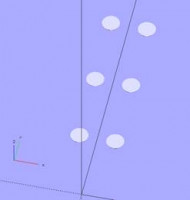
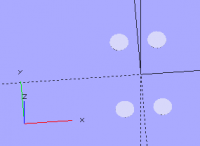
Thanks all for your input. It seems that having been successfully using for() loops for a long while I had reasonably understood what was actually going on, but was chasing a mirage in terms of shortcuts to writing these for() loops. This has really helped to de-clutter my understanding and get a more solid idea of the mechanics ‘under the bonnet’ of OpenSCAD and why it behaves as it does. Hope it’s not cluttered your brains too much! So I will just accept that for() can’t immediately use a pre-defined list, but can take it and assign it to a value. This is still a small benefit to me as I need to run for() over a specific list of values quite often, I can create a named list for the cleanest possible DRY code! Cheers, Alex Gibson admg consulting edumaker limited · Project management · Operations & Process improvement · 3D Printing From: Jordan Brown [mailto:openscad@jordan.maileater.net] Sent: 18 June 2020 23:23 To: Alex Gibson; 'OpenSCAD general discussion' Subject: Re: [OpenSCAD] Bug or my misunderstanding of 'for'? On 6/18/2020 10:14 AM, Alex Gibson wrote: So, while it might be useful and quicker in my use case, it could cause an unacceptable lack of constraint in others! More that in the general case it wouldn't be a useful interpretation. At the risk of putting my ignorance of programming languages formation on full display, but in the spirit of ‘don’t repeat yourself’, is there not a shorter way to use a globally defined range of numbers in a for() loop? plus_minus_halves = [-0.5,0.5]; one_two_three = [1,2,3]; for (plus_minus_halves,one_two_three) { translate([20*plus_minus_halves,40*one_two_three,0]) cylinder(0.2,15,15); } …results in no movement – but also no error! I suspect that it's an accident that that "for" is not considered to be an error. What it seems to do is to iterate across the vector(s) without assigning the values to any names. In the translate, plus_minus_halves and one_two_three are still vectors. Multiplying a vector by a number is allowed, but what you're then passing to translate is a vector consisting of a two-entry vector, a three-entry vector, and a zero. That's not a legal input for translate(). Whereas this works, and seems to be saying the same thing… plus_minus_halves = [-0.5,0.5]; one_two_three = [1,2,3]; for (i=plus_minus_halves,j=one_two_three) { translate([20*i,40*j,0]) cylinder(0.2,5,5); } That assigns successive values from the vectors to i and j. Considering the simpler case first: v = [1,2,3]; for (i = v) { echo(i); } evaluates the body once for each element in v, setting i equal to that element. That is, the body is evaluated once with i=1, once with i=2, and once with i=3. A "for" with multiple values is treated like nested "for"s: v1 = [1,2,3]; v2 = [4,5,6]; for (i = v1, j = v2) { echo(i,j); } is the same as v1 = [1,2,3]; v2 = [4,5,6]; for (i = v1) { for (j = v2) { echo(i,j); } } except that the generated tree is subtly different. (You can't tell unless you look at diagnostic information; it doesn't affect the model.) You can even write the same thing as: i = [-0.5,0.5]; j = [1,2,3]; for (i=i,j=j) { translate([20*i,40*j,0]) cylinder(0.2,5,5); } Is that just a case of ‘that’s the syntax’ or is there something that is usefully being done by forcing the for() loop to define the variables in what feels to me like a redundant way? Here you're doing something that works, but can be confusing. i and j are vectors of two and three elements, respectively. The for loop walks across those two vectors as in the previous examples, assigning the individual values to *new* i and j. Those new i and j "hide" the i and j defined earlier. This is an odd (to me) case: i = [-0.5,0.5]; j = [1,2,3]; for (i=i,j=i) { translate([20*i,40*j,0]) cylinder(0.2,5,5); } The same sort of thing is happening, but we need to look at it even more carefully. i and j start out as the two vectors. Then a new i is created to step across the old i. Then a new j is created to step across ... the new i. By the time that the j=i is examined, the original "i" containing a vector is no longer visible; what is visible is the current value of i as we step along the vector. Mostly, just don't do this kind of thing. It will hurt your brain. india = [-0.5,0.5]; juliet = [1,2,3]; for (i=india,j=india) { translate([20*i,40*j,0]) cylinder(0.2,5,5); } Right. Because nothing is replacing "india". i steps across india (a vector of two elements), and for each of those elements j steps across india. (Note that nothing looks at juliet.) So even though in the for() variable, we first say that i (within the for loop) is i (as defined earlier), saying j=i does not result in an output matching either instance??? I find that a bit odd. No doubt there is a sensible reason for this! It's all about exactly what happens to the names, in exactly what order. 99% of the answer is "don't assign to a name that's defined in a higher-level block". <http://www.avg.com/email-signature?utm_medium=email&utm_source=link&utm_campaign=sig-email&utm_content=emailclient> Virus-free. <http://www.avg.com/email-signature?utm_medium=email&utm_source=link&utm_campaign=sig-email&utm_content=emailclient> www.avg.com