
GS
Guenther Sohler
Sun, Jan 4, 2026 3:34 AM
Openscad polyset datastructure could yet already host volumetric color.
Data just need to have a special structure: when sorted by color , each bin
itself needs to be manifold.
This of course causes Lot's of anticoplanar faces
CSG operations would require more CPU power, but are not much more
complicated.they could work similar like PythonScads 2d rendered color but
width clipper replaced by manifold.
Most notable difference: difference cut faces keep their color
Am Dienstag, 30. Dezember 2025 schrieb gene heskett via Discuss <
discuss@lists.openscad.org>:
On 12/30/25 01:02, Cory Cross via Discuss wrote:
This got long again so I tried to drop more stuff, but if it's getting
too confusing please ping me for clarification.
On 12/29/25 9:32 AM, Jordan Brown via Discuss wrote:
On 12/29/2025 7:36 AM, Cory Cross via Discuss wrote:
Slicers already allow you to color faces of models separate from the
interior, so coloring faces and having volumetric color already has
semantic meaning: https://wiki.snapmaker.com/en/
third_party_software/orcaslicer_color_painting
Sure. Slicers can let you do anything to the model - especially in the
absence of good support elsewhere in the toolchain. But should you have
to?
Not sure if we have the same understanding or not, but that's just my
point. I think OpenSCAD should be able to create a model with face and
volumetric color simultaneously, because that's a model you can prepare in
the slicer. It's annoying to have to go back after reloading a model and
repeat some manual operations.
Lets take the example of creating a single-piece, non-functional traffic
light (i.e. only its outward appearance matters). With volumetric color as
proposed, I must prematurely decide what every internal volume is?
I'd say that the word "must" is ... misleading ... there. In any
variation, if you say color("red") cube(10) you get a 100% red cube. Is it
correct to say that you "must" specify the color of the interior? No, I'd
say that you (implicitly) have specified the color of the interior,
absent explicit editing downstream.
My point is that with your volumetric color POC, I can't (?) color faces,
so to make my traffic light body yellow, I must give it the volumetric
color yellow? (the question marks are intentional, because it's not clear
to me)
even if I only care about the face. Naively lets say I model most of it
out of yellow, then volumetrically union in the lights (lights being
complicated multi-material so they sparkle). But then I go to print and I'm
low on yellow. So I want yellow faces but a different volumetric color. I
think this can be solved with a conditional volumetric color, i.e.
color("purple", prior_color="yellow", volumetric_only=true), at the
appropriate place.
First, note that with face coloring you'd have an unspecified color in
the interior.
Exactly: the inside is unspecified until the point where it makes sense
for me to do so.
It's not like the slicer is going to automatically separate it into a
separate part to be assigned to a different extruder. With volumetric
color indeed the interior is yellow, but that leaves you in approximately
the same position: an object with an interior that isn't the color you
need it to be.
Volumetric uncolor can get a default color when render is complete, like
face positive/negative uncolors. Or you should be able to say "color the
uncolored stuff only".
Lets say my traffic light has a black stripe across the back of it. With
the volumetric coloring POC, I now need to know how translucent my filament
will be and must encode the thickness in the model, instead of the slicer
adapting to different filaments (e.g. black can be thinner than white).
union() { color("black") translate([0,0,15]) linear_extrude(h=10)
polygon([[0,10],[0.5,9.5],[9.5,9.5],[10,10]]); color("yellow")
cube([10,10,40]); }
Instead, with face coloring (but we should specify what to do with
coincident faces with different colors... I don't think that came up in our
color spec conversation), I should be able to:
union() { color("yellow") cube([10,10,40]); translate([0,10,15])
color("black") cube([10,0.01,10]);
Nothing in this second example specifies the internal volume color,
because I don't (yet) care. And yet it looks exactly how I want it to
(modulo the epsilon depth). And the slicer can handle the correct thickness
of material to create that black stripe and update it if I change to green
or white.
If we were to try to do this, I would think of modeling this object like
so:
union() {
lights();
color(faces="yellow", interior="purple") body();
}
Oh, I did get union backward; this is the way it'd have to be done with
your POC. And that would be a solution, except with the black stripe
problem.
But... what would that really mean? In digital-land, we can have
zero-thickness yellow paint on the outside of a purple object, but in
physical reality the yellow has to have a thickness. How thick should it
be, and where should you set that thickness? It seems like you're hinting
to the slicer that the outside should be yellow, to some depth, but without
saying anything about how deep; that would have to be up to the slicer.
Yes, just like it's responsible for infill variations. Rarely does
anybody model infill, and similarly you don't need to actually extrude
every face inward to full define the 3d volume.
And if it's up to the slicer, why not make the slicer responsible for
changing the interior color, rather than hinting from the design tool?
Because you sometimes do care about the interior color; the lights can
be a tendrils of translucent filament going into the depth where they're
surrounded by other interior volume colors to create an appearance of light
from reflections. And you communicate that you don't care about the volume
color by specifically choosing a unique color, and then, in the slicer, you
map that color once and it persists across model updates. Manual operations
mostly can't persist
If you really want to control it from the design tool, you have to
specify the thickness of the yellow... that is, you have to specify it
volumetrically.
You don't, simply record exactly what the slicers already do: color some
subset of faces different than the volumetric colors and let the slicer
handle it, just like it handles infill.
I specified non-functional intentionally for the example. If you had a
rubber shell that had functional purpose for e.g. absorbing shock, then you
should specify its thickness in the model properly to do its job, a
particular shell of rubber around a stiffer core, where the interior volume
of the model matters.
But why shouldn't I be able to do all these steps in OpenSCAD?:
- Model something in OpenSCAD with no overlaps between different colors
- Use colorscad to take each color and material into a 3mf
- Open the slicer and color some faces a new material
Your proposal is to add #2, but I think #3 should be brought along.
If you wanted to model a superman chest S logo thing, with color, I
assume you'd have to make each delineation a slightly different height of
colored, linear extruded polygons?
Why different heights? If they're separate extrusions then they are
just differently-colored shapes subject to the rules established for
combining differently-colored shapes.
You're right, it would be fine (still worry about Preview and coincident
faces, but not actually an issue here for the reasons you state).
You, Cory, have described the problem in detail I hadn't considered, but
that is the clearest description of the problem yet. IMO this is the
direction OpenSCAD should take. Unfortunately my oar in this is a broken
toothpick and likely does not see the problems that creating the solution
will involve.
Lets hope 2026 is better than 2025 has been.
Cheers, Gene Heskett, CET.
"There are four boxes to be used in defense of liberty:
soap, ballot, jury, and ammo. Please use in that order."
-Ed Howdershelt (Author, 1940)
If we desire respect for the law, we must first make the law respectable.
- Louis D. Brandeis
Don't poison our oceans, interdict drugs at the src.
OpenSCAD mailing list
To unsubscribe send an email to discuss-leave@lists.openscad.org
Openscad polyset datastructure could yet already host volumetric color.
Data just need to have a special structure: when sorted by color , each bin
itself needs to be manifold.
This of course causes Lot's of anticoplanar faces
CSG operations would require more CPU power, but are not much more
complicated.they could work similar like PythonScads 2d rendered color but
width clipper replaced by manifold.
Most notable difference: difference cut faces keep their color
Am Dienstag, 30. Dezember 2025 schrieb gene heskett via Discuss <
discuss@lists.openscad.org>:
> On 12/30/25 01:02, Cory Cross via Discuss wrote:
>
>> This got long again so I tried to drop more stuff, but if it's getting
>> too confusing please ping me for clarification.
>>
>> On 12/29/25 9:32 AM, Jordan Brown via Discuss wrote:
>>
>>> On 12/29/2025 7:36 AM, Cory Cross via Discuss wrote:
>>>
>>>> Slicers already allow you to color faces of models separate from the
>>>> interior, so coloring faces and having volumetric color already has
>>>> semantic meaning: https://wiki.snapmaker.com/en/
>>>> third_party_software/orcaslicer_color_painting
>>>>
>>>
>>> Sure. Slicers can let you do anything to the model - especially in the
>>> absence of good support elsewhere in the toolchain. But should you *have*
>>> to?
>>>
>>
>> Not sure if we have the same understanding or not, but that's just my
>> point. I think OpenSCAD should be able to create a model with face and
>> volumetric color simultaneously, because that's a model you can prepare in
>> the slicer. It's annoying to have to go back after reloading a model and
>> repeat some manual operations.
>>
>> Lets take the example of creating a single-piece, non-functional traffic
>>>> light (i.e. only its outward appearance matters). With volumetric color as
>>>> proposed, I must prematurely decide what every internal volume is?
>>>>
>>>
>>> I'd say that the word "must" is ... misleading ... there. In any
>>> variation, if you say color("red") cube(10) you get a 100% red cube. Is it
>>> correct to say that you "must" specify the color of the interior? No, I'd
>>> say that you (implicitly) *have* specified the color of the interior,
>>> absent explicit editing downstream.
>>>
>>
>> My point is that with your volumetric color POC, I can't (?) color faces,
>> so to make my traffic light body yellow, I must give it the volumetric
>> color yellow? (the question marks are intentional, because it's not clear
>> to me)
>>
>> even if I only care about the face. Naively lets say I model most of it
>>>> out of yellow, then volumetrically union in the lights (lights being
>>>> complicated multi-material so they sparkle). But then I go to print and I'm
>>>> low on yellow. So I want yellow faces but a different volumetric color. I
>>>> think this can be solved with a conditional volumetric color, i.e.
>>>> color("purple", prior_color="yellow", volumetric_only=true), at the
>>>> appropriate place.
>>>>
>>>
>>> First, note that with face coloring you'd have an unspecified color in
>>> the interior.
>>>
>>
>> Exactly: the inside is unspecified until the point where it makes sense
>> for me to do so.
>>
>> It's not like the slicer is going to automatically separate it into a
>>> separate part to be assigned to a different extruder. With volumetric
>>> color indeed the interior is yellow, but that leaves you in approximately
>>> the same position: an object with an interior that isn't the color you
>>> need it to be.
>>>
>>
>> Volumetric uncolor can get a default color when render is complete, like
>> face positive/negative uncolors. Or you should be able to say "color the
>> uncolored stuff only".
>>
>> Lets say my traffic light has a black stripe across the back of it. With
>> the volumetric coloring POC, I now need to know how translucent my filament
>> will be and must encode the thickness in the model, instead of the slicer
>> adapting to different filaments (e.g. black can be thinner than white).
>>
>> union() { color("black") translate([0,0,15]) linear_extrude(h=10)
>> polygon([[0,10],[0.5,9.5],[9.5,9.5],[10,10]]); color("yellow")
>> cube([10,10,40]); }
>>
>> Instead, with face coloring (but we should specify what to do with
>> coincident faces with different colors... I don't think that came up in our
>> color spec conversation), I should be able to:
>>
>> union() { color("yellow") cube([10,10,40]); translate([0,10,15])
>> color("black") cube([10,0.01,10]);
>>
>> Nothing in this second example specifies the internal volume color,
>> because I don't (yet) care. And yet it looks exactly how I want it to
>> (modulo the epsilon depth). And the slicer can handle the correct thickness
>> of material to create that black stripe and update it if I change to green
>> or white.
>>
>> If we were to try to do this, I would think of modeling this object like
>>> so:
>>>
>>> union() {
>>> lights();
>>> color(faces="yellow", interior="purple") body();
>>> }
>>>
>>
>> Oh, I did get union backward; this is the way it'd have to be done with
>> your POC. And that would be a solution, except with the black stripe
>> problem.
>>
>> But... what would that really mean? In digital-land, we can have
>>> zero-thickness yellow paint on the outside of a purple object, but in
>>> physical reality the yellow has to have a thickness. How thick should it
>>> be, and where should you set that thickness? It seems like you're hinting
>>> to the slicer that the outside should be yellow, to some depth, but without
>>> saying anything about how deep; that would have to be up to the slicer.
>>>
>>
>> Yes, just like it's responsible for infill variations. Rarely does
>> anybody model infill, and similarly you don't need to actually extrude
>> every face inward to full define the 3d volume.
>>
>> And if it's up to the slicer, why not make the slicer responsible for
>>> changing the interior color, rather than hinting from the design tool?
>>>
>>
>> Because you sometimes *do* care about the interior color; the lights can
>> be a tendrils of translucent filament going into the depth where they're
>> surrounded by other interior volume colors to create an appearance of light
>> from reflections. And you communicate that you don't care about the volume
>> color by specifically choosing a unique color, and then, in the slicer, you
>> map that color once and it persists across model updates. Manual operations
>> mostly can't persist
>>
>>
>>> If you really want to control it from the design tool, you have to
>>> specify the thickness of the yellow... that is, you have to specify it
>>> volumetrically.
>>>
>>
>> You don't, simply record exactly what the slicers already do: color some
>> subset of faces different than the volumetric colors and let the slicer
>> handle it, just like it handles infill.
>>
>> I specified non-functional intentionally for the example. If you had a
>> rubber shell that had functional purpose for e.g. absorbing shock, then you
>> should specify its thickness in the model properly to do its job, a
>> particular shell of rubber around a stiffer core, where the interior volume
>> of the model matters.
>>
>> But why shouldn't I be able to do all these steps in OpenSCAD?:
>>
>> 1. Model something in OpenSCAD with no overlaps between different colors
>> 2. Use colorscad to take each color and material into a 3mf
>> 3. Open the slicer and color some faces a new material
>>
>> Your proposal is to add #2, but I think #3 should be brought along.
>>
>> If you wanted to model a superman chest S logo thing, with color, I
>>>> assume you'd have to make each delineation a slightly different height of
>>>> colored, linear extruded polygons?
>>>>
>>>
>>> Why different heights? If they're separate extrusions then they are
>>> just differently-colored shapes subject to the rules established for
>>> combining differently-colored shapes.
>>>
>>
>> You're right, it would be fine (still worry about Preview and coincident
>> faces, but not actually an issue here for the reasons you state).
>>
>> - Cory
>>
> You, Cory, have described the problem in detail I hadn't considered, but
> that is the clearest description of the problem yet. IMO this is the
> direction OpenSCAD should take. Unfortunately my oar in this is a broken
> toothpick and likely does not see the problems that creating the solution
> will involve.
>
> Lets hope 2026 is better than 2025 has been.
>
>> _______________________________________________
>> OpenSCAD mailing list
>> To unsubscribe send an email to discuss-leave@lists.openscad.org
>>
>
> Cheers, Gene Heskett, CET.
> --
> "There are four boxes to be used in defense of liberty:
> soap, ballot, jury, and ammo. Please use in that order."
> -Ed Howdershelt (Author, 1940)
> If we desire respect for the law, we must first make the law respectable.
> - Louis D. Brandeis
> Don't poison our oceans, interdict drugs at the src.
>
> _______________________________________________
> OpenSCAD mailing list
> To unsubscribe send an email to discuss-leave@lists.openscad.org
--
Null

SP
Sanjeev Prabhakar
Sun, Jan 4, 2026 3:37 AM
I have been working on openscad with python for a few years now.
I use Jupyter Lab to write my python code and it is working well for me.
But simply writing openscad code in python is not very useful. You need
to learn first to work with points list instead of openscad primitives.
I have written various examples for this approach and here is a small
video for a starting point in case you are interested:
https://youtu.be/kBshJ0CQCS0
On Wed, 24 Dec 2025 at 09:06, Lee DeRaud via Discuss <
discuss@lists.openscad.org> wrote:
The whole "just do it in python" thing seems to be turning into a meme.
😊
There appear to be multiple approaches to extending OS with python...
Any suggestions for where best to start, assuming someone (1) decently
familiar with OS,
(2) relative beginner with python, and (3) working in a Windows
environment (if that matters)?
OpenSCAD mailing list
To unsubscribe send an email to discuss-leave@lists.openscad.org
Here is another video with voice over on how to model a mobile stand
https://youtu.be/UHjuwfc3WX8?si=4R6OQ1FeACphIgMk
On Sun, 28 Dec, 2025, 12:22 pm Sanjeev Prabhakar, <sprabhakar2006@gmail.com>
wrote:
> an example of creating surface with 4 lines enclosure and creating a solid
>
> https://youtu.be/Hj3rDfStsJY
>
> On Wed, 24 Dec 2025 at 21:28, Sanjeev Prabhakar <sprabhakar2006@gmail.com>
> wrote:
>
>> I have been working on openscad with python for a few years now.
>>
>> I use Jupyter Lab to write my python code and it is working well for me.
>>
>> But simply writing openscad code in python is not very useful. You need
>> to learn first to work with points list instead of openscad primitives.
>>
>> I have written various examples for this approach and here is a small
>> video for a starting point in case you are interested:
>> https://youtu.be/kBshJ0CQCS0
>>
>> On Wed, 24 Dec 2025 at 09:06, Lee DeRaud via Discuss <
>> discuss@lists.openscad.org> wrote:
>>
>>> The whole "just do it in python" thing seems to be turning into a meme.
>>> 😊
>>>
>>>
>>>
>>> There appear to be multiple approaches to extending OS with python...
>>>
>>> Any suggestions for where best to start, assuming someone (1) decently
>>> familiar with OS,
>>>
>>> (2) relative beginner with python, and (3) working in a Windows
>>> environment (if that matters)?
>>>
>>>
>>> _______________________________________________
>>> OpenSCAD mailing list
>>> To unsubscribe send an email to discuss-leave@lists.openscad.org
>>>
>>

JB
Jordan Brown
Sun, Jan 4, 2026 4:01 AM
On 1/3/2026 7:34 PM, Guenther Sohler via Discuss wrote:
CSG operations would require more CPU power,
Would they, for the same problems?
Sure, handling a multicolor model is harder than handling a
monochromatic model, but if you have a multicolor-capable implementation
handling a monochromatic model, is it worse?
A multicolor-capable implementation handling a multicolor model performs
infinitely better than a monochromatic-only implementation handling a
multicolor model does.
On 1/3/2026 7:34 PM, Guenther Sohler via Discuss wrote:
> CSG operations would require more CPU power,
Would they, *for the same problems*?
Sure, handling a multicolor model is harder than handling a
monochromatic model, but if you have a multicolor-capable implementation
handling a monochromatic model, is it worse?
A multicolor-capable implementation handling a multicolor model performs
infinitely better than a monochromatic-only implementation handling a
multicolor model does.

CC
Cory Cross
Sun, Jan 4, 2026 5:04 AM
On 1/3/26 3:34 PM, Jordan Brown via Discuss wrote:
Using only today's color() and union() (no difference, no
intersection), can you tell whether color() does face coloring or fill
coloring?
Can you construct a model that will display differently if color()
does face coloring than if it does fill coloring.
Hmm, I must still not get your point.
difference() {
color("red") cube();
sphere();
}
Face coloring results in the green on the faces where the sphere used to
be; volumetric coloring results in only red visible.
In your terminology of vol() and face() I think you're missing that
a shape may have some faces that have colors and others that don't,
that are what you're calling uncolor.
No, that was my point above: uncolor is still a color. It makes the
rules simpler. That's why it's "uncolor" and not "no color" :).
Then what distinction are you drawing between vol() and face(), if
they both have both face and fill colors?
vol() has volumetric color(s) that the user applied (which can't be
uncolor) and face() has face color(s) that the user applied (which can't
be uncolor).
But also note that your rules then need to say "show the face color,
unless it's uncolor, else show the fill color, unless it's uncolor,
else show the default", which is almost the same as "show the face
color, if any, else show the fill color, if any, else show the default".
Is negative uncolor /any/? We specifically have a rule that subtracting
faces which are uncolored create negative uncolored faces. We're
specifically applying something so how can that not be /any/thing?
Oh, and we allow the user to apply transparency and not RGB. So is that
/any/?
It's semantics, but that's why we went with the "uncolor" language in
https://github.com/openscad/openscad/blob/master/doc/specs/color_module.md
Whether that's important depends on whether you think that a color is
some sort of separate object, versus just being an analysis of the
model. A model that has no red components... has no red components.
The fact that it might have had some, if they were not all subtracted
away, is of little interest.
But not zero! It's something the code needs to handle correctly.
On 1/3/26 3:34 PM, Jordan Brown via Discuss wrote:
> Using only today's color() and union() (no difference, no
> intersection), can you tell whether color() does face coloring or fill
> coloring?
>
> Can you construct a model that will display differently if color()
> does face coloring than if it does fill coloring.
Hmm, I must still not get your point.
difference() {
color("red") cube();
sphere();
}
Face coloring results in the green on the faces where the sphere used to
be; volumetric coloring results in only red visible.
>>> In your terminology of vol() and face() I think you're missing that
>>> a shape may have some faces that have colors and others that don't,
>>> that are what you're calling uncolor.
>>
>> No, that was my point above: uncolor is still a color. It makes the
>> rules simpler. That's why it's "uncolor" and not "no color" :).
>
> Then what distinction are you drawing between vol() and face(), if
> they both have both face and fill colors?
vol() has volumetric color(s) that the user applied (which can't be
uncolor) and face() has face color(s) that the user applied (which can't
be uncolor).
> But also note that your rules then need to say "show the face color,
> unless it's uncolor, else show the fill color, unless it's uncolor,
> else show the default", which is almost the same as "show the face
> color, if any, else show the fill color, if any, else show the default".
Is negative uncolor /any/? We specifically have a rule that subtracting
faces which are uncolored create negative uncolored faces. We're
specifically applying *something* so how can that not be /any/thing?
Oh, and we allow the user to apply transparency and not RGB. So is that
/any/?
It's semantics, but that's why we went with the "uncolor" language in
https://github.com/openscad/openscad/blob/master/doc/specs/color_module.md
> Whether that's important depends on whether you think that a color is
> some sort of separate object, versus just being an analysis of the
> model. A model that has no red components... has no red components.
> The fact that it might have had some, if they were not all subtracted
> away, is of little interest.
But not zero! It's something the code needs to handle correctly.
JB
Jordan Brown
Sun, Jan 4, 2026 5:41 AM
On 1/3/2026 9:04 PM, Cory Cross via Discuss wrote:
On 1/3/26 3:34 PM, Jordan Brown via Discuss wrote:
Using only today's color() and union() (no difference, no
intersection), can you tell whether color() does face coloring or
fill coloring?
Can you construct a model that will display differently if color()
does face coloring than if it does fill coloring.
Hmm, I must still not get your point.
difference() {
color("red") cube();
sphere();
}
Face coloring results in the green on the faces where the sphere used
to be; volumetric coloring results in only red visible.
The original statement was:
Visually, unions are the same for face coloring and fill coloring.
I don't think there is any program that you can write that uses only
union, not difference or intersection where the result is visibly
different depending on whether the coloring is face-coloring or
fill-coloring.
The rules for union are such that the result will be displayed the same
whether the inputs are face-colored or fill-colored.
In your terminology of vol() and face() I think you're missing that
a shape may have some faces that have colors and others that don't,
that are what you're calling uncolor.
No, that was my point above: uncolor is still a color. It makes the
rules simpler. That's why it's "uncolor" and not "no color" :).
Then what distinction are you drawing between vol() and face(), if
they both have both face and fill colors?
vol() has volumetric color(s) that the user applied (which can't be
uncolor) and face() has face color(s) that the user applied (which
can't be uncolor).
But then you haven't covered two cases: what if the shape has both face
color and fill color, and what if it has neither?
But also note that your rules then need to say "show the face color,
unless it's uncolor, else show the fill color, unless it's uncolor,
else show the default", which is almost the same as "show the face
color, if any, else show the fill color, if any, else show the default".
Is negative uncolor /any/?
We specifically have a rule that subtracting faces which are uncolored
create negative uncolored faces. We're specifically applying
something so how can that not be /any/thing?
But if it's uncolored, how can it be a color?
Oh, and we allow the user to apply transparency and not RGB. So is
that /any/?
See a different subthread where I mention transparency. I think the
answer is "no", and I note that it's really more of a display thing than
anything else, another thing that's factored into how the shape is
displayed.
Whether that's important depends on whether you think that a color is
some sort of separate object, versus just being an analysis of the
model. A model that has no red components... has no red components.
The fact that it might have had some, if they were not all subtracted
away, is of little interest.
But not zero! It's something the code needs to handle correctly.
Whether there's any handling at all depends on the implementation. Yes,
if it's an issue for the implementation, it has to be handled correctly,
however "correctly" is defined. But there are entirely sensible
implementations where there's no handling at all.
Put differently, how is this behavior externally visible?
I know you cited a hypothetical "give me a list of the colors" API, and
indeed that should report the colors used, but it might well operate by
scanning the rendered shape and tallying them, rather than by the
boolean processing somehow managing that list.
But until that hypothetical "give me a list of colors" API is defined,
there's no way to even tell whether it keeps around "dead" colors. Or,
for that matter, whether it keeps around the empty sub-shape that
resulted from the subtraction.
We're defining externally-visible behavior, not implementation.
On 1/3/2026 9:04 PM, Cory Cross via Discuss wrote:
> On 1/3/26 3:34 PM, Jordan Brown via Discuss wrote:
>> Using only today's color() and union() (no difference, no
>> intersection), can you tell whether color() does face coloring or
>> fill coloring?
>>
>> Can you construct a model that will display differently if color()
>> does face coloring than if it does fill coloring.
>
> Hmm, I must still not get your point.
>
> difference() {
> color("red") cube();
> sphere();
> }
>
> Face coloring results in the green on the faces where the sphere used
> to be; volumetric coloring results in only red visible.
The original statement was:
> Visually, unions are the same for face coloring and fill coloring.
I don't think there is any program that you can write *that uses only
union, not difference or intersection* where the result is visibly
different depending on whether the coloring is face-coloring or
fill-coloring.
The rules for union are such that the result will be displayed the same
whether the inputs are face-colored or fill-colored.
>
>>>> In your terminology of vol() and face() I think you're missing that
>>>> a shape may have some faces that have colors and others that don't,
>>>> that are what you're calling uncolor.
>>>
>>> No, that was my point above: uncolor is still a color. It makes the
>>> rules simpler. That's why it's "uncolor" and not "no color" :).
>>
>> Then what distinction are you drawing between vol() and face(), if
>> they both have both face and fill colors?
> vol() has volumetric color(s) that the user applied (which can't be
> uncolor) and face() has face color(s) that the user applied (which
> can't be uncolor).
But then you haven't covered two cases: what if the shape has both face
color and fill color, and what if it has neither?
>
>> But also note that your rules then need to say "show the face color,
>> unless it's uncolor, else show the fill color, unless it's uncolor,
>> else show the default", which is almost the same as "show the face
>> color, if any, else show the fill color, if any, else show the default".
>
> Is negative uncolor /any/?
No :-)
> We specifically have a rule that subtracting faces which are uncolored
> create negative uncolored faces. We're specifically applying
> *something* so how can that not be /any/thing?
But if it's uncolored, how can it be a color?
> Oh, and we allow the user to apply transparency and not RGB. So is
> that /any/?
See a different subthread where I mention transparency. I think the
answer is "no", and I note that it's really more of a display thing than
anything else, another thing that's factored into how the shape is
displayed.
>> Whether that's important depends on whether you think that a color is
>> some sort of separate object, versus just being an analysis of the
>> model. A model that has no red components... has no red components.
>> The fact that it might have had some, if they were not all subtracted
>> away, is of little interest.
>
> But not zero! It's something the code needs to handle correctly.
Whether there's any handling at all depends on the implementation. Yes,
if it's an issue for the implementation, it has to be handled correctly,
however "correctly" is defined. But there are entirely sensible
implementations where there's no handling at all.
Put differently, how is this behavior externally visible?
I know you cited a hypothetical "give me a list of the colors" API, and
indeed that should report the colors used, but it might well operate by
scanning the rendered shape and tallying them, rather than by the
boolean processing somehow managing that list.
But until that hypothetical "give me a list of colors" API is defined,
there's no way to even tell whether it keeps around "dead" colors. Or,
for that matter, whether it keeps around the empty sub-shape that
resulted from the subtraction.
We're defining externally-visible behavior, not implementation.
CC
Cory Cross
Sun, Jan 4, 2026 7:38 AM
On 1/3/26 9:41 PM, Jordan Brown via Discuss wrote:
On 1/3/2026 9:04 PM, Cory Cross via Discuss wrote:
On 1/3/26 3:34 PM, Jordan Brown via Discuss wrote:
Using only today's color() and union() (no difference, no
intersection), can you tell whether color() does face coloring or
fill coloring?
Can you construct a model that will display differently if color()
does face coloring than if it does fill coloring.
Hmm, I must still not get your point.
difference() {
color("red") cube();
sphere();
}
Face coloring results in the green on the faces where the sphere used
to be; volumetric coloring results in only red visible.
The original statement was:
Visually, unions are the same for face coloring and fill coloring.
I don't think there is any program that you can write that uses only
union, not difference or intersection where the result is visibly
different depending on whether the coloring is face-coloring or
fill-coloring.
Oh, right. Came back to this too many times without rereading everything.
Looking back, you said "Visually, unions are the same for face coloring
and fill coloring." in the context of trying to define rules for union,
I said "Except when you both in the same program." which must've been
late at night or on my phone, because holy grammar batman. So, in
context, I was thinking I could construct an A & B which fails your
union statement, which is pretty trivial, but really we're looking for
"more errors" than A & B themselves contain (because otherwise A==B==the
above difference, but that's not the union's fault).
Since then you clarified "Using only today's color() and union() (no
difference, no intersection), can you tell whether color() does face
coloring or fill coloring?" which is stricter than how I interpreted
"Visually, unions are the same for face coloring and fill coloring.".
So, no, using only cube, cylinder, sphere, etc, translate, union, and
color, I haven't thought of a way you could visually detect if
volumetric or face coloring is used.
In your terminology of vol() and face() I think you're missing
that a shape may have some faces that have colors and others that
don't, that are what you're calling uncolor.
No, that was my point above: uncolor is still a color. It makes the
rules simpler. That's why it's "uncolor" and not "no color" :).
Then what distinction are you drawing between vol() and face(), if
they both have both face and fill colors?
vol() has volumetric color(s) that the user applied (which can't be
uncolor) and face() has face color(s) that the user applied (which
can't be uncolor).
But then you haven't covered two cases: what if the shape has both
face color and fill color, and what if it has neither?
Now, when Jordan's thinking volumetric color, I believe he's thinking
the faces shown in the viewport should reflect the volumetric color. And
that can be the case just fine, but we can still have different face
color stored in the model. So we'll want a widget to switch between
displaying face color or displaying volumetric color. And we'll need to
reify uncolors; probably face uncolor (positive and negative) inherit
from volumetric color if its not uncolor; otherwise do the legacy
behaviour. Volumetric uncolor will need a new setting.
So in volumetric color view mode, face colors are completely ignored.
Faces are their volumetric color, which, if uncolored, pull from some
new setting or use existing positive uncolor default, doesn't matter to
me (the former being what I reference in the quote).
In face-color-view-mode, face uncolor inherits from volumetric color
unless that's also uncolored, then use legacy behaviour, which is
backward-compatible with existing OpenSCAD because they're always
volumetric uncolored.
So we can have that widget automatically switch to "volumetric coloring
mode" if the geometry has colored volumes, fulfilling your proposed
requirement "You should be able to "think" in volumetric color, and have
everything work simply; you should never have to consider face color."
If some faces have color different than their associated volume, it
doesn't matter, you don't see it.
If you do what face coloring along with volumetric coloring, then you
can switch the toggle to see where they vary. Or maybe we could have a
third choice to stripe the two where they differ, or just highlight
those that differ (like the backward-face-finder thing). I expect most
people won't care. I would want exporting 3mf to default to whatever the
viewport is showing, so you always get what you're looking at; but I
could also select "export volumes and faces" and get a 3mf with both of
them.
We specifically have a rule that subtracting faces which are
uncolored create negative uncolored faces. We're specifically
applying something so how can that not be /any/thing?
But if it's uncolored, how can it be a color?
Whether that's important depends on whether you think that a color
is some sort of separate object, versus just being an analysis of
the model. A model that has no red components... has no red
components. The fact that it might have had some, if they were not
all subtracted away, is of little interest.
But until that hypothetical "give me a list of colors" API is defined,
there's no way to even tell whether it keeps around "dead" colors.
Or, for that matter, whether it keeps around the empty sub-shape that
resulted from the subtraction.
We're defining externally-visible behavior, not implementation.
3mf export has list of "parts" which will need each color and is
observable. So specifying dead colors don't stick around ensures both
that and the hypothetical API never have colors which are empty, but
obviously those could also be specified to drop them.
OTOH it might be better to be the opposite! So long as a volumetric
color was ever used, maybe it should stick around!? Maybe filament
mapping would get weird if "parts" come-and-go as you refine a model and
reload it.
I'm glad we're starting to get real pedantic. Maybe this could work.
On 1/3/26 9:41 PM, Jordan Brown via Discuss wrote:
> On 1/3/2026 9:04 PM, Cory Cross via Discuss wrote:
>> On 1/3/26 3:34 PM, Jordan Brown via Discuss wrote:
>>> Using only today's color() and union() (no difference, no
>>> intersection), can you tell whether color() does face coloring or
>>> fill coloring?
>>>
>>> Can you construct a model that will display differently if color()
>>> does face coloring than if it does fill coloring.
>>
>> Hmm, I must still not get your point.
>>
>> difference() {
>> color("red") cube();
>> sphere();
>> }
>>
>> Face coloring results in the green on the faces where the sphere used
>> to be; volumetric coloring results in only red visible.
>
> The original statement was:
>> Visually, unions are the same for face coloring and fill coloring.
>
> I don't think there is any program that you can write *that uses only
> union, not difference or intersection* where the result is visibly
> different depending on whether the coloring is face-coloring or
> fill-coloring.
Oh, right. Came back to this too many times without rereading everything.
Looking back, you said "Visually, unions are the same for face coloring
and fill coloring." in the context of trying to define rules for union,
I said "Except when you both in the same program." which must've been
late at night or on my phone, because holy grammar batman. So, in
context, I was thinking I could construct an A & B which fails your
union statement, which is pretty trivial, but really we're looking for
"more errors" than A & B themselves contain (because otherwise A==B==the
above difference, but that's not the union's fault).
Since then you clarified "Using only today's color() and union() (no
difference, no intersection), can you tell whether color() does face
coloring or fill coloring?" which is stricter than how I interpreted
"Visually, unions are the same for face coloring and fill coloring.".
So, no, using only cube, cylinder, sphere, etc, translate, union, and
color, I haven't thought of a way you could visually detect if
volumetric or face coloring is used.
>>
>>>>> In your terminology of vol() and face() I think you're missing
>>>>> that a shape may have some faces that have colors and others that
>>>>> don't, that are what you're calling uncolor.
>>>>
>>>> No, that was my point above: uncolor is still a color. It makes the
>>>> rules simpler. That's why it's "uncolor" and not "no color" :).
>>>
>>> Then what distinction are you drawing between vol() and face(), if
>>> they both have both face and fill colors?
>> vol() has volumetric color(s) that the user applied (which can't be
>> uncolor) and face() has face color(s) that the user applied (which
>> can't be uncolor).
>
> But then you haven't covered two cases: what if the shape has both
> face color and fill color, and what if it has neither?
Previously I wrote:
> Now, when Jordan's thinking volumetric color, I believe he's thinking
the faces shown in the viewport should reflect the volumetric color. And
that can be the case just fine, but we can still have different face
color stored in the model. So we'll want a widget to switch between
displaying face color or displaying volumetric color. And we'll need to
reify uncolors; probably face uncolor (positive and negative) inherit
from volumetric color if its not uncolor; otherwise do the legacy
behaviour. Volumetric uncolor will need a new setting.
So in volumetric color view mode, face colors are completely ignored.
Faces are their volumetric color, which, if uncolored, pull from some
new setting or use existing positive uncolor default, doesn't matter to
me (the former being what I reference in the quote).
In face-color-view-mode, face uncolor inherits from volumetric color
unless that's also uncolored, then use legacy behaviour, which is
backward-compatible with existing OpenSCAD because they're always
volumetric uncolored.
So we can have that widget automatically switch to "volumetric coloring
mode" if the geometry has colored volumes, fulfilling your proposed
requirement "You should be able to "think" in volumetric color, and have
everything work simply; you should never have to consider face color."
If some faces have color different than their associated volume, it
doesn't matter, you don't see it.
If you do what face coloring along with volumetric coloring, then you
can switch the toggle to see where they vary. Or maybe we could have a
third choice to stripe the two where they differ, or just highlight
those that differ (like the backward-face-finder thing). I expect most
people won't care. I would want exporting 3mf to default to whatever the
viewport is showing, so you always get what you're looking at; but I
could also select "export volumes and faces" and get a 3mf with both of
them.
>> We specifically have a rule that subtracting faces which are
>> uncolored create negative uncolored faces. We're specifically
>> applying *something* so how can that not be /any/thing?
>
> But if it's uncolored, how can it be a color?
It's definitionally a color! Uncolored positive" is the color of any
newly-created face not from |difference()|.
<https://github.com/openscad/openscad/blob/master/doc/specs/color_module.md>
But also this isn't too important.
>>> Whether that's important depends on whether you think that a color
>>> is some sort of separate object, versus just being an analysis of
>>> the model. A model that has no red components... has no red
>>> components. The fact that it might have had some, if they were not
>>> all subtracted away, is of little interest.
>> ...
>
> But until that hypothetical "give me a list of colors" API is defined,
> there's no way to even tell whether it keeps around "dead" colors.
> Or, for that matter, whether it keeps around the empty sub-shape that
> resulted from the subtraction.
>
> We're defining externally-visible behavior, not implementation.
3mf export has list of "parts" which will need each color and is
observable. So specifying dead colors don't stick around ensures both
that and the hypothetical API never have colors which are empty, but
obviously those could also be specified to drop them.
OTOH it might be better to be the opposite! So long as a volumetric
color was ever used, maybe it should stick around!? Maybe filament
mapping would get weird if "parts" come-and-go as you refine a model and
reload it.
I'm glad we're starting to get real pedantic. Maybe this could work.
- Cory
GS
Guenther Sohler
Sun, Jan 4, 2026 11:28 AM
Openscad polyset datastructure could yet already host volumetric color.
Data just need to have a special structure: when sorted by color , each bin
itself needs to be manifold.
This of course causes Lot's of anticoplanar faces
CSG operations would require more CPU power, but are not much more
complicated.they could work similar like PythonScads 2d rendered color but
width clipper replaced by manifold.
Am Dienstag, 30. Dezember 2025 schrieb gene heskett via Discuss <
discuss@lists.openscad.org>:
On 12/30/25 01:02, Cory Cross via Discuss wrote:
This got long again so I tried to drop more stuff, but if it's getting
too confusing please ping me for clarification.
On 12/29/25 9:32 AM, Jordan Brown via Discuss wrote:
On 12/29/2025 7:36 AM, Cory Cross via Discuss wrote:
Slicers already allow you to color faces of models separate from the
interior, so coloring faces and having volumetric color already has
semantic meaning: https://wiki.snapmaker.com/en/
third_party_software/orcaslicer_color_painting
Sure. Slicers can let you do anything to the model - especially in the
absence of good support elsewhere in the toolchain. But should you have
to?
Not sure if we have the same understanding or not, but that's just my
point. I think OpenSCAD should be able to create a model with face and
volumetric color simultaneously, because that's a model you can prepare in
the slicer. It's annoying to have to go back after reloading a model and
repeat some manual operations.
Lets take the example of creating a single-piece, non-functional traffic
light (i.e. only its outward appearance matters). With volumetric color as
proposed, I must prematurely decide what every internal volume is?
I'd say that the word "must" is ... misleading ... there. In any
variation, if you say color("red") cube(10) you get a 100% red cube. Is it
correct to say that you "must" specify the color of the interior? No, I'd
say that you (implicitly) have specified the color of the interior,
absent explicit editing downstream.
My point is that with your volumetric color POC, I can't (?) color faces,
so to make my traffic light body yellow, I must give it the volumetric
color yellow? (the question marks are intentional, because it's not clear
to me)
even if I only care about the face. Naively lets say I model most of it
out of yellow, then volumetrically union in the lights (lights being
complicated multi-material so they sparkle). But then I go to print and I'm
low on yellow. So I want yellow faces but a different volumetric color. I
think this can be solved with a conditional volumetric color, i.e.
color("purple", prior_color="yellow", volumetric_only=true), at the
appropriate place.
First, note that with face coloring you'd have an unspecified color in
the interior.
Exactly: the inside is unspecified until the point where it makes sense
for me to do so.
It's not like the slicer is going to automatically separate it into a
separate part to be assigned to a different extruder. With volumetric
color indeed the interior is yellow, but that leaves you in approximately
the same position: an object with an interior that isn't the color you
need it to be.
Volumetric uncolor can get a default color when render is complete, like
face positive/negative uncolors. Or you should be able to say "color the
uncolored stuff only".
Lets say my traffic light has a black stripe across the back of it. With
the volumetric coloring POC, I now need to know how translucent my filament
will be and must encode the thickness in the model, instead of the slicer
adapting to different filaments (e.g. black can be thinner than white).
union() { color("black") translate([0,0,15]) linear_extrude(h=10)
polygon([[0,10],[0.5,9.5],[9.5,9.5],[10,10]]); color("yellow")
cube([10,10,40]); }
Instead, with face coloring (but we should specify what to do with
coincident faces with different colors... I don't think that came up in our
color spec conversation), I should be able to:
union() { color("yellow") cube([10,10,40]); translate([0,10,15])
color("black") cube([10,0.01,10]);
Nothing in this second example specifies the internal volume color,
because I don't (yet) care. And yet it looks exactly how I want it to
(modulo the epsilon depth). And the slicer can handle the correct thickness
of material to create that black stripe and update it if I change to green
or white.
If we were to try to do this, I would think of modeling this object like
so:
union() {
lights();
color(faces="yellow", interior="purple") body();
}
Oh, I did get union backward; this is the way it'd have to be done with
your POC. And that would be a solution, except with the black stripe
problem.
But... what would that really mean? In digital-land, we can have
zero-thickness yellow paint on the outside of a purple object, but in
physical reality the yellow has to have a thickness. How thick should it
be, and where should you set that thickness? It seems like you're hinting
to the slicer that the outside should be yellow, to some depth, but without
saying anything about how deep; that would have to be up to the slicer.
Yes, just like it's responsible for infill variations. Rarely does
anybody model infill, and similarly you don't need to actually extrude
every face inward to full define the 3d volume.
And if it's up to the slicer, why not make the slicer responsible for
changing the interior color, rather than hinting from the design tool?
Because you sometimes do care about the interior color; the lights can
be a tendrils of translucent filament going into the depth where they're
surrounded by other interior volume colors to create an appearance of light
from reflections. And you communicate that you don't care about the volume
color by specifically choosing a unique color, and then, in the slicer, you
map that color once and it persists across model updates. Manual operations
mostly can't persist
If you really want to control it from the design tool, you have to
specify the thickness of the yellow... that is, you have to specify it
volumetrically.
You don't, simply record exactly what the slicers already do: color some
subset of faces different than the volumetric colors and let the slicer
handle it, just like it handles infill.
I specified non-functional intentionally for the example. If you had a
rubber shell that had functional purpose for e.g. absorbing shock, then you
should specify its thickness in the model properly to do its job, a
particular shell of rubber around a stiffer core, where the interior volume
of the model matters.
But why shouldn't I be able to do all these steps in OpenSCAD?:
- Model something in OpenSCAD with no overlaps between different colors
- Use colorscad to take each color and material into a 3mf
- Open the slicer and color some faces a new material
Your proposal is to add #2, but I think #3 should be brought along.
If you wanted to model a superman chest S logo thing, with color, I
assume you'd have to make each delineation a slightly different height of
colored, linear extruded polygons?
Why different heights? If they're separate extrusions then they are
just differently-colored shapes subject to the rules established for
combining differently-colored shapes.
You're right, it would be fine (still worry about Preview and coincident
faces, but not actually an issue here for the reasons you state).
You, Cory, have described the problem in detail I hadn't considered, but
that is the clearest description of the problem yet. IMO this is the
direction OpenSCAD should take. Unfortunately my oar in this is a broken
toothpick and likely does not see the problems that creating the solution
will involve.
Lets hope 2026 is better than 2025 has been.
Cheers, Gene Heskett, CET.
"There are four boxes to be used in defense of liberty:
soap, ballot, jury, and ammo. Please use in that order."
-Ed Howdershelt (Author, 1940)
If we desire respect for the law, we must first make the law respectable.
- Louis D. Brandeis
Don't poison our oceans, interdict drugs at the src.
OpenSCAD mailing list
To unsubscribe send an email to discuss-leave@lists.openscad.org
Openscad polyset datastructure could yet already host volumetric color.
Data just need to have a special structure: when sorted by color , each bin
itself needs to be manifold.
This of course causes Lot's of anticoplanar faces
CSG operations would require more CPU power, but are not much more
complicated.they could work similar like PythonScads 2d rendered color but
width clipper replaced by manifold.
Am Dienstag, 30. Dezember 2025 schrieb gene heskett via Discuss <
discuss@lists.openscad.org>:
> On 12/30/25 01:02, Cory Cross via Discuss wrote:
>
>> This got long again so I tried to drop more stuff, but if it's getting
>> too confusing please ping me for clarification.
>>
>> On 12/29/25 9:32 AM, Jordan Brown via Discuss wrote:
>>
>>> On 12/29/2025 7:36 AM, Cory Cross via Discuss wrote:
>>>
>>>> Slicers already allow you to color faces of models separate from the
>>>> interior, so coloring faces and having volumetric color already has
>>>> semantic meaning: https://wiki.snapmaker.com/en/
>>>> third_party_software/orcaslicer_color_painting
>>>>
>>>
>>> Sure. Slicers can let you do anything to the model - especially in the
>>> absence of good support elsewhere in the toolchain. But should you *have*
>>> to?
>>>
>>
>> Not sure if we have the same understanding or not, but that's just my
>> point. I think OpenSCAD should be able to create a model with face and
>> volumetric color simultaneously, because that's a model you can prepare in
>> the slicer. It's annoying to have to go back after reloading a model and
>> repeat some manual operations.
>>
>> Lets take the example of creating a single-piece, non-functional traffic
>>>> light (i.e. only its outward appearance matters). With volumetric color as
>>>> proposed, I must prematurely decide what every internal volume is?
>>>>
>>>
>>> I'd say that the word "must" is ... misleading ... there. In any
>>> variation, if you say color("red") cube(10) you get a 100% red cube. Is it
>>> correct to say that you "must" specify the color of the interior? No, I'd
>>> say that you (implicitly) *have* specified the color of the interior,
>>> absent explicit editing downstream.
>>>
>>
>> My point is that with your volumetric color POC, I can't (?) color faces,
>> so to make my traffic light body yellow, I must give it the volumetric
>> color yellow? (the question marks are intentional, because it's not clear
>> to me)
>>
>> even if I only care about the face. Naively lets say I model most of it
>>>> out of yellow, then volumetrically union in the lights (lights being
>>>> complicated multi-material so they sparkle). But then I go to print and I'm
>>>> low on yellow. So I want yellow faces but a different volumetric color. I
>>>> think this can be solved with a conditional volumetric color, i.e.
>>>> color("purple", prior_color="yellow", volumetric_only=true), at the
>>>> appropriate place.
>>>>
>>>
>>> First, note that with face coloring you'd have an unspecified color in
>>> the interior.
>>>
>>
>> Exactly: the inside is unspecified until the point where it makes sense
>> for me to do so.
>>
>> It's not like the slicer is going to automatically separate it into a
>>> separate part to be assigned to a different extruder. With volumetric
>>> color indeed the interior is yellow, but that leaves you in approximately
>>> the same position: an object with an interior that isn't the color you
>>> need it to be.
>>>
>>
>> Volumetric uncolor can get a default color when render is complete, like
>> face positive/negative uncolors. Or you should be able to say "color the
>> uncolored stuff only".
>>
>> Lets say my traffic light has a black stripe across the back of it. With
>> the volumetric coloring POC, I now need to know how translucent my filament
>> will be and must encode the thickness in the model, instead of the slicer
>> adapting to different filaments (e.g. black can be thinner than white).
>>
>> union() { color("black") translate([0,0,15]) linear_extrude(h=10)
>> polygon([[0,10],[0.5,9.5],[9.5,9.5],[10,10]]); color("yellow")
>> cube([10,10,40]); }
>>
>> Instead, with face coloring (but we should specify what to do with
>> coincident faces with different colors... I don't think that came up in our
>> color spec conversation), I should be able to:
>>
>> union() { color("yellow") cube([10,10,40]); translate([0,10,15])
>> color("black") cube([10,0.01,10]);
>>
>> Nothing in this second example specifies the internal volume color,
>> because I don't (yet) care. And yet it looks exactly how I want it to
>> (modulo the epsilon depth). And the slicer can handle the correct thickness
>> of material to create that black stripe and update it if I change to green
>> or white.
>>
>> If we were to try to do this, I would think of modeling this object like
>>> so:
>>>
>>> union() {
>>> lights();
>>> color(faces="yellow", interior="purple") body();
>>> }
>>>
>>
>> Oh, I did get union backward; this is the way it'd have to be done with
>> your POC. And that would be a solution, except with the black stripe
>> problem.
>>
>> But... what would that really mean? In digital-land, we can have
>>> zero-thickness yellow paint on the outside of a purple object, but in
>>> physical reality the yellow has to have a thickness. How thick should it
>>> be, and where should you set that thickness? It seems like you're hinting
>>> to the slicer that the outside should be yellow, to some depth, but without
>>> saying anything about how deep; that would have to be up to the slicer.
>>>
>>
>> Yes, just like it's responsible for infill variations. Rarely does
>> anybody model infill, and similarly you don't need to actually extrude
>> every face inward to full define the 3d volume.
>>
>> And if it's up to the slicer, why not make the slicer responsible for
>>> changing the interior color, rather than hinting from the design tool?
>>>
>>
>> Because you sometimes *do* care about the interior color; the lights can
>> be a tendrils of translucent filament going into the depth where they're
>> surrounded by other interior volume colors to create an appearance of light
>> from reflections. And you communicate that you don't care about the volume
>> color by specifically choosing a unique color, and then, in the slicer, you
>> map that color once and it persists across model updates. Manual operations
>> mostly can't persist
>>
>>
>>> If you really want to control it from the design tool, you have to
>>> specify the thickness of the yellow... that is, you have to specify it
>>> volumetrically.
>>>
>>
>> You don't, simply record exactly what the slicers already do: color some
>> subset of faces different than the volumetric colors and let the slicer
>> handle it, just like it handles infill.
>>
>> I specified non-functional intentionally for the example. If you had a
>> rubber shell that had functional purpose for e.g. absorbing shock, then you
>> should specify its thickness in the model properly to do its job, a
>> particular shell of rubber around a stiffer core, where the interior volume
>> of the model matters.
>>
>> But why shouldn't I be able to do all these steps in OpenSCAD?:
>>
>> 1. Model something in OpenSCAD with no overlaps between different colors
>> 2. Use colorscad to take each color and material into a 3mf
>> 3. Open the slicer and color some faces a new material
>>
>> Your proposal is to add #2, but I think #3 should be brought along.
>>
>> If you wanted to model a superman chest S logo thing, with color, I
>>>> assume you'd have to make each delineation a slightly different height of
>>>> colored, linear extruded polygons?
>>>>
>>>
>>> Why different heights? If they're separate extrusions then they are
>>> just differently-colored shapes subject to the rules established for
>>> combining differently-colored shapes.
>>>
>>
>> You're right, it would be fine (still worry about Preview and coincident
>> faces, but not actually an issue here for the reasons you state).
>>
>> - Cory
>>
> You, Cory, have described the problem in detail I hadn't considered, but
> that is the clearest description of the problem yet. IMO this is the
> direction OpenSCAD should take. Unfortunately my oar in this is a broken
> toothpick and likely does not see the problems that creating the solution
> will involve.
>
> Lets hope 2026 is better than 2025 has been.
>
>> _______________________________________________
>> OpenSCAD mailing list
>> To unsubscribe send an email to discuss-leave@lists.openscad.org
>>
>
> Cheers, Gene Heskett, CET.
> --
> "There are four boxes to be used in defense of liberty:
> soap, ballot, jury, and ammo. Please use in that order."
> -Ed Howdershelt (Author, 1940)
> If we desire respect for the law, we must first make the law respectable.
> - Louis D. Brandeis
> Don't poison our oceans, interdict drugs at the src.
>
> _______________________________________________
> OpenSCAD mailing list
> To unsubscribe send an email to discuss-leave@lists.openscad.org
--
Null
JB
Jordan Brown
Sun, Jan 4, 2026 9:47 PM
On 1/3/2026 11:38 PM, Cory Cross via Discuss wrote:
Now, when Jordan's thinking volumetric color, I believe he's
thinking the faces shown in the viewport should reflect the volumetric
color.
I think the best rule is: show the face color, if defined, else the
fill color, if defined, else the default color.
That allows you to think in face color if you like, or think in fill
color if you like, and you don't have to worry about the behavior of the
other unless you deliberately cross the streams.
So in volumetric color view mode,
Modes bad. Avoid them when at all possible. The rule above doesn't
require modes.
But if it's uncolored, how can it be a color?
Hmm. I need to go look at that. I don't remember reviewing it in full,
but by the end of that discussion I was getting pretty burned out on it,
and might have just skipped over the final review, or might have just
lost the memory.
It's a color, but it's not a color. There is no RGB triple that means
it, and there are a couple of ways (notably as the negative operand in a
difference) where it doesn't behave like a color.
We're defining externally-visible behavior, not implementation.
3mf export has list of "parts" which will need each color and is
observable. So specifying dead colors don't stick around ensures both
that and the hypothetical API never have colors which are empty, but
obviously those could also be specified to drop them.
It is not observable whether eliminated colors are eliminated at render
time or at export time.
OTOH it might be better to be the opposite! So long as a volumetric
color was ever used, maybe it should stick around!? Maybe filament
mapping would get weird if "parts" come-and-go as you refine a model
and reload it.
Maybe. One would hope that the slicers would do filament mapping based
on labels rather than indexes, so that if two parts happen to swap
places their filament mapping would follow them. I think it would be a
pretty serious mistake to try to promise that parts will appear in any
particular order.
My first thought is that mostly it doesn't matter, that totally removing
all instances of a particular color would be vanishingly rare. However,
then I considered printing something oversized, that doesn't fit on the
bed, where you need to cut it in half and print one half at a time...
and then it's entirely plausible that a color would appear on only one
half or the other.
Partly, I suspect that there is a chicken-and-egg, "if you build it they
will come", aspect to the problem. If no design tool puts this sort of
information in its export files, no slicer will look for it. And if no
slicer looks for it, no design tool will add it. The only way to break
that logjam is for one side or the other to add the support, and
publicize it, and wait for the other side to catch up. And that may be
a multi-step process, where one side adds X, the other side adopts X and
adds Y, the first side adopts Y and adds Z, et cetera.
On 1/3/2026 11:38 PM, Cory Cross via Discuss wrote:
> > Now, when Jordan's thinking volumetric color, I believe he's
> thinking the faces shown in the viewport should reflect the volumetric
> color.
I think the best rule is: show the face color, if defined, else the
fill color, if defined, else the default color.
That allows you to think in face color if you like, or think in fill
color if you like, and you don't have to worry about the behavior of the
other unless you deliberately cross the streams.
> So in volumetric color view mode,
Modes bad. Avoid them when at all possible. The rule above doesn't
require modes.
>> But if it's uncolored, how can it be a color?
> It's definitionally a color! Uncolored positive" is the color of any
> newly-created face not from |difference()|.
> <https://github.com/openscad/openscad/blob/master/doc/specs/color_module.md>
Hmm. I need to go look at that. I don't remember reviewing it in full,
but by the end of that discussion I was getting pretty burned out on it,
and might have just skipped over the final review, or might have just
lost the memory.
It's a color, but it's not a color. There is no RGB triple that means
it, and there are a couple of ways (notably as the negative operand in a
difference) where it doesn't behave like a color.
>> We're defining externally-visible behavior, not implementation.
>
> 3mf export has list of "parts" which will need each color and is
> observable. So specifying dead colors don't stick around ensures both
> that and the hypothetical API never have colors which are empty, but
> obviously those could also be specified to drop them.
It is not observable whether eliminated colors are eliminated at render
time or at export time.
> OTOH it might be better to be the opposite! So long as a volumetric
> color was ever used, maybe it should stick around!? Maybe filament
> mapping would get weird if "parts" come-and-go as you refine a model
> and reload it.
Maybe. One would hope that the slicers would do filament mapping based
on labels rather than indexes, so that if two parts happen to swap
places their filament mapping would follow them. I think it would be a
pretty serious mistake to try to promise that parts will appear in any
particular order.
My first thought is that mostly it doesn't matter, that totally removing
all instances of a particular color would be vanishingly rare. However,
then I considered printing something oversized, that doesn't fit on the
bed, where you need to cut it in half and print one half at a time...
and then it's entirely plausible that a color would appear on only one
half or the other.
Partly, I suspect that there is a chicken-and-egg, "if you build it they
will come", aspect to the problem. If no design tool puts this sort of
information in its export files, no slicer will look for it. And if no
slicer looks for it, no design tool will add it. The only way to break
that logjam is for one side or the other to add the support, and
publicize it, and wait for the other side to catch up. And that may be
a multi-step process, where one side adds X, the other side adopts X and
adds Y, the first side adopts Y and adds Z, et cetera.
SP
Sanjeev Prabhakar
Fri, Jan 16, 2026 7:02 AM
example of folding surfaces based on a path. Complex but works
consistently:
[image: Screenshot 2026-01-16 at 7.59.24 AM.png]
On Sun, 4 Jan 2026 at 04:37, Sanjeev Prabhakar sprabhakar2006@gmail.com
wrote:
I have been working on openscad with python for a few years now.
I use Jupyter Lab to write my python code and it is working well for me.
But simply writing openscad code in python is not very useful. You need
to learn first to work with points list instead of openscad primitives.
I have written various examples for this approach and here is a small
video for a starting point in case you are interested:
https://youtu.be/kBshJ0CQCS0
On Wed, 24 Dec 2025 at 09:06, Lee DeRaud via Discuss <
discuss@lists.openscad.org> wrote:
The whole "just do it in python" thing seems to be turning into a meme.
😊
There appear to be multiple approaches to extending OS with python...
Any suggestions for where best to start, assuming someone (1) decently
familiar with OS,
(2) relative beginner with python, and (3) working in a Windows
environment (if that matters)?
OpenSCAD mailing list
To unsubscribe send an email to discuss-leave@lists.openscad.org
example of folding surfaces based on a path. Complex but works
consistently:
[image: Screenshot 2026-01-16 at 7.59.24 AM.png]
On Sun, 4 Jan 2026 at 04:37, Sanjeev Prabhakar <sprabhakar2006@gmail.com>
wrote:
> Here is another video with voice over on how to model a mobile stand
>
> https://youtu.be/UHjuwfc3WX8?si=4R6OQ1FeACphIgMk
>
> On Sun, 28 Dec, 2025, 12:22 pm Sanjeev Prabhakar, <
> sprabhakar2006@gmail.com> wrote:
>
>> an example of creating surface with 4 lines enclosure and creating a solid
>>
>> https://youtu.be/Hj3rDfStsJY
>>
>> On Wed, 24 Dec 2025 at 21:28, Sanjeev Prabhakar <sprabhakar2006@gmail.com>
>> wrote:
>>
>>> I have been working on openscad with python for a few years now.
>>>
>>> I use Jupyter Lab to write my python code and it is working well for me.
>>>
>>> But simply writing openscad code in python is not very useful. You need
>>> to learn first to work with points list instead of openscad primitives.
>>>
>>> I have written various examples for this approach and here is a small
>>> video for a starting point in case you are interested:
>>> https://youtu.be/kBshJ0CQCS0
>>>
>>> On Wed, 24 Dec 2025 at 09:06, Lee DeRaud via Discuss <
>>> discuss@lists.openscad.org> wrote:
>>>
>>>> The whole "just do it in python" thing seems to be turning into a meme.
>>>> 😊
>>>>
>>>>
>>>>
>>>> There appear to be multiple approaches to extending OS with python...
>>>>
>>>> Any suggestions for where best to start, assuming someone (1) decently
>>>> familiar with OS,
>>>>
>>>> (2) relative beginner with python, and (3) working in a Windows
>>>> environment (if that matters)?
>>>>
>>>>
>>>> _______________________________________________
>>>> OpenSCAD mailing list
>>>> To unsubscribe send an email to discuss-leave@lists.openscad.org
>>>>
>>>
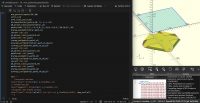
CC
Cory Cross
Tue, Feb 10, 2026 7:42 PM
On 1/4/26 1:47 PM, Jordan Brown via Discuss wrote:
On 1/3/2026 11:38 PM, Cory Cross via Discuss wrote:
Now, when Jordan's thinking volumetric color, I believe he's
thinking the faces shown in the viewport should reflect the
volumetric color.
I think the best rule is: show the face color, if defined, else the
fill color, if defined, else the default color.
That allows you to think in face color if you like, or think in fill
color if you like, and you don't have to worry about the behavior of
the other unless you deliberately cross the streams.
So in volumetric color view mode,
Modes bad. Avoid them when at all possible. The rule above doesn't
require modes.
I would want this to verify I got the correct volumetric color
underneath the faces. If I could strip all face coloring, I suppose that
would be fine, but that's not a supported feature.
Imagine I'm modeling a TTRPG figure, printed with two different
filaments, and I will dye some of the surfaces and I'm trying to model
the final product as accurately as possible.
(I chose dye because it has no thickness, so zero-thickness face
coloring is the only accurate way to model it).
And dyes aren't fully opaque, so it's important the volumetric color
underneath is correct. The simplest way is to have a toggle (or even
just a "hold to ignore" button) to ignore face coloring in the viewer.
Yeah, a non-toggle button that skips the face coloring in your proposed
coloring order would meet any use case I've thought up so far, I think,
and I think avoids the problem of modes as you suggest.
On 1/4/26 1:47 PM, Jordan Brown via Discuss wrote:
> On 1/3/2026 11:38 PM, Cory Cross via Discuss wrote:
>> > Now, when Jordan's thinking volumetric color, I believe he's
>> thinking the faces shown in the viewport should reflect the
>> volumetric color.
>
> I think the best rule is: show the face color, if defined, else the
> fill color, if defined, else the default color.
>
> That allows you to think in face color if you like, or think in fill
> color if you like, and you don't have to worry about the behavior of
> the other unless you deliberately cross the streams.
>
>> So in volumetric color view mode,
>
> Modes bad. Avoid them when at all possible. The rule above doesn't
> require modes.
I would want this to verify I got the correct volumetric color
underneath the faces. If I could strip all face coloring, I suppose that
would be fine, but that's not a supported feature.
Imagine I'm modeling a TTRPG figure, printed with two different
filaments, and I will *dye* some of the surfaces and I'm trying to model
the final product as accurately as possible.
(I chose *dye* because it has no thickness, so zero-thickness face
coloring is the only accurate way to model it).
And dyes aren't fully opaque, so it's important the volumetric color
underneath is correct. The simplest way is to have a toggle (or even
just a "hold to ignore" button) to ignore face coloring in the viewer.
Yeah, a non-toggle button that skips the face coloring in your proposed
coloring order would meet any use case I've thought up so far, I think,
and I think avoids the problem of modes as you suggest.
- Cory

