AM
Adrian Mariano
Thu, Jul 15, 2021 11:49 PM
If you're looking for a generic bend/fold method you might find turtle from
BOSL2 interesting. It lets you draw a shape using turtle graphics with
arcs. Example:
include<BOSL2/std.scad>
path = turtle(["move", 35,
"arcright", 3, 45,
"move", 10,
"arcleft", 7, 45,
"move", 25]);
stroke(path, width=2);
Result attached. There's a 3d version of turtle that could be useful for
things that need to change scale across their length or that bend in 3d.
https://github.com/revarbat/BOSL2/wiki/shapes2d.scad#function-turtle
On Thu, Jul 15, 2021 at 7:15 PM Ray West raywest@raywest.com wrote:
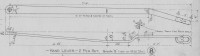
Thanks for all your comments and suggestions. It is actually part of the
brakework for a rch standard 12 ton railway wagon (circa 1923). I am
trying to replicate the whole wagon as accurately as I can, using
openscad. My aim is to be able to 3d print either all, or parts, at
various scales, as required. I think it would be easier to build the
full size wagon. As it is fdm printing, then when scaled, parts have to
be thickened or deleted, depending on the scale and detail required. At
the smaller scales, (less than 7mm/ft) the brakes will not be operable,
and it is unlikely that at any larger scale that 3d printing would be
used for that detail.
Do a side view in 2D and linear extrude it. Do a top view in 2D and
linear extrude it. Then rotate one and take the intersection.
would work good enough in this example, but generating two polygons
would be just as tedious as a single polyhedron, I guess, and it does
not work so well for twisted shapes, (i.e, bends, tubes,etc, not lining
up with the axis. ) I'm not sure if the drawing is to scale, but
possibly good enough to copy the jpg into some other drawing program and
produce a couple of dxf files.
I am struggling with producing a more generic bend/fold method, but I
think by putting on some restrictions e.g., number of bends, length of
shaft, etc, I may get something more or less useable. Any errors, tend
to disappear at a small scale, as does a lot of detail. The detail has
to be exaggerated, hopefully not the errors.
Of course, at the end of the day, it may look awful when printed, it
will need supports/whatever, since most likely it will be combined with
other components, so I may revert to folding etched or milled brass. Or,
most likely, once I've worked out how to do it, I'll go onto something
else - and save some plastic.
Best wishes,
Ray
OpenSCAD mailing list
To unsubscribe send an email to discuss-leave@lists.openscad.org
If you're looking for a generic bend/fold method you might find turtle from
BOSL2 interesting. It lets you draw a shape using turtle graphics with
arcs. Example:
include<BOSL2/std.scad>
path = turtle(["move", 35,
"arcright", 3, 45,
"move", 10,
"arcleft", 7, 45,
"move", 25]);
stroke(path, width=2);
Result attached. There's a 3d version of turtle that could be useful for
things that need to change scale across their length or that bend in 3d.
https://github.com/revarbat/BOSL2/wiki/shapes2d.scad#function-turtle
On Thu, Jul 15, 2021 at 7:15 PM Ray West <raywest@raywest.com> wrote:
> Thanks for all your comments and suggestions. It is actually part of the
> brakework for a rch standard 12 ton railway wagon (circa 1923). I am
> trying to replicate the whole wagon as accurately as I can, using
> openscad. My aim is to be able to 3d print either all, or parts, at
> various scales, as required. I think it would be easier to build the
> full size wagon. As it is fdm printing, then when scaled, parts have to
> be thickened or deleted, depending on the scale and detail required. At
> the smaller scales, (less than 7mm/ft) the brakes will not be operable,
> and it is unlikely that at any larger scale that 3d printing would be
> used for that detail.
>
> > Do a side view in 2D and linear extrude it. Do a top view in 2D and
> > linear extrude it. Then rotate one and take the intersection.
>
> would work good enough in this example, but generating two polygons
> would be just as tedious as a single polyhedron, I guess, and it does
> not work so well for twisted shapes, (i.e, bends, tubes,etc, not lining
> up with the axis. ) I'm not sure if the drawing is to scale, but
> possibly good enough to copy the jpg into some other drawing program and
> produce a couple of dxf files.
>
> I am struggling with producing a more generic bend/fold method, but I
> think by putting on some restrictions e.g., number of bends, length of
> shaft, etc, I may get something more or less useable. Any errors, tend
> to disappear at a small scale, as does a lot of detail. The detail has
> to be exaggerated, hopefully not the errors.
>
> Of course, at the end of the day, it may look awful when printed, it
> will need supports/whatever, since most likely it will be combined with
> other components, so I may revert to folding etched or milled brass. Or,
> most likely, once I've worked out how to do it, I'll go onto something
> else - and save some plastic.
>
> Best wishes,
>
> Ray
> _______________________________________________
> OpenSCAD mailing list
> To unsubscribe send an email to discuss-leave@lists.openscad.org
>


JB
Jordan Brown
Fri, Jul 16, 2021 12:24 AM
On 7/15/2021 4:04 PM, larry wrote:
And I wouldn't even think about using OpenSCAD to draw something like
that lever. Especially if I already have a picture I can trace over.
I would usually trace it in a drawing program[*], but would then read
off the coordinates for the Bezier control points and put them into an
OpenSCAD program.
I can't really say why I wouldn't just import a .SVG, but having two
tools in the pipeline reduces my warm-fuzzy-feeling level.
[*] I would usually use Corel Draw, because I have it and I'm
familiar with it and it seems a bit more robust than Inkscape, but
Inkscape would work as well.
On 7/15/2021 4:04 PM, larry wrote:
> And I wouldn't even think about using OpenSCAD to draw something like
> that lever. Especially if I already have a picture I can trace over.
I would usually trace it in a drawing program[*], but would then read
off the coordinates for the Bezier control points and put them into an
OpenSCAD program.
I can't really say why I wouldn't just import a .SVG, but having two
tools in the pipeline reduces my warm-fuzzy-feeling level.
 [*] I would usually use Corel Draw, because I have it and I'm
 familiar with it and it seems a bit more robust than Inkscape, but
 Inkscape would work as well.

J
jon
Fri, Jul 16, 2021 1:41 AM
I wrote my own image display program which allows me to click around the
edges of a shape and the coordinates are exported to a file, from which
I can massage them into OpenSCAD formats with a text editor. Pretty
simple and quick.
On 7/15/2021 8:24 PM, Jordan Brown wrote:
On 7/15/2021 4:04 PM, larry wrote:
And I wouldn't even think about using OpenSCAD to draw something like
that lever. Especially if I already have a picture I can trace over.
I would usually trace it in a drawing program[*], but would then read
off the coordinates for the Bezier control points and put them into an
OpenSCAD program.
I can't really say why I wouldn't just import a .SVG, but having two
tools in the pipeline reduces my warm-fuzzy-feeling level.
[*] I would usually use Corel Draw, because I have it and I'm
familiar with it and it seems a bit more robust than Inkscape, but
Inkscape would work as well.
I wrote my own image display program which allows me to click around the
edges of a shape and the coordinates are exported to a file, from which
I can massage them into OpenSCAD formats with a text editor. Pretty
simple and quick.
On 7/15/2021 8:24 PM, Jordan Brown wrote:
> On 7/15/2021 4:04 PM, larry wrote:
>> And I wouldn't even think about using OpenSCAD to draw something like
>> that lever. Especially if I already have a picture I can trace over.
>
> I would usually trace it in a drawing program[*], but would then read
> off the coordinates for the Bezier control points and put them into an
> OpenSCAD program.
>
> I can't really say why I wouldn't just import a .SVG, but having two
> tools in the pipeline reduces my warm-fuzzy-feeling level.
>
> [*] I would usually use Corel Draw, because I have it and I'm
> familiar with it and it seems a bit more robust than Inkscape, but
> Inkscape would work as well.
>
>

L
larry
Fri, Jul 16, 2021 3:52 AM
On Fri, 2021-07-16 at 00:14 +0100, Ray West wrote:
Thanks for all your comments and suggestions. It is actually part of
the brakework for a rch standard 12 ton railway wagon (circa 1923). I
am trying to replicate the whole wagon as accurately as I can, using
openscad. My aim is to be able to 3d print either all, or parts, at
various scales, as required. I think it would be easier to build the
full size wagon. As it is fdm printing, then when scaled, parts have
to be thickened or deleted, depending on the scale and detail
required.
Sounds like a great project.
Do a side view in 2D and linear extrude it. Do a top view in 2D and
linear extrude it. Then rotate one and take the intersection.
would work good enough in this example, but generating two polygons
would be just as tedious as a single polyhedron, I guess, and it does
not work so well for twisted shapes, (i.e, bends, tubes,etc, not
lining up with the axis. ) I'm not sure if the drawing is to scale,
but possibly good enough to copy the jpg into some other drawing
program and produce a couple of dxf files.
Play with that code I sent. Granted, it won't work with tubes, and
perhaps a few other shapes, but it will definitely work with anything
that can be completely defined by two views. Even severe bends can be
handled, as it's just a matter of extruding them far enough to allow
the different views to intersect fully. And the beauty of it is that
there is no need to enter all the points for two polygons.
On Fri, 2021-07-16 at 00:14 +0100, Ray West wrote:
> Thanks for all your comments and suggestions. It is actually part of
> the brakework for a rch standard 12 ton railway wagon (circa 1923). I
> am trying to replicate the whole wagon as accurately as I can, using
> openscad. My aim is to be able to 3d print either all, or parts, at
> various scales, as required. I think it would be easier to build the
> full size wagon. As it is fdm printing, then when scaled, parts have
> to be thickened or deleted, depending on the scale and detail
> required.
Sounds like a great project.
> > Do a side view in 2D and linear extrude it. Do a top view in 2D and
> > linear extrude it. Then rotate one and take the intersection.
>
> would work good enough in this example, but generating two polygons
> would be just as tedious as a single polyhedron, I guess, and it does
> not work so well for twisted shapes, (i.e, bends, tubes,etc, not
> lining up with the axis. ) I'm not sure if the drawing is to scale,
> but possibly good enough to copy the jpg into some other drawing
> program and produce a couple of dxf files.
Play with that code I sent. Granted, it won't work with tubes, and
perhaps a few other shapes, but it will definitely work with anything
that can be completely defined by two views. Even severe bends can be
handled, as it's just a matter of extruding them far enough to allow
the different views to intersect fully. And the beauty of it is that
there is no need to enter all the points for two polygons.

RW
Ray West
Fri, Jul 16, 2021 12:52 PM
I've been working? on trying to represent it being a tapered bar that is
bent, and have attached one result. There are a number of
errors/restrictions, (I've mentioned some on the comments). Having
fiddled around with manually calculating/guessing angles, I realised
that in most instances, angles are not shown on the drawings, and I
could most likely save having to enter ax,ay,az in the bender routine,
and calculate the angle from the 3 sets of coordinates. I may rewrite it
for 2 d, it would save the messing at the corners, as I could simply
place the appropriate sized circle, and I think on the original drawing,
dimensions are given where needed at bends, etc. In my code, the
dimensions are not necessarily those from the drawing, it was just to
see if it would work good enough.
Here is a link to the full set of drawings, if you want to see other
details - http://cs.rhul.ac.uk/~adrian/steam/RCHWagons/index.html.
On 16/07/2021 04:52, larry wrote:
On Fri, 2021-07-16 at 00:14 +0100, Ray West wrote:
Thanks for all your comments and suggestions. It is actually part of
the brakework for a rch standard 12 ton railway wagon (circa 1923). I
am trying to replicate the whole wagon as accurately as I can, using
openscad. My aim is to be able to 3d print either all, or parts, at
various scales, as required. I think it would be easier to build the
full size wagon. As it is fdm printing, then when scaled, parts have
to be thickened or deleted, depending on the scale and detail
required.
Sounds like a great project.
Do a side view in 2D and linear extrude it. Do a top view in 2D and
linear extrude it. Then rotate one and take the intersection.
would work good enough in this example, but generating two polygons
would be just as tedious as a single polyhedron, I guess, and it does
not work so well for twisted shapes, (i.e, bends, tubes,etc, not
lining up with the axis. ) I'm not sure if the drawing is to scale,
but possibly good enough to copy the jpg into some other drawing
program and produce a couple of dxf files.
Play with that code I sent. Granted, it won't work with tubes, and
perhaps a few other shapes, but it will definitely work with anything
that can be completely defined by two views. Even severe bends can be
handled, as it's just a matter of extruding them far enough to allow
the different views to intersect fully. And the beauty of it is that
there is no need to enter all the points for two polygons.
OpenSCAD mailing list
To unsubscribe send an email to discuss-leave@lists.openscad.org
I've been working? on trying to represent it being a tapered bar that is
bent, and have attached one result. There are a number of
errors/restrictions, (I've mentioned some on the comments). Having
fiddled around with manually calculating/guessing angles, I realised
that in most instances, angles are not shown on the drawings, and I
could most likely save having to enter ax,ay,az in the bender routine,
and calculate the angle from the 3 sets of coordinates. I may rewrite it
for 2 d, it would save the messing at the corners, as I could simply
place the appropriate sized circle, and I think on the original drawing,
dimensions are given where needed at bends, etc. In my code, the
dimensions are not necessarily those from the drawing, it was just to
see if it would work good enough.
Here is a link to the full set of drawings, if you want to see other
details - http://cs.rhul.ac.uk/~adrian/steam/RCHWagons/index.html.
On 16/07/2021 04:52, larry wrote:
> On Fri, 2021-07-16 at 00:14 +0100, Ray West wrote:
>> Thanks for all your comments and suggestions. It is actually part of
>> the brakework for a rch standard 12 ton railway wagon (circa 1923). I
>> am trying to replicate the whole wagon as accurately as I can, using
>> openscad. My aim is to be able to 3d print either all, or parts, at
>> various scales, as required. I think it would be easier to build the
>> full size wagon. As it is fdm printing, then when scaled, parts have
>> to be thickened or deleted, depending on the scale and detail
>> required.
> Sounds like a great project.
>
>>> Do a side view in 2D and linear extrude it. Do a top view in 2D and
>>> linear extrude it. Then rotate one and take the intersection.
>> would work good enough in this example, but generating two polygons
>> would be just as tedious as a single polyhedron, I guess, and it does
>> not work so well for twisted shapes, (i.e, bends, tubes,etc, not
>> lining up with the axis. ) I'm not sure if the drawing is to scale,
>> but possibly good enough to copy the jpg into some other drawing
>> program and produce a couple of dxf files.
> Play with that code I sent. Granted, it won't work with tubes, and
> perhaps a few other shapes, but it will definitely work with anything
> that can be completely defined by two views. Even severe bends can be
> handled, as it's just a matter of extruding them far enough to allow
> the different views to intersect fully. And the beauty of it is that
> there is no need to enter all the points for two polygons.
>
> _______________________________________________
> OpenSCAD mailing list
> To unsubscribe send an email to discuss-leave@lists.openscad.org
RW
Ray West
Mon, Jul 19, 2021 4:24 PM
Hi,
For the sake of completeness, I've attached a solution based on the 2d
intersection idea. It does what I need, with the advantage that I can
get the dimensions relatively easily from the works drawing, and I do
not need any other cad software. It will fulfil any bending requirements
of flat shapes, provided they are not diagonally twisted, and from what
I can see the dimensions are easy enough to obtain from most drawings of
that era. As yet,the bends are sharp, not gradually formed, which sits
well with this type of wrought iron work. Although, obviously the data
input could be reduced, by having a list of x, y, d values, the
attached 'part module' layout makes it easy to isolate or manipulate
individual sections.
Hi,
For the sake of completeness, I've attached a solution based on the 2d
intersection idea. It does what I need, with the advantage that I can
get the dimensions relatively easily from the works drawing, and I do
not need any other cad software. It will fulfil any bending requirements
of flat shapes, provided they are not diagonally twisted, and from what
I can see the dimensions are easy enough to obtain from most drawings of
that era. As yet,the bends are sharp, not gradually formed, which sits
well with this type of wrought iron work. Although, obviously the data
input could be reduced, by having a list of x, y, d values, the
attached 'part module' layout makes it easy to isolate or manipulate
individual sections.