

discuss@lists.openscad.org

OpenSCAD general discussion Mailing-list

View all threads

3D model for stamp fabrication

F
Fram
Tue, Jul 30, 2019 2:11 AM

I'm trying to create 3D model to print a stamp. I started with Inkscape SVG
file with some text converted in single path in it. Then I convert it into
DXF format with plugin for Inkscape. Then I import it into OpenSCAD and
extrude the stamp. The problem is that the stamp should have a cone-like
shape. The letters must become thick at the bottom. I did't find the way to
this using extrude command so I sliced the model into a set of layers and
applied different offset values to each layer. But the result has a lot of
artifacts. Is there another way to do it instead of slicing?

for(i=[0:30]){
translate( [0, 0, 0.7i/30] )
linear_extrude(height = 0.7/30, convexity = 10,scale=1,slices = 1)
offset(r = 0.2
i/30)

import(file = "drawing1.dxf",center = true,scale=1.5);
}
translate( [-2,-2,0.7] )
cube(size = [50,50,0.2]);

Here is the DXF file that I used https://cloud.mail.ru/public/3kaU/3w7h3czN1

http://forum.openscad.org/file/t2613/2.png

--
Sent from: http://forum.openscad.org/

I'm trying to create 3D model to print a stamp. I started with Inkscape SVG file with some text converted in single path in it. Then I convert it into DXF format with plugin for Inkscape. Then I import it into OpenSCAD and extrude the stamp. The problem is that the stamp should have a cone-like shape. The letters must become thick at the bottom. I did't find the way to this using extrude command so I sliced the model into a set of layers and applied different offset values to each layer. But the result has a lot of artifacts. Is there another way to do it instead of slicing? for(i=[0:30]){ translate( [0, 0, 0.7*i/30] ) linear_extrude(height = 0.7/30, convexity = 10,scale=1,slices = 1) offset(r = 0.2*i/30) import(file = "drawing1.dxf",center = true,scale=1.5); } translate( [-2,-2,0.7] ) cube(size = [50,50,0.2]); Here is the DXF file that I used https://cloud.mail.ru/public/3kaU/3w7h3czN1 <http://forum.openscad.org/file/t2613/2.png> -- Sent from: http://forum.openscad.org/
FV
Frank van der Hulst
Tue, Jul 30, 2019 4:19 AM

Change the scale value in linear_extrude to something other than 1.
https://en.wikibooks.org/wiki/OpenSCAD_User_Manual/2D_to_3D_Extrusion#Scale

On Tue, Jul 30, 2019 at 2:11 PM Fram valkrsk@gmail.com wrote:

I'm trying to create 3D model to print a stamp. I started with Inkscape SVG
file with some text converted in single path in it. Then I convert it into
DXF format with plugin for Inkscape. Then I import it into OpenSCAD and
extrude the stamp. The problem is that the stamp should have a cone-like
shape. The letters must become thick at the bottom. I did't find the way to
this using extrude command so I sliced the model into a set of layers and
applied different offset values to each layer. But the result has a lot of
artifacts. Is there another way to do it instead of slicing?

for(i=[0:30]){
translate( [0, 0, 0.7i/30] )
linear_extrude(height = 0.7/30, convexity = 10,scale=1,slices = 1)
offset(r = 0.2
i/30)

import(file = "drawing1.dxf",center = true,scale=1.5);
}
translate( [-2,-2,0.7] )
cube(size = [50,50,0.2]);

Here is the DXF file that I used
https://cloud.mail.ru/public/3kaU/3w7h3czN1

http://forum.openscad.org/file/t2613/2.png

--
Sent from: http://forum.openscad.org/


OpenSCAD mailing list
Discuss@lists.openscad.org
http://lists.openscad.org/mailman/listinfo/discuss_lists.openscad.org

Change the scale value in linear_extrude to something other than 1. https://en.wikibooks.org/wiki/OpenSCAD_User_Manual/2D_to_3D_Extrusion#Scale On Tue, Jul 30, 2019 at 2:11 PM Fram <valkrsk@gmail.com> wrote: > I'm trying to create 3D model to print a stamp. I started with Inkscape SVG > file with some text converted in single path in it. Then I convert it into > DXF format with plugin for Inkscape. Then I import it into OpenSCAD and > extrude the stamp. The problem is that the stamp should have a cone-like > shape. The letters must become thick at the bottom. I did't find the way to > this using extrude command so I sliced the model into a set of layers and > applied different offset values to each layer. But the result has a lot of > artifacts. Is there another way to do it instead of slicing? > > for(i=[0:30]){ > translate( [0, 0, 0.7*i/30] ) > linear_extrude(height = 0.7/30, convexity = 10,scale=1,slices = 1) > offset(r = 0.2*i/30) > > import(file = "drawing1.dxf",center = true,scale=1.5); > } > translate( [-2,-2,0.7] ) > cube(size = [50,50,0.2]); > > Here is the DXF file that I used > https://cloud.mail.ru/public/3kaU/3w7h3czN1 > > <http://forum.openscad.org/file/t2613/2.png> > > > > > -- > Sent from: http://forum.openscad.org/ > > _______________________________________________ > OpenSCAD mailing list > Discuss@lists.openscad.org > http://lists.openscad.org/mailman/listinfo/discuss_lists.openscad.org >
F
Fram
Tue, Jul 30, 2019 5:12 AM

Unfortunately scale works with respect to single point in the model. This
leads to distortion (see the attached picture).
http://forum.openscad.org/file/t2613/3.png

--
Sent from: http://forum.openscad.org/

Unfortunately scale works with respect to single point in the model. This leads to distortion (see the attached picture). <http://forum.openscad.org/file/t2613/3.png> -- Sent from: http://forum.openscad.org/
FV
Frank van der Hulst
Tue, Jul 30, 2019 6:18 AM

If you do a linear_extrude of each letter separately, you may be able to
control the distortion adequately?

On Tue, 30 Jul 2019, 17:13 Fram, valkrsk@gmail.com wrote:

Unfortunately scale works with respect to single point in the model. This
leads to distortion (see the attached picture).
http://forum.openscad.org/file/t2613/3.png

--
Sent from: http://forum.openscad.org/


OpenSCAD mailing list
Discuss@lists.openscad.org
http://lists.openscad.org/mailman/listinfo/discuss_lists.openscad.org

If you do a linear_extrude of each letter separately, you may be able to control the distortion adequately? On Tue, 30 Jul 2019, 17:13 Fram, <valkrsk@gmail.com> wrote: > Unfortunately scale works with respect to single point in the model. This > leads to distortion (see the attached picture). > <http://forum.openscad.org/file/t2613/3.png> > > > > -- > Sent from: http://forum.openscad.org/ > > _______________________________________________ > OpenSCAD mailing list > Discuss@lists.openscad.org > http://lists.openscad.org/mailman/listinfo/discuss_lists.openscad.org >
NH
nop head
Tue, Jul 30, 2019 6:29 AM

Perhaps minkowski with a cone. Probably slow but I think it should work.

On Tue, 30 Jul 2019 at 07:19, Frank van der Hulst drifter.frank@gmail.com
wrote:

If you do a linear_extrude of each letter separately, you may be able to
control the distortion adequately?

On Tue, 30 Jul 2019, 17:13 Fram, valkrsk@gmail.com wrote:

Unfortunately scale works with respect to single point in the model. This
leads to distortion (see the attached picture).
http://forum.openscad.org/file/t2613/3.png

--
Sent from: http://forum.openscad.org/


OpenSCAD mailing list
Discuss@lists.openscad.org
http://lists.openscad.org/mailman/listinfo/discuss_lists.openscad.org

Perhaps minkowski with a cone. Probably slow but I think it should work. On Tue, 30 Jul 2019 at 07:19, Frank van der Hulst <drifter.frank@gmail.com> wrote: > If you do a linear_extrude of each letter separately, you may be able to > control the distortion adequately? > > On Tue, 30 Jul 2019, 17:13 Fram, <valkrsk@gmail.com> wrote: > >> Unfortunately scale works with respect to single point in the model. This >> leads to distortion (see the attached picture). >> <http://forum.openscad.org/file/t2613/3.png> >> >> >> >> -- >> Sent from: http://forum.openscad.org/ >> >> _______________________________________________ >> OpenSCAD mailing list >> Discuss@lists.openscad.org >> http://lists.openscad.org/mailman/listinfo/discuss_lists.openscad.org >> > _______________________________________________ > OpenSCAD mailing list > Discuss@lists.openscad.org > http://lists.openscad.org/mailman/listinfo/discuss_lists.openscad.org >
F
Fram
Tue, Jul 30, 2019 7:26 AM

Not at all. The scale has a different effect. The inner parts of the letters
will also lean outward. I'd like them to lean in. More like an offset
action.

--
Sent from: http://forum.openscad.org/

Not at all. The scale has a different effect. The inner parts of the letters will also lean outward. I'd like them to lean in. More like an offset action. -- Sent from: http://forum.openscad.org/
C
cbernhardt
Tue, Jul 30, 2019 1:08 PM
Something like this? <http://forum.openscad.org/file/t1309/chamfered_letters.jpg> -- Sent from: http://forum.openscad.org/
F
Fram
Tue, Jul 30, 2019 1:29 PM

Similar. The only difference is that the letters should have an initial
thickness at the top and expand to the bottom.

--
Sent from: http://forum.openscad.org/

Similar. The only difference is that the letters should have an initial thickness at the top and expand to the bottom. -- Sent from: http://forum.openscad.org/
AC
A. Craig West
Tue, Jul 30, 2019 1:34 PM

As far as I can tell, Minkowski with a cone is about the only easy way to
do it

On Tue, 30 Jul 2019, 02:29 nop head, nop.head@gmail.com wrote:

Perhaps minkowski with a cone. Probably slow but I think it should work.

On Tue, 30 Jul 2019 at 07:19, Frank van der Hulst drifter.frank@gmail.com
wrote:

If you do a linear_extrude of each letter separately, you may be able to
control the distortion adequately?

On Tue, 30 Jul 2019, 17:13 Fram, valkrsk@gmail.com wrote:

Unfortunately scale works with respect to single point in the model. This
leads to distortion (see the attached picture).
http://forum.openscad.org/file/t2613/3.png

--
Sent from: http://forum.openscad.org/


OpenSCAD mailing list
Discuss@lists.openscad.org
http://lists.openscad.org/mailman/listinfo/discuss_lists.openscad.org

As far as I can tell, Minkowski with a cone is about the only easy way to do it On Tue, 30 Jul 2019, 02:29 nop head, <nop.head@gmail.com> wrote: > Perhaps minkowski with a cone. Probably slow but I think it should work. > > On Tue, 30 Jul 2019 at 07:19, Frank van der Hulst <drifter.frank@gmail.com> > wrote: > >> If you do a linear_extrude of each letter separately, you may be able to >> control the distortion adequately? >> >> On Tue, 30 Jul 2019, 17:13 Fram, <valkrsk@gmail.com> wrote: >> >>> Unfortunately scale works with respect to single point in the model. This >>> leads to distortion (see the attached picture). >>> <http://forum.openscad.org/file/t2613/3.png> >>> >>> >>> >>> -- >>> Sent from: http://forum.openscad.org/ >>> >>> _______________________________________________ >>> OpenSCAD mailing list >>> Discuss@lists.openscad.org >>> http://lists.openscad.org/mailman/listinfo/discuss_lists.openscad.org >>> >> _______________________________________________ >> OpenSCAD mailing list >> Discuss@lists.openscad.org >> http://lists.openscad.org/mailman/listinfo/discuss_lists.openscad.org >> > _______________________________________________ > OpenSCAD mailing list > Discuss@lists.openscad.org > http://lists.openscad.org/mailman/listinfo/discuss_lists.openscad.org >
F
fred
Tue, Jul 30, 2019 1:41 PM

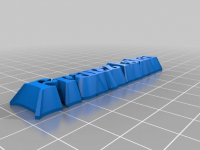
https://www.thingiverse.com/thing:3089014

Apparently, there's a "thingi" out there that does what you require!

OpenSCAD based of course.
On Monday, July 29, 2019, 10:11:58 PM EDT, Fram valkrsk@gmail.com wrote:

I'm trying to create 3D model to print a stamp. I started with Inkscape SVG
file with some text converted in single path in it. Then I convert it into
DXF format with plugin for Inkscape. Then I import it into OpenSCAD and
extrude the stamp. The problem is that the stamp should have a cone-like
shape. The letters must become thick at the bottom. I did't find the way to
this using extrude command so I sliced the model into a set of layers and
applied different offset values to each layer. But the result has a lot of
artifacts. Is there another way to do it instead of slicing?

for(i=[0:30]){
    translate( [0, 0, 0.7i/30] )
linear_extrude(height = 0.7/30, convexity = 10,scale=1,slices = 1)
offset(r = 0.2
i/30)
   
import(file = "drawing1.dxf",center = true,scale=1.5);
}
translate( [-2,-2,0.7] )
cube(size = [50,50,0.2]);

Here is the DXF file that I used https://cloud.mail.ru/public/3kaU/3w7h3czN1

http://forum.openscad.org/file/t2613/2.png

--
Sent from: http://forum.openscad.org/


OpenSCAD mailing list
Discuss@lists.openscad.org
http://lists.openscad.org/mailman/listinfo/discuss_lists.openscad.org
https://www.thingiverse.com/thing:3089014 Apparently, there's a "thingi" out there that does what you require! OpenSCAD based of course. On Monday, July 29, 2019, 10:11:58 PM EDT, Fram <valkrsk@gmail.com> wrote: I'm trying to create 3D model to print a stamp. I started with Inkscape SVG file with some text converted in single path in it. Then I convert it into DXF format with plugin for Inkscape. Then I import it into OpenSCAD and extrude the stamp. The problem is that the stamp should have a cone-like shape. The letters must become thick at the bottom. I did't find the way to this using extrude command so I sliced the model into a set of layers and applied different offset values to each layer. But the result has a lot of artifacts. Is there another way to do it instead of slicing? for(i=[0:30]){     translate( [0, 0, 0.7*i/30] ) linear_extrude(height = 0.7/30, convexity = 10,scale=1,slices = 1) offset(r = 0.2*i/30)     import(file = "drawing1.dxf",center = true,scale=1.5); } translate( [-2,-2,0.7] ) cube(size = [50,50,0.2]); Here is the DXF file that I used https://cloud.mail.ru/public/3kaU/3w7h3czN1 <http://forum.openscad.org/file/t2613/2.png> -- Sent from: http://forum.openscad.org/ _______________________________________________ OpenSCAD mailing list Discuss@lists.openscad.org http://lists.openscad.org/mailman/listinfo/discuss_lists.openscad.org