

Centering an "imported" .STL file

I have seen a post on the forum that discusses this topic but it seems
rather old but refers to possible implementations of this.
I have a need to center an imported STL file so that I can modify it
within scad but there doesn't seem to be a way to do it
and my attempts at "translating" it have proved rather inaccurate.
Is there perhaps a library that contains this functionality ??
Best regards,
Dave

Unfortunately, there is no way to do that directly in OpenScad. I found a
C++ library and set of utilities that I use for this before I import into
openscad
On Sat, 31 Oct 2020, 13:13 David Slipper, softfoot@hotmail.com wrote:
I have seen a post on the forum that discusses this topic but it seems
rather old but refers to possible implementations of this.
I have a need to center an imported STL file so that I can modify it
within scad but there doesn't seem to be a way to do it
and my attempts at "translating" it have proved rather inaccurate.
Is there perhaps a library that contains this functionality ??
Best regards,
Dave
OpenSCAD mailing list
Discuss@lists.openscad.org
http://lists.openscad.org/mailman/listinfo/discuss_lists.openscad.org
The C++ code in question can be found at:
https://github.com/AllwineDesigns/stl_cmd
I added a few features to the libraries, including the ability to
convert between binary and text STL's, and added an stl_zero utility
that will centre an STL either around the origin, or centred on X and
Y and projecting upwards from 0.
On Sat, Oct 31, 2020 at 1:36 PM A. Craig West acraigwest@gmail.com wrote:
Unfortunately, there is no way to do that directly in OpenScad. I found a C++ library and set of utilities that I use for this before I import into openscad
On Sat, 31 Oct 2020, 13:13 David Slipper, softfoot@hotmail.com wrote:
I have seen a post on the forum that discusses this topic but it seems
rather old but refers to possible implementations of this.
I have a need to center an imported STL file so that I can modify it
within scad but there doesn't seem to be a way to do it
and my attempts at "translating" it have proved rather inaccurate.
Is there perhaps a library that contains this functionality ??
Best regards,
Dave
OpenSCAD mailing list
Discuss@lists.openscad.org
http://lists.openscad.org/mailman/listinfo/discuss_lists.openscad.org

On 31.10.2020 18:36, A. Craig West wrote:
Unfortunately, there is no way to do that directly in OpenScad. I found
a C++ library and set of utilities that I use for this before I import
into openscad
You don't have to go to C++ unless you want to. This feature is standard
in AngelCAD, you just have to first convert from STL to OBJ or OFF,
polyfix can do that).
To center an imported file in AngelCAD:
// import model from file
solid@ model = polyhedron("model.obj");

// center the model using bounding box info
pos3d@ c = model.box().center();
@model   = translate(-c.x(),-c.y(),-c.z())*model;
Saving to STL will enable pre-centered import into OpenSCAD afterwards.
Carsten Arholm
AngelCAD isn't really OpenSCAD, though, and it seemed overkill to use
AngelCAD as a preprocessor. I am very much a fan of the Unix
philosophy of using simple command line tools for processing. I found
the stl_cmd tools, which did most of what I wanted, and added the
features I needed...
I do want to start using AngelCAD at some point, but it would break
compatibility with a VERY large amount of code I have developed for
OpenSCAD
On Sat, Oct 31, 2020 at 1:53 PM Carsten Arnholm arnholm@arnholm.org wrote:
On 31.10.2020 18:36, A. Craig West wrote:
Unfortunately, there is no way to do that directly in OpenScad. I found
a C++ library and set of utilities that I use for this before I import
into openscad
You don't have to go to C++ unless you want to. This feature is standard
in AngelCAD, you just have to first convert from STL to OBJ or OFF,
polyfix can do that).
To center an imported file in AngelCAD:
 // import model from file
 solid@ model = polyhedron("model.obj");

 // center the model using bounding box info
 pos3d@ c = model.box().center();
 @model   = translate(-c.x(),-c.y(),-c.z())*model;
Saving to STL will enable pre-centered import into OpenSCAD afterwards.
Carsten Arholm
OpenSCAD mailing list
Discuss@lists.openscad.org
http://lists.openscad.org/mailman/listinfo/discuss_lists.openscad.org
OK I found a way around it for now - I use 3DTOOL to measure the
distance from an edge
to the YZ axis and then use BOSLs "move" function to put it where I want.
Not ideal, but OK for now.
But that has highlighted a problem ... see next message.
Thanks all,
Dave
On 31/10/2020 17:59, A. Craig West wrote:
AngelCAD isn't really OpenSCAD, though, and it seemed overkill to use
AngelCAD as a preprocessor. I am very much a fan of the Unix
philosophy of using simple command line tools for processing. I found
the stl_cmd tools, which did most of what I wanted, and added the
features I needed...
I do want to start using AngelCAD at some point, but it would break
compatibility with a VERY large amount of code I have developed for
OpenSCAD
On Sat, Oct 31, 2020 at 1:53 PM Carsten Arnholm arnholm@arnholm.org wrote:
On 31.10.2020 18:36, A. Craig West wrote:
Unfortunately, there is no way to do that directly in OpenScad. I found
a C++ library and set of utilities that I use for this before I import
into openscad
You don't have to go to C++ unless you want to. This feature is standard
in AngelCAD, you just have to first convert from STL to OBJ or OFF,
polyfix can do that).
To center an imported file in AngelCAD:
  // import model from file
  solid@ model = polyhedron("model.obj");

  // center the model using bounding box info
  pos3d@ c = model.box().center();
  @model   = translate(-c.x(),-c.y(),-c.z())*model;
Saving to STL will enable pre-centered import into OpenSCAD afterwards.
Carsten Arholm
OpenSCAD mailing list
Discuss@lists.openscad.org
http://lists.openscad.org/mailman/listinfo/discuss_lists.openscad.org
OpenSCAD mailing list
Discuss@lists.openscad.org
http://lists.openscad.org/mailman/listinfo/discuss_lists.openscad.org
.
On 31.10.2020 18:59, A. Craig West wrote:
AngelCAD isn't really OpenSCAD, though, and it seemed overkill to use
AngelCAD as a preprocessor.
You can run it from the command line without any GUI at all. For
example, if you have a "center.as" to do centering, you could do
$ as_csg center.as -args=model=model.obj
I am very much a fan of the Unix
philosophy of using simple command line tools for processing. I found
the stl_cmd tools, which did most of what I wanted, and added the
features I needed...
Sure, I like command line tools as well. Those tools look useful.
I do want to start using AngelCAD at some point, but it would break
compatibility with a VERY large amount of code I have developed for
OpenSCAD
The upcoming version of AngelCAD will be able to run OpenSCAD scripts
(with some limitations) if OpenSCAD is installed on the computer.
OpenSCAD is used for parsing the .scad script (without using the slow
CGAL) to .csg format, and then the booleans will be executed in
AngelCADs xcsg.
Carsten Arholm
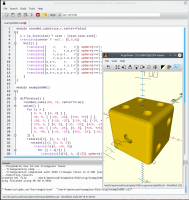

That sounds very exciting to me!
On 10/31/2020 2:33 PM, Carsten Arnholm wrote:
The upcoming version of AngelCAD will be able to run OpenSCAD scripts
(with some limitations) if OpenSCAD is installed on the computer.
OpenSCAD is used for parsing the .scad script (without using the slow
CGAL) to .csg format, and then the booleans will be executed in
AngelCADs xcsg.

softfoot wrote
Is there perhaps a library that contains this functionality ??
Not a library, but earlier this year I cribbed some code from Jamie
Bainbridge's stldim.py and added some code to it to move an imported STL
to one of five positions; NE, NW, SW, SE, Centre XY, Centre All.
I recently updated Python to 3.7, and have not been able to use it since. It
can't find the imports, and I have no idea how to tell Python where to find
the libs.
You can find it at https://github.com/lar3ry/OpenSCAD---Move-STL-to-origin
https://github.com/lar3ry/OpenSCAD---Move-STL-to-origin
I sort of messed up the github.
You should robably use stlplace.py, and I'll see if I can fix the
repository.
--
Sent from: http://forum.openscad.org/
This feature is now available, details at
https://forum.abmesh.com/index.php?topic=70.0
Carsten Arnholm
On 31.10.2020 19:52, jon wrote:
That sounds very exciting to me!
On 10/31/2020 2:33 PM, Carsten Arnholm wrote:
The upcoming version of AngelCAD will be able to run OpenSCAD scripts
(with some limitations) if OpenSCAD is installed on the computer.
OpenSCAD is used for parsing the .scad script (without using the slow
CGAL) to .csg format, and then the booleans will be executed in
AngelCADs xcsg.