Another missing feature? (All I want for Xmas...)

Does the latest code I posted work for you?
Not really. I tried the code "as is" and with my figures copied by hand from
the bottom of the GUI, as the variables do not seem to update themselves
with "preview" or "animation". For §vpf I just entered 22. The "hello" still
moves together with the sphere and does not stay in the corner. Have I
overlooked something?
The code with my figures:
window = [1029, 640]; // Copied from the bottom of the GUI
sphere(20);
translate(37,39,5)
rotate(100,0,325)
translate([1029 / 640, -1] * 293 * tan(22 / 2))
scale(293 / 640)
linear_extrude(0.001)
text("hello", valign = "baseline", halign = "right");
The window size of course depends on how much of the screen the editor
occupies - which is variable.
--
Sent from: http://forum.openscad.org/

You should only fill in window size and leave the rest of the code using
$vpt, etc. If you haven't got $vpf use 22.5, not 22.
On Sun, 25 Oct 2020 at 19:34, Caddiy mikeonenine@web.de wrote:
Does the latest code I posted work for you?
Not really. I tried the code "as is" and with my figures copied by hand
from
the bottom of the GUI, as the variables do not seem to update themselves
with "preview" or "animation". For §vpf I just entered 22. The "hello"
still
moves together with the sphere and does not stay in the corner. Have I
overlooked something?
The code with my figures:
window = [1029, 640]; // Copied from the bottom of the GUI
sphere(20);
translate(37,39,5)
rotate(100,0,325)
translate([1029 / 640, -1] * 293 * tan(22 / 2))
scale(293 / 640)
linear_extrude(0.001)
text("hello", valign = "baseline", halign = "right");
The window size of course depends on how much of the screen the editor
occupies - which is variable.
--
Sent from: http://forum.openscad.org/
OpenSCAD mailing list
Discuss@lists.openscad.org
http://lists.openscad.org/mailman/listinfo/discuss_lists.openscad.org

On 10/24/2020 7:34 PM, Caddiy wrote:
I cannot assess your script, I haven't got that far. But are you sure the
values of $vp* are in any way related to the number of pixels on your
computer monitor?
They are not, but it all ties together.
$vpt says where the camera is relative to the model.
$vpr says which direction the camera is pointing.
I'm not sure exactly what $vpd represents, but effectively it's a zoom
control. (It's referred to as "distance", but I don't understand
exactly how it relates to $vpt.)
Now put a frame between the camera and the model. That's your window.
What you see on your screen is what the camera can see through that frame.
Another way to look at it is to relate them to how you manually position
the window using the mouse. The left mouse button is tied to $vpr, the
right mouse button to $vpt, and the wheel to $vpd.
The variables can be used to let the program look at where you've
manually positioned the camera, or let the program set the location of
the camera.
Create a simple model. cube(10) is fine. Note that at the bottom of
the window there's a like that says
Viewport: translate = [ xxx yyy zzz ], rotate = [ xxx, yyy, zzz ],
distance = ddd (www x hhh)
Watch how those numbers change when you use the mouse to look around the
model. $vpt is the "translate" numbers, $vpr is the "rotate" numbers,
and $vpd is the "distance" number. The www and hhh are the size of your
window; there are no corresponding variables.
Is there a way to apply $vpd to a single object as can be done with $vpr&t,
as opposed to the whole scene?
No. None of these apply to individual objects. They all control where
the camera is.
$vpd is the distance of the camera from the viewport which is a 2D
rectangle that frames the image and it subtends an angle at the camera
vertically equal to $vpf, the field of view.
On Sun, 25 Oct 2020 at 20:01, Jordan Brown openscad@jordan.maileater.net
wrote:
On 10/24/2020 7:34 PM, Caddiy wrote:
I cannot assess your script, I haven't got that far. But are you sure the
values of $vp* are in any way related to the number of pixels on your
computer monitor?
They are not, but it all ties together.
$vpt says where the camera is relative to the model.
$vpr says which direction the camera is pointing.
I'm not sure exactly what $vpd represents, but effectively it's a zoom
control. (It's referred to as "distance", but I don't understand exactly
how it relates to $vpt.)
Now put a frame between the camera and the model. That's your window.
What you see on your screen is what the camera can see through that frame.
Another way to look at it is to relate them to how you manually position
the window using the mouse. The left mouse button is tied to $vpr, the
right mouse button to $vpt, and the wheel to $vpd.
The variables can be used to let the program look at where you've manually
positioned the camera, or let the program set the location of the camera.
Create a simple model. cube(10) is fine. Note that at the bottom of the
window there's a like that says
Viewport: translate = [ xxx yyy zzz ], rotate = [ xxx, yyy, zzz ],
distance = ddd (www x hhh)
Watch how those numbers change when you use the mouse to look around the
model. $vpt is the "translate" numbers, $vpr is the "rotate" numbers, and
$vpd is the "distance" number. The www and hhh are the size of your
window; there are no corresponding variables.
Is there a way to apply $vpd to a single object as can be done with $vpr&t,
as opposed to the whole scene?
No. None of these apply to individual objects. They all control where
the camera is.
OpenSCAD mailing list
Discuss@lists.openscad.org
http://lists.openscad.org/mailman/listinfo/discuss_lists.openscad.org
Ah, now it works! Thanks.
Window y remains constant and window x can be set to the full width or minus
the preferred editor width. Unfortunately there is no $vpw[0].
I have added translate([-10,10,0]) to get the text out of the extreme corner
and text size=10 (which seems to be the default value) so that I just have
to change the number for bigger or smaller characters.
My code, for what it's worth:
//Code for fixed text
//Object magnification
x=01.00;
rotate([$t360,$t360,$t*360])
{
color("magenta")
cube(20);
color("lime")
sphere(2);
}
$vpd = 400/x; // Affects everything
translate([$vpt[0],$vpt[1],$vpt[2]]) // Affects text only
rotate([$vpr[0],$vpr[1],$vpr[2]]) // Affects text only
translate([-120/x,-70/x,0]) // = bottom left
color("black")
linear_extrude (height= 0.01)
text("Cube in a fix", font = "Times New Roman", size=8/x);
It would work nicely if distance (with $vpd) could be applied to the text
alone, as translate and rotate can, without affecting anything else.
--
Sent from: http://forum.openscad.org/

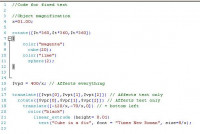
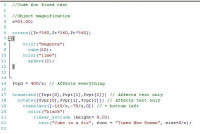
Note that indentation of the code helps understand
which lines affect the next line.
Sequences of code affect the following lines until a ";" terminates that sequence.
e.g. (as an image so email doesn't affect it)
-----Original Message-----
From: Discuss [mailto:discuss-bounces@lists.openscad.org] On Behalf Of Caddiy
Sent: Mon, 26 Oct 2020 12:03
Subject: Re: [OpenSCAD] Another missing feature? (All I want for Xmas...)
Ah, now it works! Thanks.
Window y remains constant and window x can be set to the full width or minus
the preferred editor width. Unfortunately there is no $vpw[0].
I have added translate([-10,10,0]) to get the text out of the extreme corner
and text size=10 (which seems to be the default value) so that I just have
to change the number for bigger or smaller characters.
My code, for what it's worth:
//Code for fixed text
//Object magnification
x=01.00;
rotate([$t360,$t360,$t*360])
{
color("magenta")
cube(20);
color("lime")
sphere(2);
}
$vpd = 400/x; // Affects everything
translate([$vpt[0],$vpt[1],$vpt[2]]) // Affects text only
rotate([$vpr[0],$vpr[1],$vpr[2]]) // Affects text only
translate([-120/x,-70/x,0]) // = bottom left
color("black")
linear_extrude (height= 0.01)
text("Cube in a fix", font = "Times New Roman", size=8/x);
It would work nicely if distance (with $vpd) could be applied to the text
alone, as translate and rotate can, without affecting anything else.
--
Sent from: http://forum.openscad.org/
OpenSCAD mailing list
--
This email has been checked for viruses by AVG.
https://www.avg.com
Assigning to $vpd, $vpt and $vpr affect the camera, so that changes the
appearance of everything. Reading the values to know where the camera is
allows you to position individual objects in a fixed place relative to the
camera.
There is no need to split up the vectors and join them back together again.
[$vpt[0],$vpt[1],$vpt[2]] is just $vpt and can be passed to translate.
You assigned to $vpd to specify the zoom, whereas I read $vpd to change the
size of position of the text, so it doesn't change. It then doesn't matter
if $vpd is changed with GUI or is assigned to.
Not sure why you didn't just use the method I posted.
On Mon, 26 Oct 2020 at 01:13, MichaelAtOz oz.at.michael@gmail.com wrote:
Note that indentation of the code helps understand
which lines affect the next line.
Sequences of code affect the following lines until a ";" terminates that
sequence.
e.g. (as an image so email doesn't affect it)
-----Original Message-----
From: Discuss [mailto:discuss-bounces@lists.openscad.org] On Behalf Of
Caddiy
Sent: Mon, 26 Oct 2020 12:03
Subject: Re: [OpenSCAD] Another missing feature? (All I want for
Xmas...)
Ah, now it works! Thanks.
Window y remains constant and window x can be set to the full width or
minus
the preferred editor width. Unfortunately there is no $vpw[0].
I have added translate([-10,10,0]) to get the text out of the extreme
corner
and text size=10 (which seems to be the default value) so that I just
have
to change the number for bigger or smaller characters.
My code, for what it's worth:
//Code for fixed text
//Object magnification
x=01.00;
rotate([$t360,$t360,$t*360])
{
color("magenta")
cube(20);
color("lime")
sphere(2);
}
$vpd = 400/x; // Affects everything
translate([$vpt[0],$vpt[1],$vpt[2]]) // Affects text only
rotate([$vpr[0],$vpr[1],$vpr[2]]) // Affects text only
translate([-120/x,-70/x,0]) // = bottom left
color("black")
linear_extrude (height= 0.01)
text("Cube in a fix", font = "Times New Roman", size=8/x);
It would work nicely if distance (with $vpd) could be applied to the text
alone, as translate and rotate can, without affecting anything else.
--
Sent from: http://forum.openscad.org/
OpenSCAD mailing list
http://www.avg.com/email-signature?utm_medium=email&utm_source=link&utm_campaign=sig-email&utm_content=emailclient Virus-free.
www.avg.com
http://www.avg.com/email-signature?utm_medium=email&utm_source=link&utm_campaign=sig-email&utm_content=emailclient
<#m_-6997805907647189939_DAB4FAD8-2DD7-40BB-A1B8-4E2AA1F9FDF2>
OpenSCAD mailing list
Discuss@lists.openscad.org
http://lists.openscad.org/mailman/listinfo/discuss_lists.openscad.org