Improving the findreplace dialog window

On 03/30/2015 12:17 AM, Yvette S. Hirth, CCP, CDP wrote:
the view window to occupy the upper left-hand corner,
the console window to occupy the upper right-hand corner, and
the editor window to occupy the entire bottom half (full width).
Right, this is not possible with the current settings, as this
would not have allowed to maintain the old style after switching
from a fixed layout to sub-windows.
Technically yes, but I don't think it will be possible to edit it
manually (Qt stores some unreadable binary blob as window state)
and I'd expect it to allow only the combinations that are possible
to get with drag&drop in the GUI too.
thanks for letting me know! i'll keep attempting to finagle it
into the style i'd like.
Interestingly after some playing around with the window state
state settings, it might be possible force the wanted layout.
It seems the state settings from the config file totally
overwrite what we are setting in code, so the values in code
have only effect if there is no config file at all (e.g. after
new installation).
So there is one thing we could try...
- find a compatible system and run a modified OpenSCAD that
allows the different layout - copy the blob into the config file
- cross fingers the hacking works :-)
What OS are you using?
On my Debian/64-bit system, I'm getting:
- Config file:
$HOME/.config/OpenSCAD/OpenSCAD.conf
- The window state settings in that config file
(all on a single long line)
state=@ByteArray(\0\0\0\xff\0\0\0\0\xfd\0\0\0\x2\0\0\0\x1\0\0\x2W\0\0\x1>\xfc\x2\0\0\0\x1\xfb\0\0\0\x16\0\x63\0o\0n\0s\0o\0l\0\x65\0\x44\0o\0\x63\0k\x1\0\0\0\x1c\0\0\x1>\0\0\0#\0\xff\xff\xff\0\0\0\x3\0\0\x4\xf9\0\0\x2\xf8\xfc\x1\0\0\0\x1\xfb\0\0\0\x14\0\x65\0\x64\0i\0t\0o\0r\0\x44\0o\0\x63\0k\x1\0\0\0\0\0\0\x4\xf9\0\0\0K\0\xff\xff\xff\0\0\x2\x9c\0\0\x1>\0\0\0\x4\0\0\0\x4\0\0\0\b\0\0\0\b\xfc\0\0\0\0)
ciao,
Torsten.

On 03/29/2015 03:41 PM, Torsten Paul wrote:
Interestingly after some playing around with the window state
state settings, it might be possible force the wanted layout.
It seems the state settings from the config file totally
overwrite what we are setting in code, so the values in code
only have effect if there is no config file at all (e.g. after
new installation).
So there is one thing we could try...
- find a compatible system and run a modified OpenSCAD that
allows the different layout - copy the blob into the config file
- cross fingers the hacking works :-)
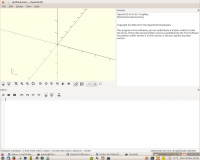
ok, i copied the .conf file you specified and renamed it, to save the
original values. first time thru, it didn't work; then i realized i had
the wrong .conf file. locate'd the right .conf file, added your
changes, and ... see attached pic.
Voila! You Da Man!
What OS are you using?
Ubuntu 14.04.1 LTS 64bit.
thanks very much!
yvette