

discuss@lists.openscad.org

OpenSCAD general discussion Mailing-list

View all threads

SVG import questions.

TP
Torsten Paul
Thu, Jul 23, 2020 5:40 PM

On 23.07.20 05:51, WillAdams via Discuss wrote:

Is this documented somewhere?

What is "this"? SVG import in general?

https://en.wikibooks.org/wiki/OpenSCAD_User_Manual/SVG_Import

It's not complete, but should cover most basic things.

import("C:\Users\willa\Desktop\Design_Into_3D-master\box\fingerjoint\magazine\5_16_radius_half.svg");

Without the actual file, it's not really possible to tell
what the issue could be.

ciao,
Torsten.

On 23.07.20 05:51, WillAdams via Discuss wrote: > Is this documented somewhere? What is "this"? SVG import in general? https://en.wikibooks.org/wiki/OpenSCAD_User_Manual/SVG_Import It's not complete, but should cover most basic things. > import("C:\Users\willa\Desktop\Design_Into_3D-master\box\fingerjoint\magazine\5_16_radius_half.svg"); Without the actual file, it's not really possible to tell what the issue could be. ciao, Torsten.
R
Rick
Thu, Jul 23, 2020 5:43 PM

That circle is not at the origin.  InkScape tries to do much that it
shouldn't do.
<circle r="20" cy="296.99997" cx="1.3322676e-15" id="path32"

style="opacity:0.662379;fill:#1fb801;fill-opacity:1;stroke:none;stroke-width:3.05269;stroke-linecap:round;stroke-opacity:0.955645"
/>

cx and cy default to zero, just remove them and you will have a circle
centered at the origin.
InkScape is calling the bottom left of the viewspace the origin as it would
be in Cartesian geometry.  The SVG working group, in its wisdom and bowing
to Adobe has adopted page display geometry which has an origin at the top
left.

On Thu, Jul 23, 2020 at 12:55 PM lar3ry@sasktel.net wrote:

On 22 Jul 2020 at 20:51, WillAdams via Discuss wrote:

What about the previous technique of exporting a .scad file from Inkscape
using an extension such as:
https://github.com/fablabnbg/inkscape-paths2openscad
Does that still work in Inkscape 1.0?

I just downloaded Inkscape 1.0, putting it into a separate directory so I
can
run it in parallel. I did this because it looks like the Roland Cutstudio
extension is not compatible, or at least not mentioned in the release
notes or
Wiki.

I think the only way to tell if any given extension works is to either
look at the
repository or to try adding it to 1.0.

My first try at using 1.0 was pretty disappointing. I thought I'd try it
on a few
things, and got at least one very strange result. I first tried text.
After entering
it, changing the font, I tried to move it. I could only move it with the
keyboard,
and not with the mouse.

When I get a little more time, I will try it out in more depth, but so
far, I am
not impressed.


OpenSCAD mailing list
Discuss@lists.openscad.org
http://lists.openscad.org/mailman/listinfo/discuss_lists.openscad.org

That circle is not at the origin. InkScape tries to do much that it shouldn't do. <circle r="20" cy="296.99997" cx="1.3322676e-15" id="path32" style="opacity:0.662379;fill:#1fb801;fill-opacity:1;stroke:none;stroke-width:3.05269;stroke-linecap:round;stroke-opacity:0.955645" /> cx and cy default to zero, just remove them and you will have a circle centered at the origin. InkScape is calling the bottom left of the viewspace the origin as it would be in Cartesian geometry. The SVG working group, in its wisdom and bowing to Adobe has adopted page display geometry which has an origin at the top left. On Thu, Jul 23, 2020 at 12:55 PM <lar3ry@sasktel.net> wrote: > On 22 Jul 2020 at 20:51, WillAdams via Discuss wrote: > > What about the previous technique of exporting a .scad file from Inkscape > > using an extension such as: > > https://github.com/fablabnbg/inkscape-paths2openscad > > Does that still work in Inkscape 1.0? > > I just downloaded Inkscape 1.0, putting it into a separate directory so I > can > run it in parallel. I did this because it looks like the Roland Cutstudio > extension is not compatible, or at least not mentioned in the release > notes or > Wiki. > > I think the only way to tell if any given extension works is to either > look at the > repository or to try adding it to 1.0. > > My first try at using 1.0 was pretty disappointing. I thought I'd try it > on a few > things, and got at least one very strange result. I first tried text. > After entering > it, changing the font, I tried to move it. I could only move it with the > keyboard, > and not with the mouse. > > When I get a little more time, I will try it out in more depth, but so > far, I am > not impressed. > > > _______________________________________________ > OpenSCAD mailing list > Discuss@lists.openscad.org > http://lists.openscad.org/mailman/listinfo/discuss_lists.openscad.org >
W
WillAdams
Thu, Jul 23, 2020 9:11 PM

Posted the file to:

https://community.carbide3d.com/uploads/default/original/3X/3/8/38d68660a46c6fffcfcf491190c9ed57ef937a2e.svg

(It was written out of Inkscape 1.0 on Windows 10 build 1703)

Thanks for the link to the docs!

Will see what I can puzzle out.

William

--
Sent from: http://forum.openscad.org/

Posted the file to: https://community.carbide3d.com/uploads/default/original/3X/3/8/38d68660a46c6fffcfcf491190c9ed57ef937a2e.svg (It was written out of Inkscape 1.0 on Windows 10 build 1703) Thanks for the link to the docs! Will see what I can puzzle out. William -- Sent from: http://forum.openscad.org/
TP
Torsten Paul
Thu, Jul 23, 2020 10:11 PM

On 23.07.20 23:11, WillAdams via Discuss wrote:

Seems to work for me (using snapshot version of OpenSCAD).

ciao,
Torsten.
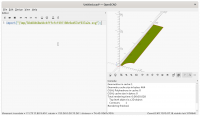
On 23.07.20 23:11, WillAdams via Discuss wrote: > https://community.carbide3d.com/uploads/default/original/3X/3/8/38d68660a46c6fffcfcf491190c9ed57ef937a2e.svg Seems to work for me (using snapshot version of OpenSCAD). ciao, Torsten.

NH
nop head
Thu, Jul 23, 2020 10:17 PM

Shouldn't the tip be exactly at the origin if it is a milling bit?

On Thu, 23 Jul 2020 at 23:12, Torsten Paul Torsten.Paul@gmx.de wrote:

On 23.07.20 23:11, WillAdams via Discuss wrote:

Shouldn't the tip be exactly at the origin if it is a milling bit? On Thu, 23 Jul 2020 at 23:12, Torsten Paul <Torsten.Paul@gmx.de> wrote: > On 23.07.20 23:11, WillAdams via Discuss wrote: > > > https://community.carbide3d.com/uploads/default/original/3X/3/8/38d68660a46c6fffcfcf491190c9ed57ef937a2e.svg > > Seems to work for me (using snapshot version of OpenSCAD). > > ciao, > Torsten. > _______________________________________________ > OpenSCAD mailing list > Discuss@lists.openscad.org > http://lists.openscad.org/mailman/listinfo/discuss_lists.openscad.org >